MoreSecurity,MoreConveniencewww.apexis.com.cn/www.apexis.cc
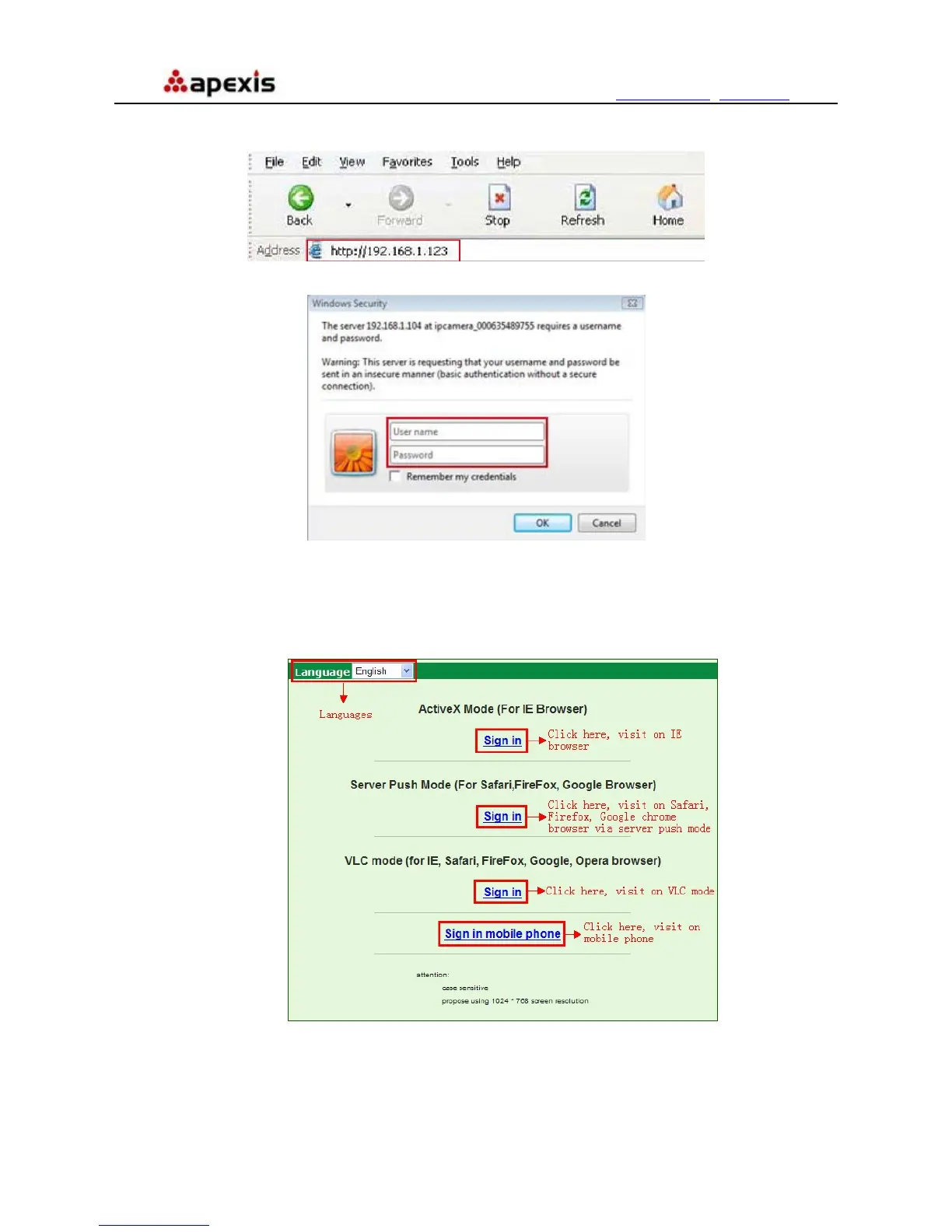
2. To access the camera by IE Browser directly, just type the camera’s IP address, for example, if the camera’s
IP address is 192.168.1.123:
Figure 2.4
Figure 2.5
The default user name is admin, no password
Input the correct user name and password, the Sign In interface will pop-up.
There are three models to login (figure 2.6).
Figure 2.6
(1) Active Mode (For IE Browser): available in IE6.0 or above explorer
(2) “Server Push Mode”: available in Firefox, Safari, and Google Chrome browser.
(3) “Sign in mobile phone”: available in Mobile phone
Shenzhen Apexis Electronic Co., Ltd Tel: +86-755-26509025 Fax: +86-755-26509229
11


 To Next Page