MoreSecurity,MoreConveniencewww.apexis.com.cn/www.apexis.cc
Shenzhen Apexis Electronic Co., Ltd Tel: +86-755-26509025 Fax: +86-755-26509229
17
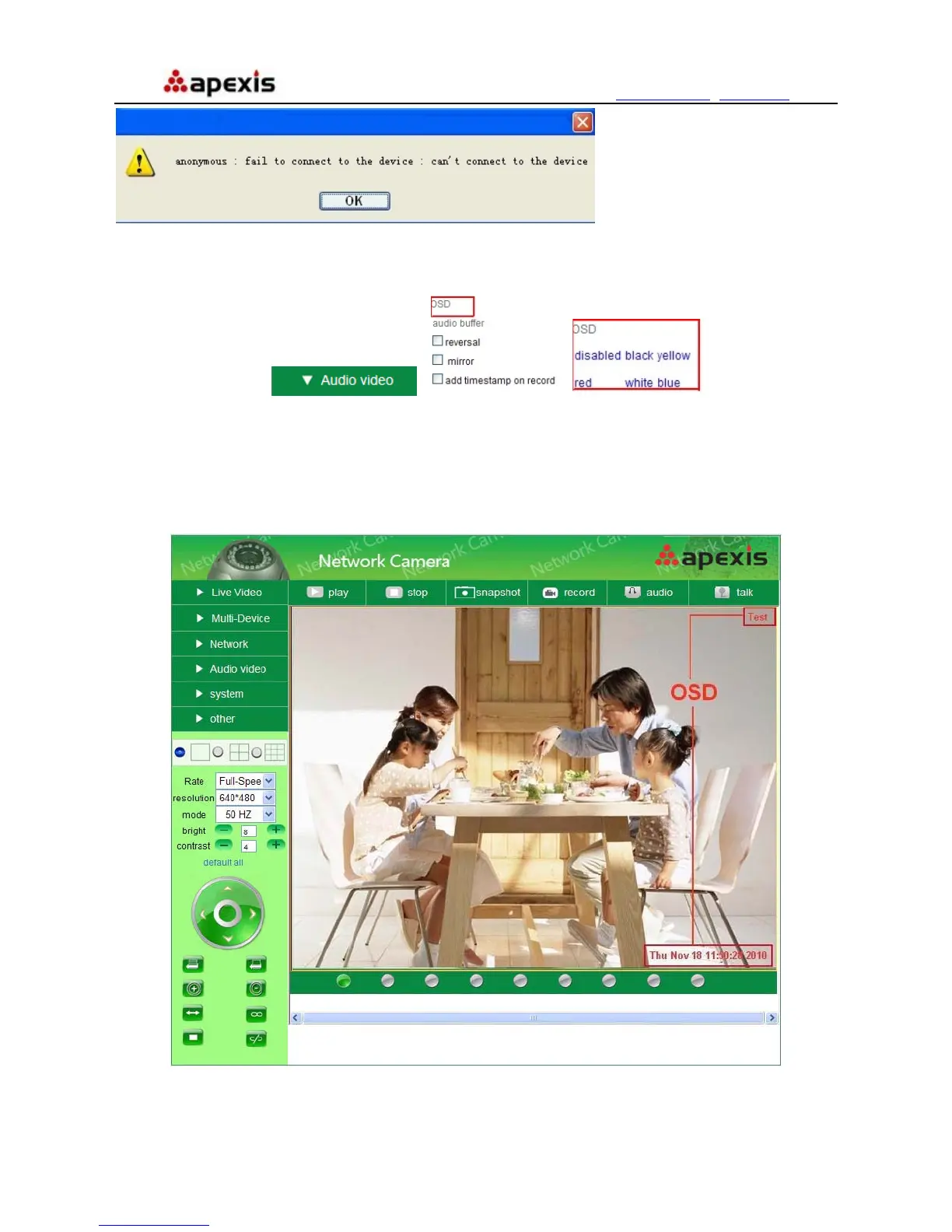
OSD Settings:
Î Î
Figure 3.6
OSD: Means “On-Screen Display”, click “Audio video” > “OSD”, set display date and time on the video.
Disabled: Click this one, means clear the OSD.
Color: Can set the OSD text color as black, yellow, red, white, blue etc.
Add time stamp on record: Click this, there will be time OSD on record video files.
Figure 3.7


 To Next Page