MoreSecurity,MoreConveniencewww.apexis.com.cn/www.apexis.cc
1.4 PC System Requirements
System configuration requirements :( Example for viewing four IPCAM)
CPU: 2.06GHZ or above
Memory: 256M or above
Network Card: 10M or above
Display Card: 64M or above memory
Recommendable Operating system: Windows 2000/ XP/ Vista/ 7
1.5 Hardware Instruction
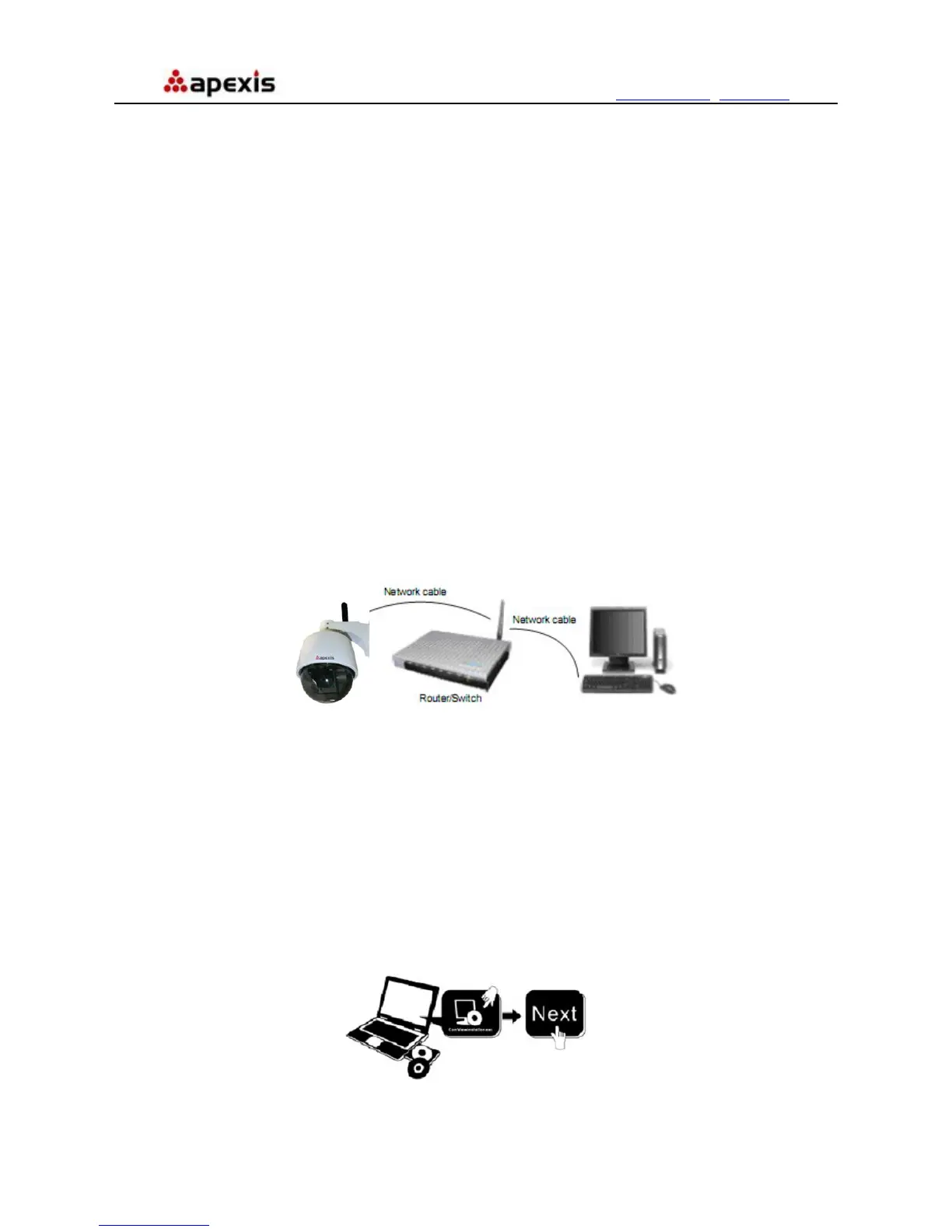
Follow the steps below to set up your camera hardware. Make sure to follow each step carefully to ensure that
the camera operates properly
1. Install the Wi-Fi antenna(For wireless model)
2. Plug the power adaptor into camera
3. Plug the network cable into camera and router/switch
4. It takes approx 30 seconds to boot up the camera, then you will find the IP address from
“IP Camera Tool” (Figure: 1.8)
5. When the power on and network cable connected, the green led of the real panel will keep on,
The yellow led will keep flash.
Figure1.3
1.6 Software Installation
Attention: In order to make the installation correctly, we suggest that turn off your Firewall and Antivirus before
install the ActiveX, Don’t worry, it is safe. (If you are Windows 7 User, please run as administrator)
Software installation is the key to the successful use of this product.
Install the follow software:
1. IP Camera Tool: Open the CD, dbclick “IPCamSetup.exe”, only click next, you will complete the software
installation.(figure1.5/ 1.6/ 1.7)
2. ActiveX: Double click “Appinstall.exe”—“Next”—“Install”—“Finish”.
Figure1.4
Shenzhen Apexis Electronic Co., Ltd Tel: +86-755-26509025 Fax: +86-755-26509229
5


 To Next Page