MoreSecurity,MoreConveniencewww.apexis.com.cn/www.apexis.cc
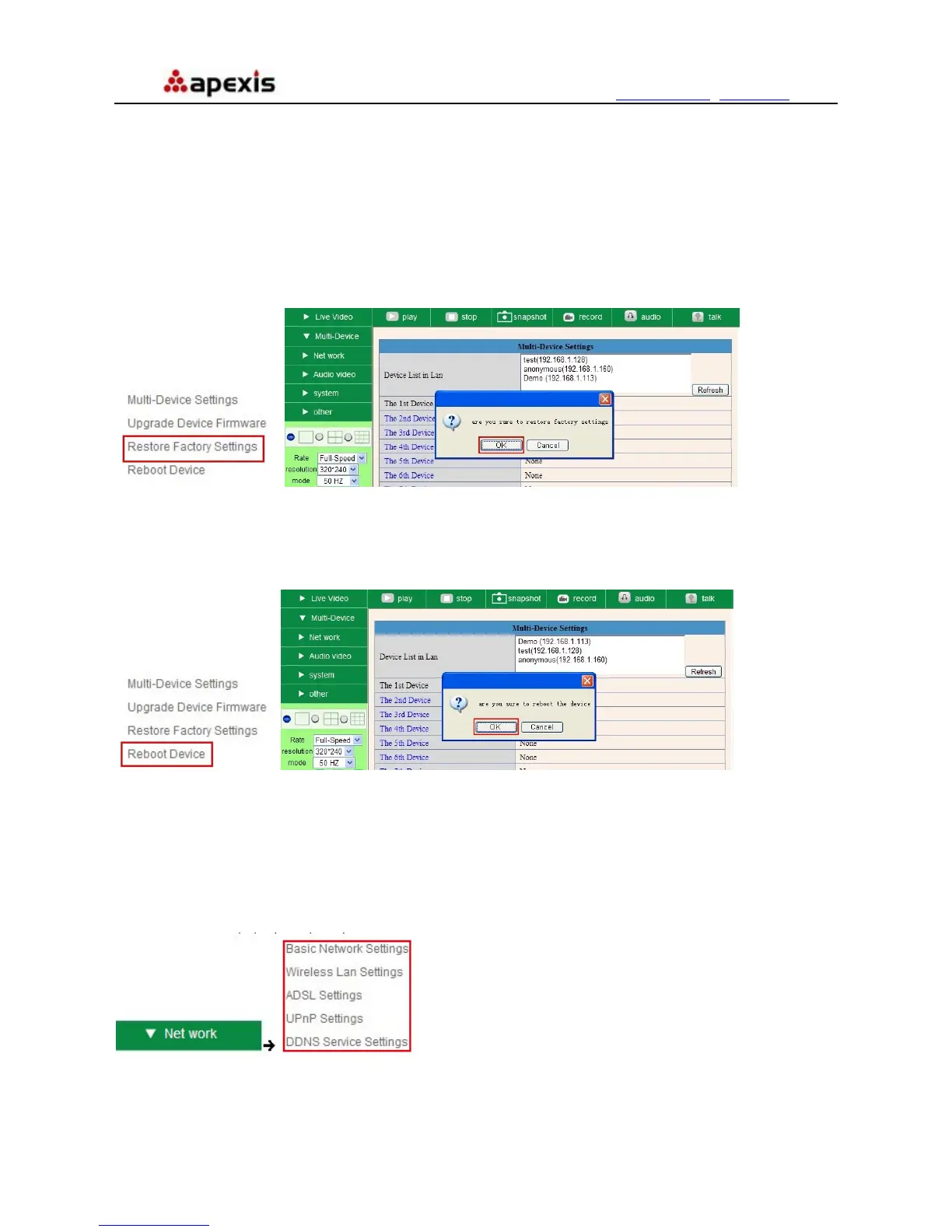
3.1.4 Restore Factory Settings
Click Restore Factory Settings, will pop-up a prompt, select OK, all the parameter will be returned to factory
settings, and the device will reboot.
Figure 5.5
3.1.5 Reboot Device
Click Reboot the device, will pop-up a prompt, select OK, then the device will reboot
Figure 5.6
3.2 Network Settings
Click Network, will pop-up the prompt as below:
Shenzhen Apexis Electronic Co., Ltd Tel: +86-755-26509025 Fax: +86-755-26509229
27


 To Next Page