MoreSecurity,MoreConveniencewww.apexis.com.cn/www.apexis.cc
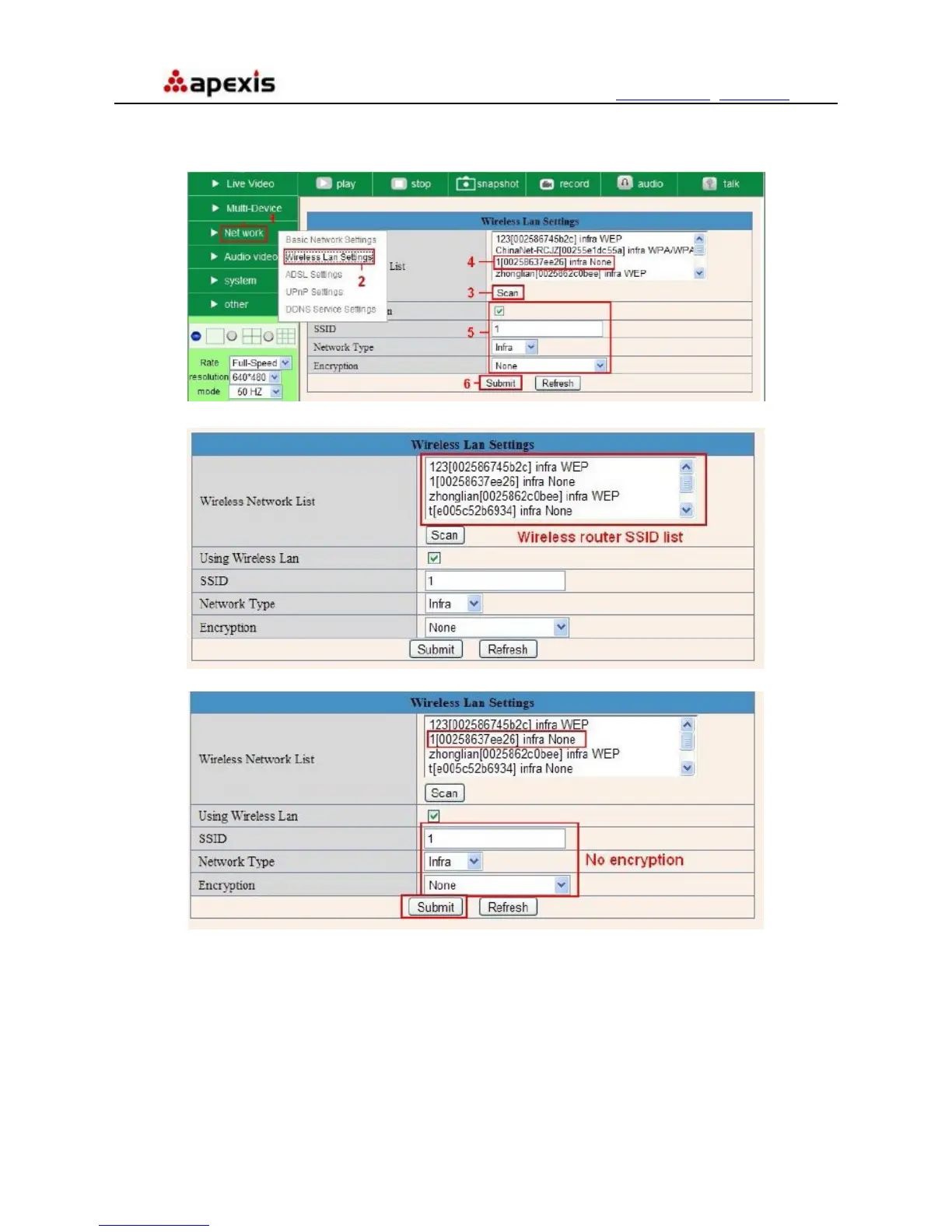
5. If there is no encryption, just click “Submit”. (Figure 6.4)
6. If there is encryption, please input the share key, then click “Submit”. (Figure 6.5)
7. Wait about 30 seconds, the camera will reboot, then unplug the network cable.
Figure 6.2
Figure 6.3
Figure 6.4
Shenzhen Apexis Electronic Co., Ltd Tel: +86-755-26509025 Fax: +86-755-26509229
30


 To Next Page