10
Chapter 1
Ease of Use Features
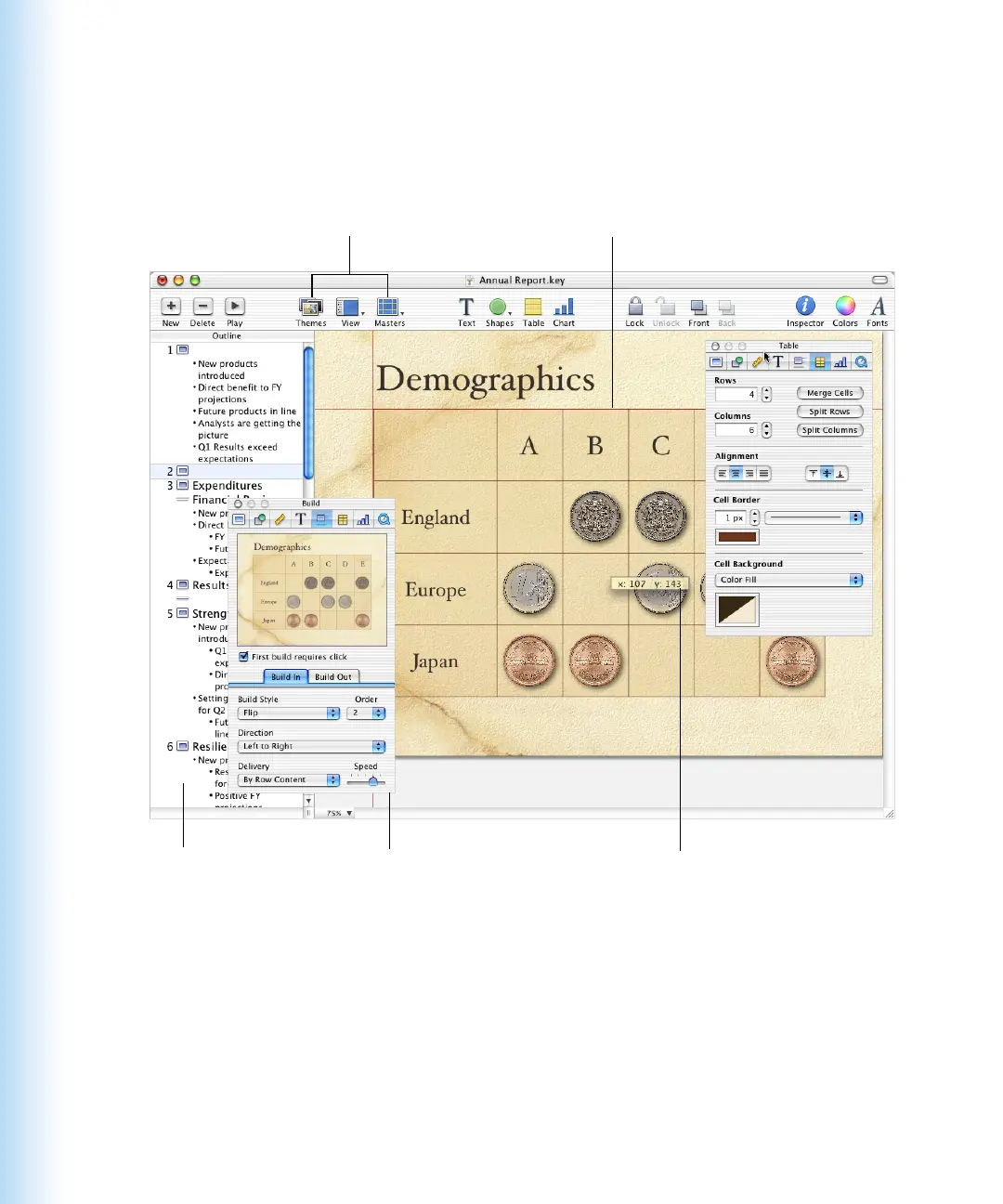
Keynote’s theme-based designs let you create inventive presentations in a snap, and the
alignment guides and slide navigator make it simple to keep your presentation organized.
Animate your slides with object
builds, which draw your tables
or other items onto the slide as
you talk through them.
Live feedback when dragging
objects makes it easy to resize
and place graphics.
Use outline view to view
and rearrange the bulleted
points on each slide.
Alignment guides and position and size tags
help you size and position objects precisely
and consistently on the slide canvas.
A variety of handsome themes and
master slides make it easy to create
professional presentations with an
elegant design.



 To Next Page