Working With Text, Graphics, and Other Media 37
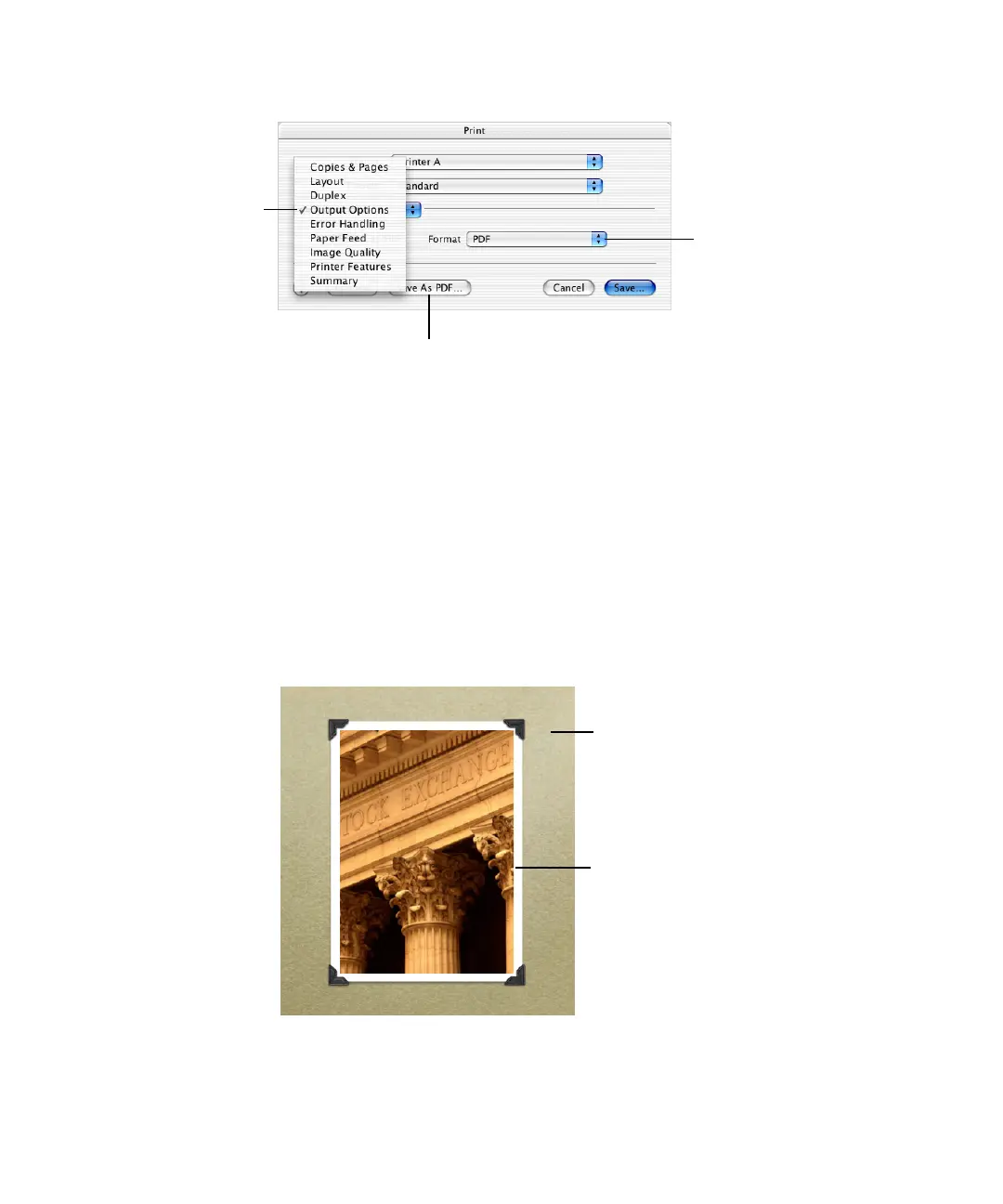
4 Select the “Save as File” checkbox.
5 Choose PDF from the Format pop-up menu.
6 Click Save As PDF.
7 Type a name for the PDF file and select a location in the Save dialog, and then click Save.
Working With Photo Cutouts (or Alpha-Channel Graphics)
An alpha channel is an area of transparency within a graphic file. Alpha channels can be used
to create transparency around irregularly shaped images, such as an image of a tree, so the
images appear without a colored box around them. Alpha channels can also be used to
create a transparent region within an image, so that the image acts as a frame. You can see
this effect in some of the Keynote themes, where you can place your own background
images behind a “mask” or a “picture frame.”
Choose Output
Options.
Click to save the file as a PDF.
Choose PDF.
Your photograph is placed behind the
alpha-channel window and can be
seen through its transparent region,
so it appears that the photo is in the
photo-corner frame.
This textured foreground with photo
corners is an alpha-channel graphic.
The area between the photo corners
is a transparent alpha channel.



 To Next Page