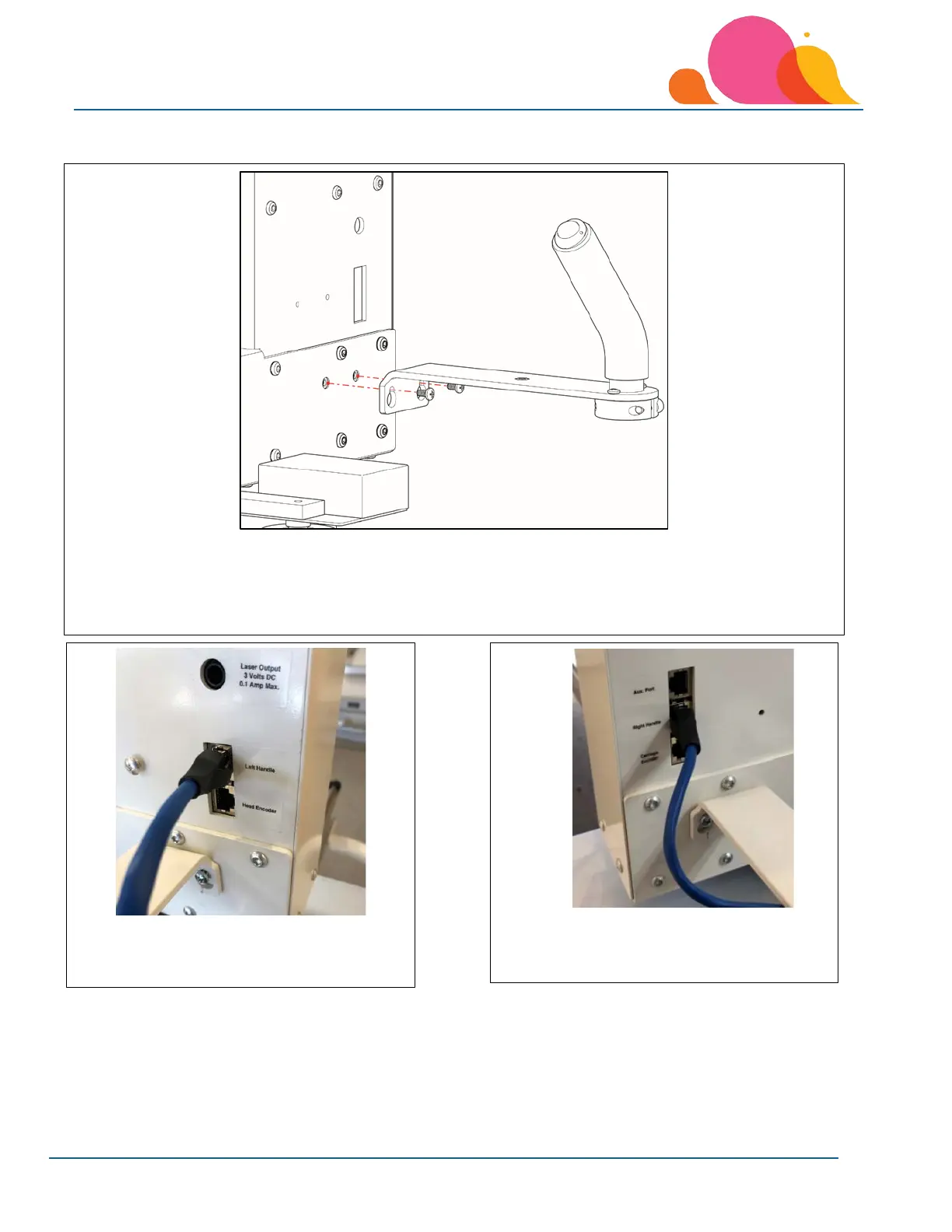
Lenni Rear Handles
1. Loosen the two left handle mounting screws.
2. The handles angle toward the needle side of the machine (front of the machine head).
3. Slide the mounting slots over the screws and tighten securely.
4. Install the right rear handle in the same manner.
6. Plug the left handle’s blue cable into the
“Left Handle” jack on the machine.
6. Plug the right rear handle’s blue cable into
the “Right Handle” jack on the machine.



 To Next Page