Step 11: Connect Cables and Power (Non-Quilt Path)
Tools Needed: Phillips Screwdriver
Scissors
Parts Required: Sewing Head CAT-5 Cable (1’ cable)
Carriage Encoder CAT-5 Cable (3’ cable)
Power cord
Zip ties
Cushion Clamp & Mounting Screw
If you are installing Quilt Path, skip this step and move to the Quilt Path
Manual to complete your set-up.
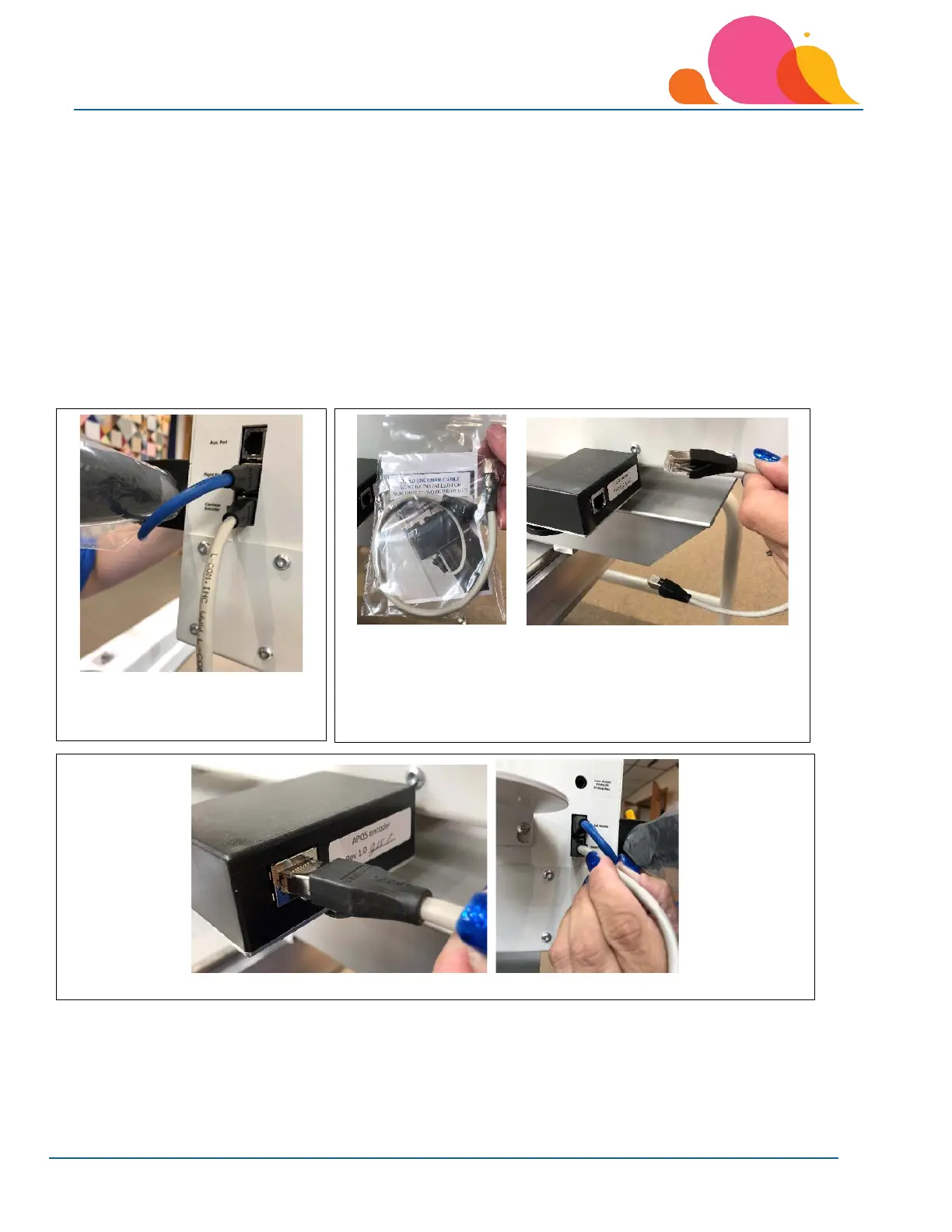
1. Plug one end of the 3-foot CAT-
5 cable into the CARRIAGE
2. Locate the Sewing Head CAT-5 cable taped to the machine’s
throat. It will connect the head encoder pictured above to
the side of the machine.
3. Plug one end into the encoder jack and the other end into the Head Encoder jack on the machine.



 To Next Page