Step 9: Install the Thread Stand & Laser Bolt
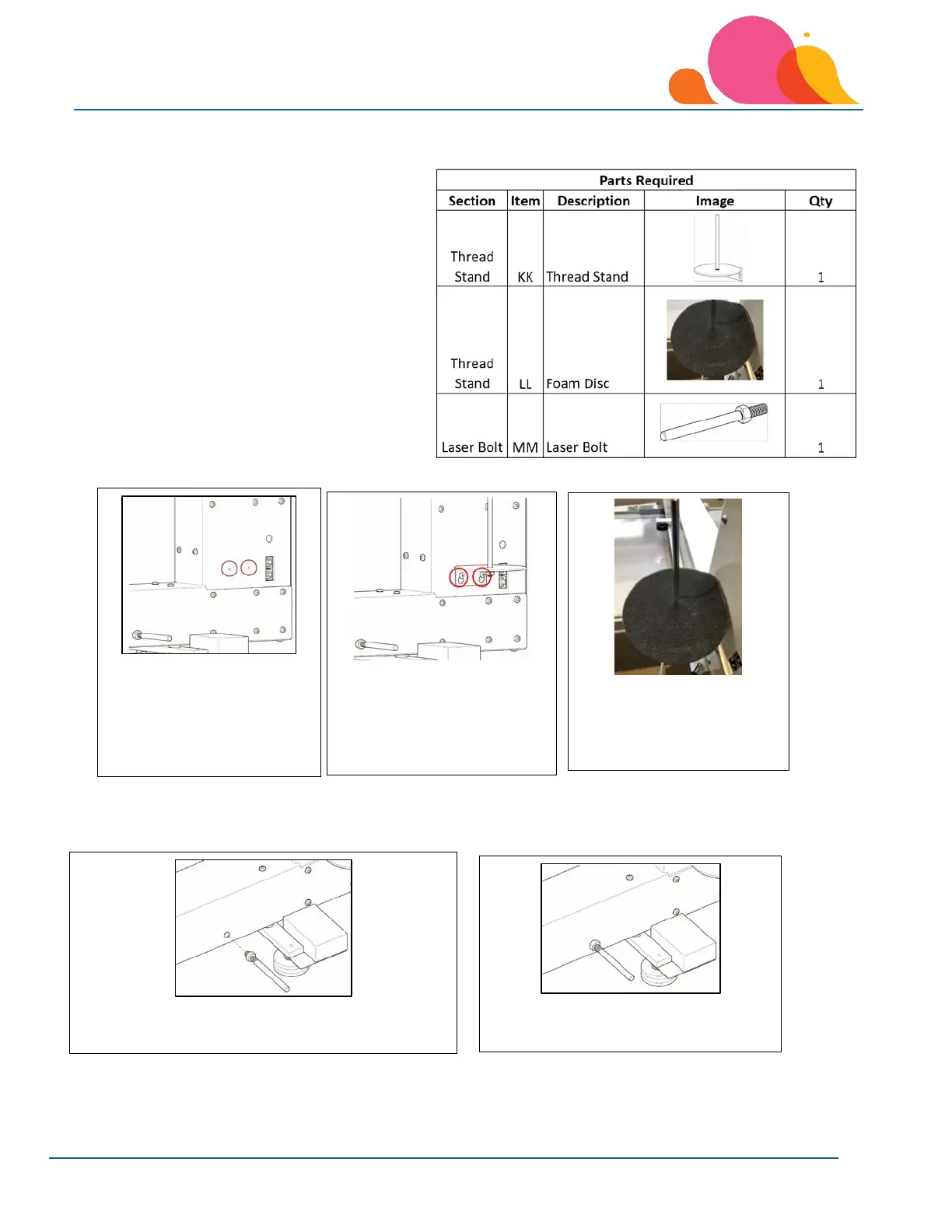
Thread Stand
Tools Required: Phillips Screwdriver
Laser Light Bolt
Tools Required: ½” Open-End Wrench
1. The thread stand
mounts on the thread
path side of the
machine, loosen these
two mounting screws.
2. Slip the thread stand over
the mounting screws;
slide the stand down so
the screw slots engage,
tighten securely.
3. Place the thread stand
foam disc on the thread
stand.
1. Thread the laser light bolt into the mounting hole
on the thread path side of the machine.
2. Tighten the nut against the machine
with a ½” open-end wrench.



 To Next Page