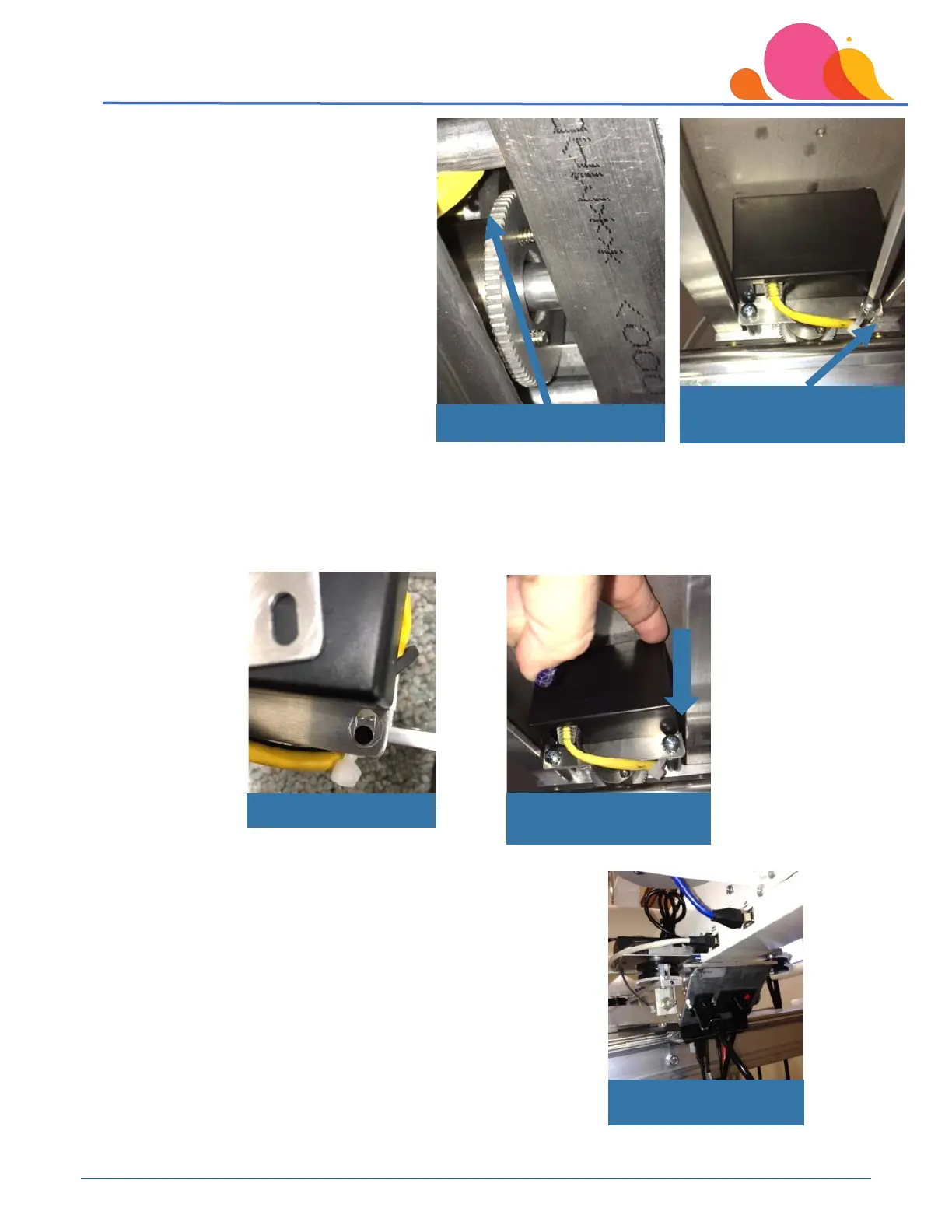
These photos show the encoder wheel when
looking under the carriage from the back of
the table, and as seen from the underside of
the carriage.
Once you have located the encoder box under the carriage, the mounting screw on the right side of the
encoder plate has an adjustment slot. The photo below left has had the screw removed to show the
adjustment slot – you will not need to remove the screw to make the adjustment! Loosen this screw, then
push down on the upper right corner of the encoder box, which will move the rubber encoder wheel tighter
to the silver wheel. Tighten the mounting hardware while holding light pressure on the encoder box.
For customers with Quilt Path, there will be wiring connections on the
outside of the carriage, but the access to the encoder wheel
adjustment would be the same – from the underside of the carriage.
Encoder Box Adjustment
Screw
Downward pressure to
adjust



 To Next Page