CHAPTER 3
UNIT DESCRIPTION
Entire Contents Copyright 2004 by Adaptive Power Systems, Inc. (APSI) • All Rights Reserved • No reproduction without written authorization from APSI.
APS-1000 Series 3 - 6 OM-001-01000-000-04.0
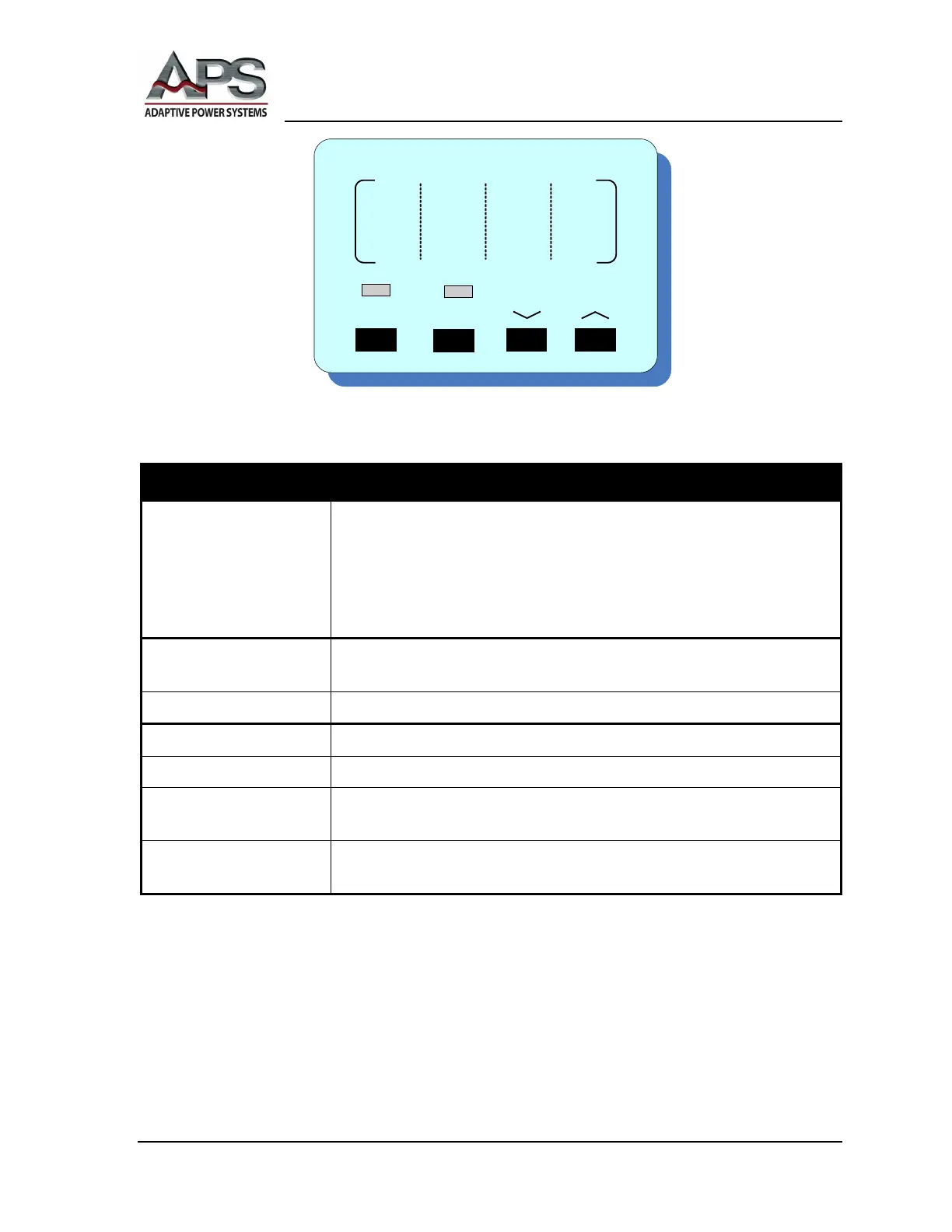
Current Selection
CURRENT display Displays the:
• Selected current value when Output is OFF.
• Current value during current adjustment.
• Output current during normal operation.
• System parameters during System set-up.
LOCK indicator When ON, the panel is in a locked state; all buttons except the RESET
and P/PF buttons are deactivated.
SYSTEM indicator When ON, the SYSTEM parameter setting mode is active.
LOCK button Locks all panel controls, except the P/PF button.
SYSTEM button Enters / exits SYSTEM parameter set-up.
﹀ button
Steps the current / SYSTEM / PROGRAM parameters value down;
status select.
︿ button
Steps the current / SYSTEM / PROGRAM parameters value up; status
select.



 To Next Page