YC500A/I Installation/User Manual
YC500A Installation Procedures
Step 3 - Connecting the APsystems Microinverter AC Cables
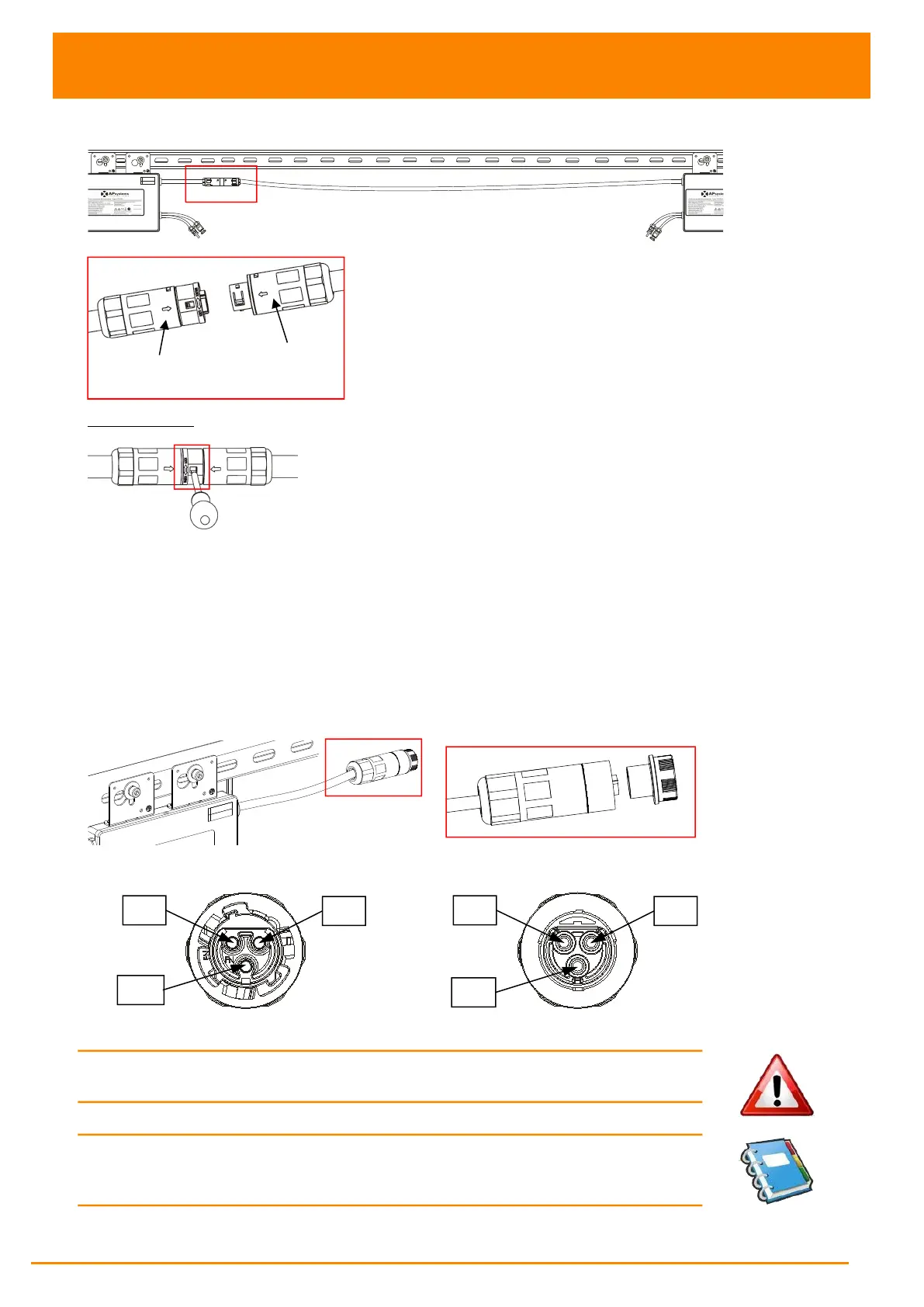
Figure 7
Best Practice: Use screwdriver to split the Main connectors.
Figure 8
a. Check the Microinverter technical data page (P.22) for the maximum allowable number
of Microinverters on each AC branch circuit.
b. Plug the AC female connector of the first Microinverter into the male connector of the
next Microinverter, and so on, to form a continuous AC branch circuit.
c.
Install a protective end cap on the open AC connector of the last Microinverter in the
AC branch circuit.
Figure 9
AC connector interface as follows.
Female Connector Male Connector Figure 10
WARNING: Do NOT exceed maximum number of Microinverters in an AC
branch circuit, as displayed on the Technical Data page (p.22) of this manual.
NOTE: Please contact with ALTENERGY POWER SYSTEM Inc for the
purchase of AC extended cables when microinverters which are installed
space far and AC cable is not long enough.



 To Next Page