YC500A/I Installation/User Manual
YC500I Installation Procedures
1 2
3
4 5 6 7
8
9 10 11 12 13 14 15 1716 18 19 20 2221
APsystems Microinverter&Energy Communication Unit
Warranty Card
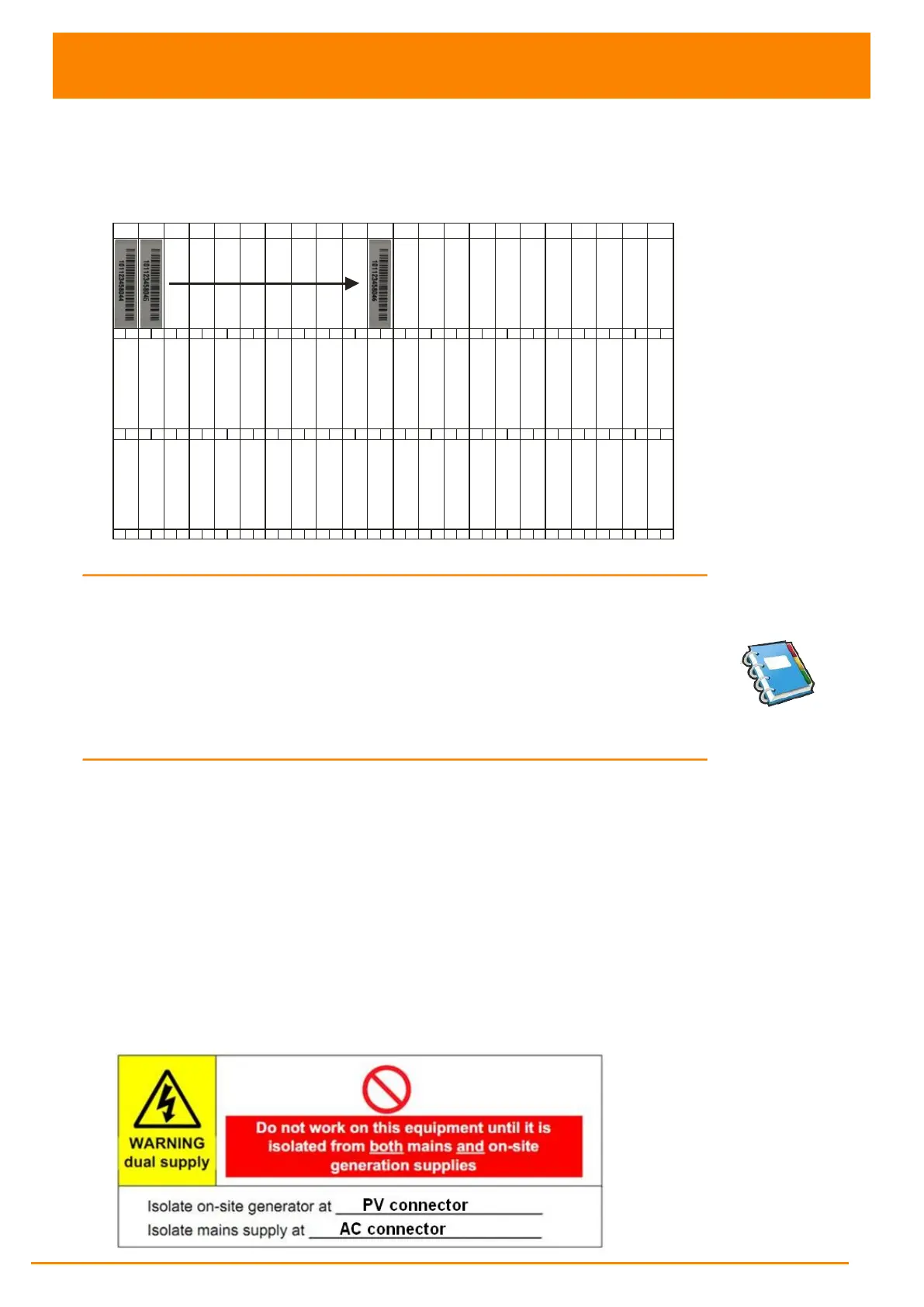
The APsystems Installation Map is a diagram of the physical location of each microinverter in your PV installation.
Each APsystems microinverter has a removable serial number label located on the mounting plate. Pee l the label
and affix it to the respective location on the APsystems installation map.
Installation Map Template
To register your APsystems microinverter, please mail this warranty registration card to: emasupport@altenergy-power com.
B A
B A
B A
Figure 27
NOTE: 1. The layout of the inverters' serial numbers on the warranty
card is only suitable for general arrangement.
2. Step 1~7 can be done in any order.
3. Warranty card is located in Appendix last page of this manual.
4. You can use Scanning Gun or mobile phone to scan the
serial numbers on the map when set ECU (see ECU manual).
5. Using apsystems' mobile app ArrayApp can make the
installation and registion much more simple.
Step 8 - Place a Warning Notice
A warning notice shall be placed in such a position that any person gaining
access to live parts will be warned in advance of the need to isolate those
live parts from all points of supply. Special attention should be paid that the
power supply, measuring circuits (sense lines) and other parts may not be
isolated from the network when the switch of the interface protection is open.
As a minimum, warning labels shall be placed:
On the switchboard (DNO panel and consumer unit) that has the
micro-generator connected to it;
On all switchboards in between the consumer unit and the micro-
generator itself;
On, or in the micro-generator itself;
At all points of isolation for the micro-generator.
Figure 28



 To Next Page