The Transient Modes available are ON and OFF. Press the Change soft key to
toggle the mode to ON or OFF. To save the parameter, press the Enter soft key.
To cancel the editing of the Transient Mode press the Esc soft key. When the
Enter soft key is pressed the Transient Mode is accepted and you transition into
the next system parameter: Lock.
If you wish to bypass editing this parameter and move to the next parameter you
can press the Prev or Next soft key.
4.3.13 Editing OC Fold
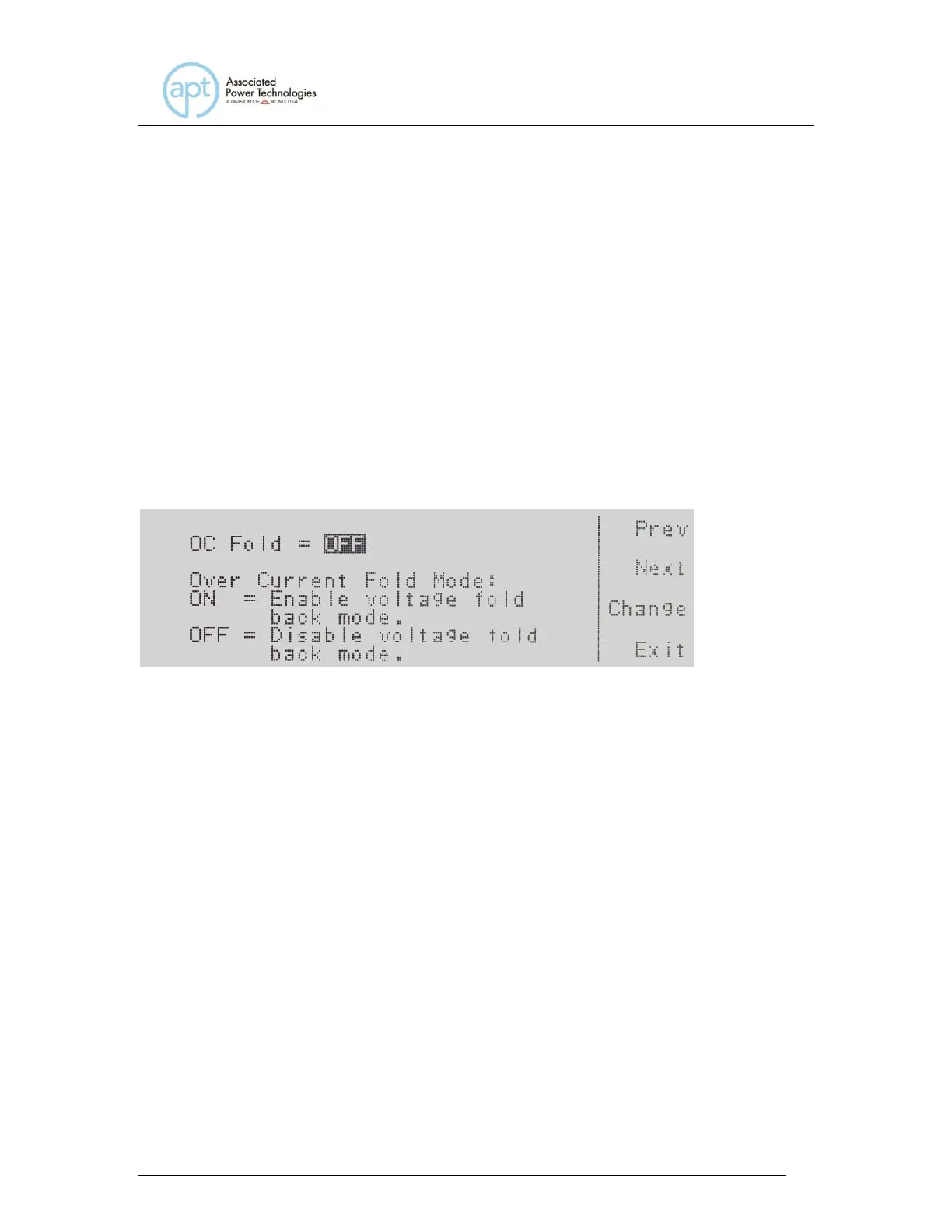
Use the , soft keys to navigate to the OC Fold parameter. Pressing the Edit
soft key will provide the following screens:
OC Fold = indicates the OC Fold Mode that is programmed into the instrument.
OC Fold Mode: indicates the OC Fold Mode that can be programmed into the
instrument.
The OC Fold Modes available are ON and OFF. Press the Change soft key to
toggle the mode to ON or OFF. To save the parameter, press the Enter soft key.
To cancel the editing of the OC Fold Mode press the Esc soft key. When the
Enter soft key is pressed the OC Fold Mode is accepted and you transition into
the next system parameter: Transient.
If you wish to bypass editing this parameter and move to the next parameter you
can press the Prev or Next soft key.
4.3.14 Editing Lock
Use the , soft keys to navigate to the Lock parameter. Pressing the Edit soft
key will provide the following screen:



 To Next Page