
 Need help?
Do you have a question about the ARCA LS100 and is the answer not in the manual?
Details copyright ownership and reserved rights for the manual's content.
Outlines terms of availability, technical modifications, and liability limitations.
Details compliance with essential requirements and harmonized standards for EMC and electrical safety.
Confirms adherence to regulations restricting hazardous substances in AEE products.
Information for users regarding FCC compliance for radio frequency interference.
Details EMI requirements for the Canadian market, referencing ICES-003.
Instructions for recycling packaging and disposing of electronic waste according to regulations.
Specific collection and disposal requirements for EU countries, referencing the WEEE directive.
Defines common symbols used in the manual, such as Warning, Note, External link, and Internal Link.
Advises on avoiding risks of personal injury, electrocution, or equipment damage during operation.
Explains the meaning of various warning and caution symbols found on the machine for safety.
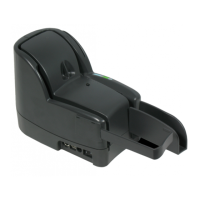
Provides a general description of the LS100 reader/scanner and its suitability for various applications.
Identifies and labels the external components and connection ports of the LS100 for user reference.
Details and labels the internal components of the LS100, including scanning and reading mechanisms.
Lists included items and provides instructions for unpacking and preparing the LS100.
Offers guidelines for final location setup and attaching the removable document holder.
Provides step-by-step instructions for installing the ink-jet cartridge into the LS100.
Details how to connect the LS100 to power and a PC, and the procedure for switching it on.
Explains the correct method for inserting documents, including alignment and attention to condition.
Guides on passing magnetic cards through the reader slot for data retrieval.
Describes how to adjust the document stop for accommodating longer documents.
Outlines occasional verifications for output pocket, image quality, and endorsement quality.
Provides step-by-step instructions for safely removing paper jams from the LS100.
Guides the user through the procedure for replacing a worn ink-jet cartridge with a new one.
Guides on cleaning the paper path with dry air and scanner components with mild detergent.
Explains how to replace the ink-jet felt pad, which requires partial disassembly of the machine.
Covers unit startup, USB connection, feeding errors, jams, and image quality problems.
Lists available consumables and their product codes, such as ink-jet cartridges and felt pads.
Details environmental conditions, electromagnetic immunity, and power supply specifications.
Provides physical dimensions, document handling capabilities, and image feature details.
Lists available software tools, APIs, and compatibility for the LS100.
 General
| ADF Capacity | 100 sheets |
|---|---|
| Resolution | 600 dpi |
| Interface | USB 3.0 |
| Duty Cycle | 10, 000 pages per day |
| Optical Resolution | 600 dpi |
| Maximum Resolution | 1200 dpi |
| Color Depth | 24-bit |
| Scanning Speed (A4, 300 dpi) | 100 ppm / 200 ipm |
| Scan Speed | 100 pages per minute |
| Scanning Technology | CIS |
| Maximum Document Size | 8.5" x 14" |

 To Next Page