Reading documents
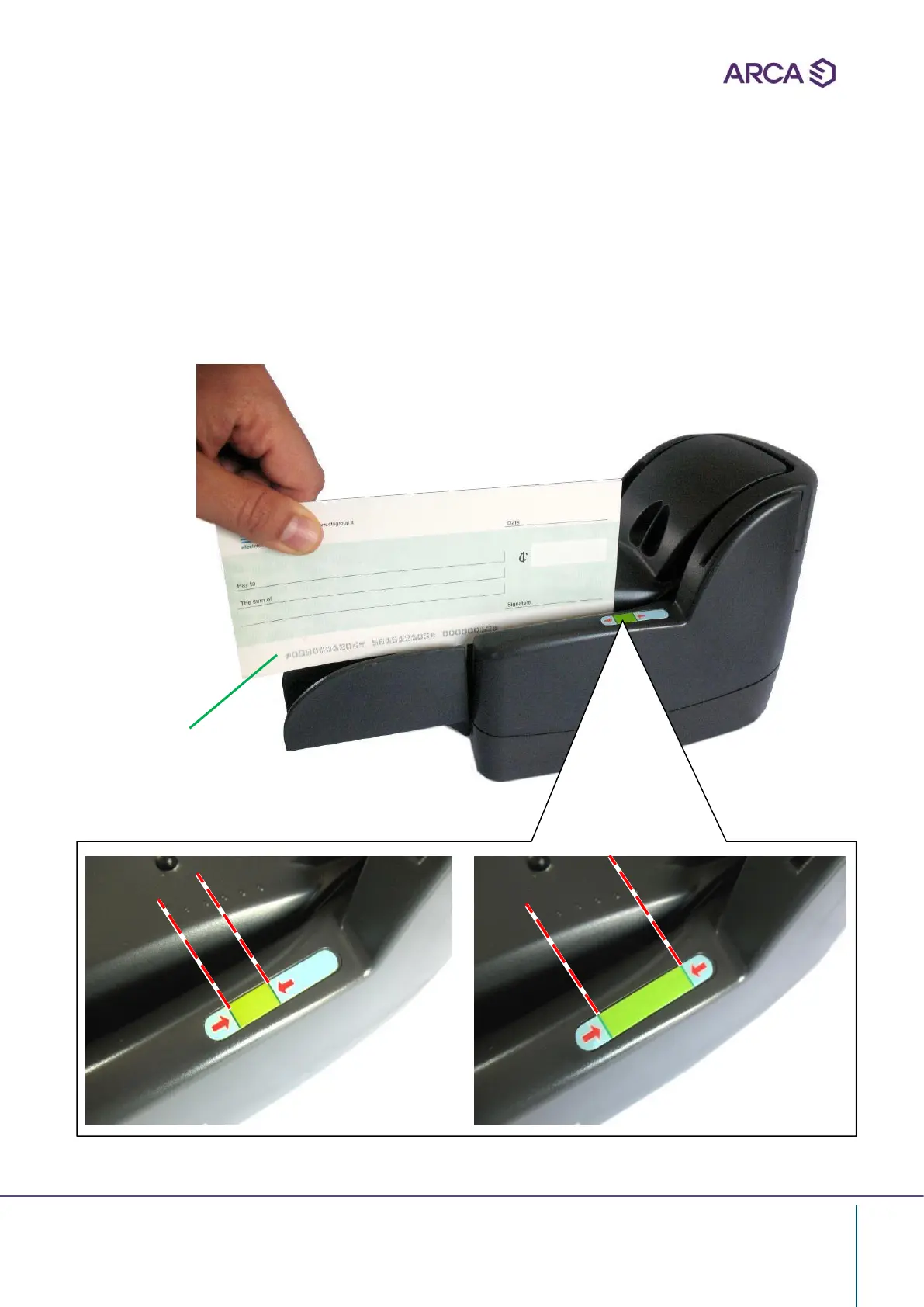
• Insert manually the documents, pay particular attention to:
a) NO to insert documents with clips, tears, folds etc
b) The CODE LINE is positioned below and facing the external side of the machine (A)
c) The documents must be aligned correctly and inserted on the tray, as indicated by
the green label
A


 To Next Page