Cleaning the paper path
• Using the dry air clean the paper path paying particular attention to not damage the
internal component
Cleaning the scanner
• Disconnect the power supply and the USB connection from the machine
• Remove the center cover
Front scanner
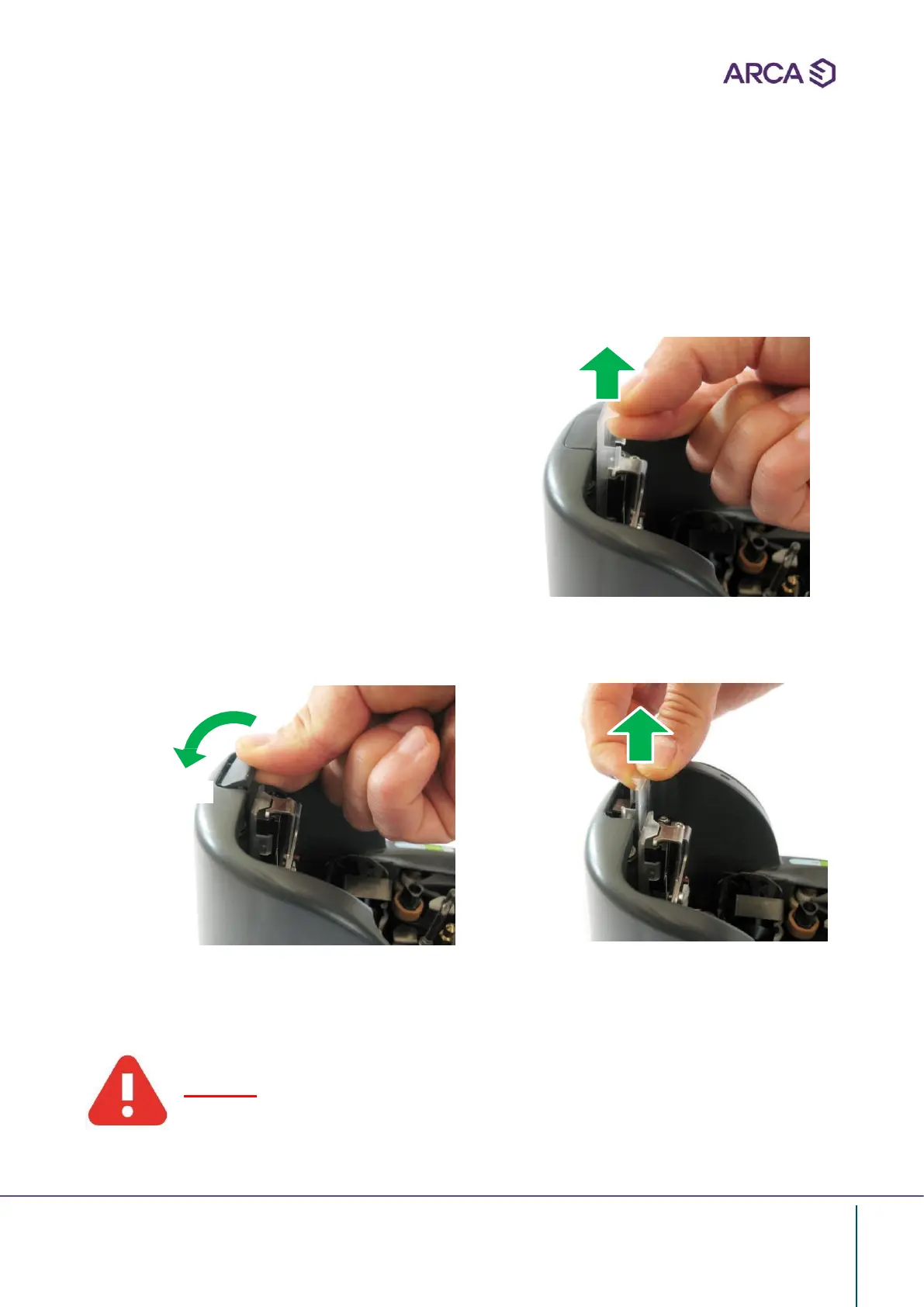
• Extract the trasparent plastic cover of
the Rear scanner
• Proceed with the cleaning using only
neutral detergent for plastic
• Replace the cover
Front scanner
• Extract the external plastic cover (A)
• Extract the trasparent plastic cover of the front scanner
A
• Proceed with the cleaning using only neutral detergent for plastic
• Replace the covers
Warning
Do not use alcohol based fluid or other organic solvents.


 To Next Page