Replacement of the ink-jet cartridge
When the INK-JET printhead no longer has satisfactory printing characteristics it is necessary to
replace the worn one with a new one.
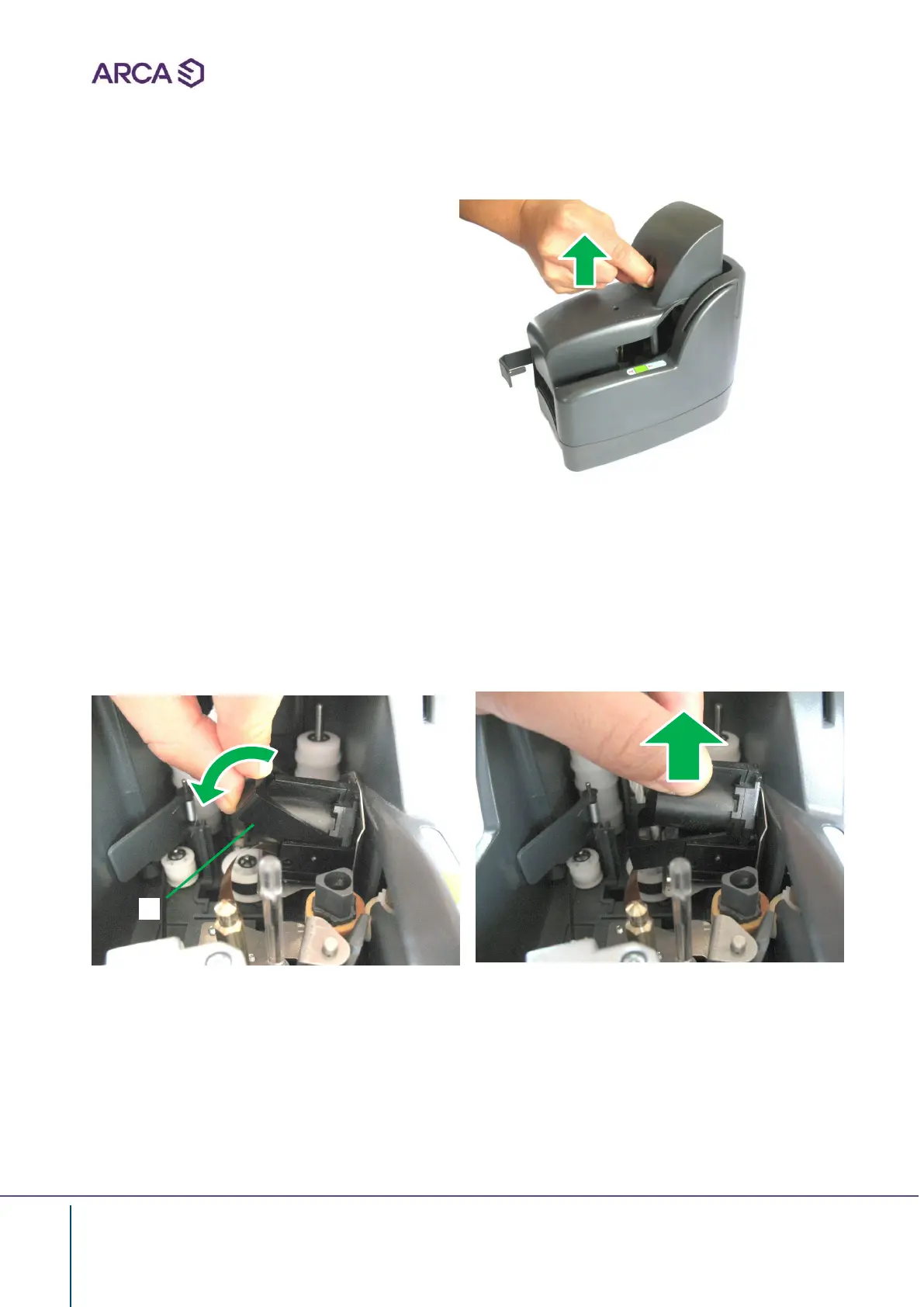
• Disconnect the power supply and the
USB connection from the machine
• Remove the center cover
• Push the plastic bridge A in the direction indicated by the arrow, until it stops on the base
• Hold the tongue on the Ink-Jet cartridge and pull it gently away from the document
guide
• Pull out the cartridge up to remove it
• Insert a new INK-JET cartridge making sure that it rests flat on the guide
• Pull the plastic bridge up until the cartridge is blocked into its seat
A


 To Next Page