Use
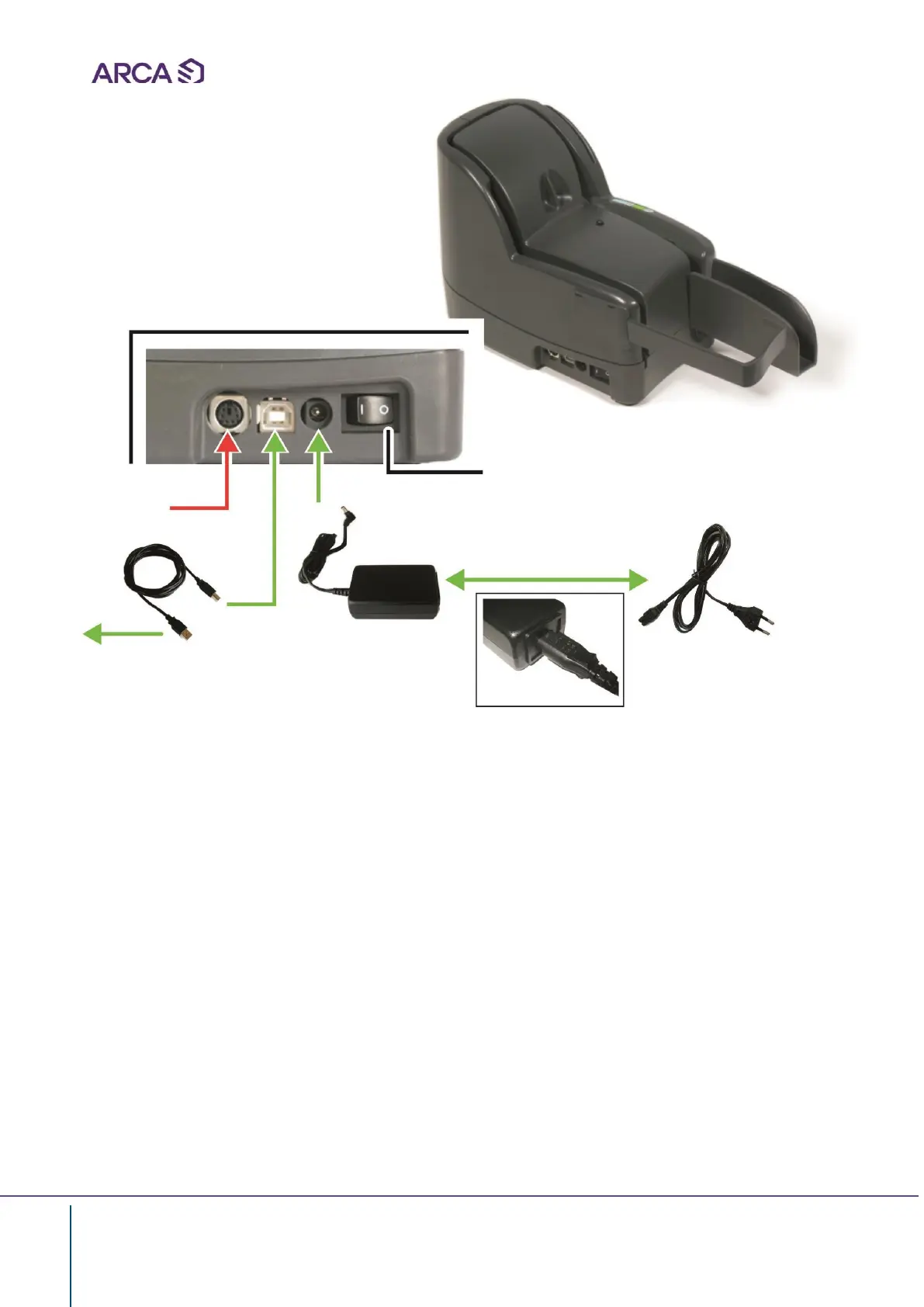
Connection:
• Connect the power supply
• Connect USB
Factory use
only
ON/OFF
Switch
USB
cable
Socket
Desktop Power Supply
PC
Switching on the machine
Once the LS100 has been installed correctly, position the power switch to ON.
The reader will carry out an internal self-diagnostics and a cycle for clearing the document path; in
order to ensure that everything is carried out correctly it is necessary to check what follows:
1)
The motors are functioning correctly
2)
The LED on the console lights up
3)
The LS100 beeps to signal that the interface cable is connected
4)
The LED continues to blink to indicate that the LS100 is ready to work
ARCA provides software to test the LS100 reader


 To Next Page