EasyManua.ls Logo

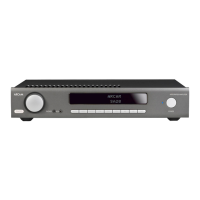
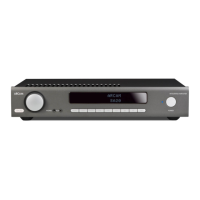
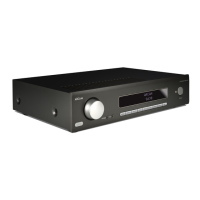
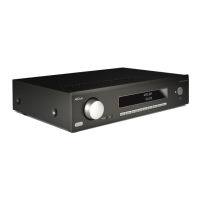
Arcam SR250 - User Manual

Arcam SR250
384 pages
Print Icon
To Next Page IconTo Next Page
Loading...
AVR850
HANDBOOK AVR surround amplifiers
MANUEL Amplificateur surround AVR
HANDBUCH AVR Surround Verstärker
HANDLEIDING AVR surroundversterker
MANUAL AVR amplificadores surround
РУКОВОДСТВО AVR объемного усилители
MANUALE Amplificatori Surround AVR
手册AVR环绕声放大器
AV860/AVR850/AVR550/AVR390/SR250

Table of Contents

Other manuals for Arcam SR250

Questions and Answers

  • T
    Thomas MorenoAug 22, 2025
    How to fix Arcam Amplifier that is not responding to the remote control?
    • H
      Harold FordAug 22, 2025
      If your Arcam Amplifier responds erratically or not at all to the remote control, make sure the remote has fresh batteries and that you're pointing it at the front panel window.
  • S
    smithkevinSep 4, 2025
    How to fix no lights on my Arcam SR250?
    • R
      Ryan JonesSep 4, 2025
      To resolve the issue of no lights on your Arcam Amplifier, ensure the power cord is plugged into both the Receiver and a switched-on mains socket, and that the power button is pressed in. If a red LED is present, the Receiver is in standby mode; press any button on the front panel or remote control.
  • W
    wbeckerSep 2, 2025
    Why does my AV860/AVR850/AVR550 Arcam SR250 select Dolby Surround when playing a Dolby BD/DVD?
    • K
      Kaitlyn BishopSep 2, 2025
      When playing a Dolby BD/DVD, if your AV860/AVR850/AVR550 Arcam Amplifier selects Dolby Surround, ensure you have a digital connection from your BD/DVD player. Sometimes Dolby BD/DVD discs contain material at the beginning or end of the main movie that is not in full 5.1 format, but in two-channel.
  • A
    aprilrasmussenSep 1, 2025
    What causes bright edges or ‘ghosts’ on the picture from my Arcam SR250 Amplifier?
    • N
      Nicholas MannSep 1, 2025
      If you experience bright edges or ‘ghosts’ on the picture with your Arcam Amplifier, ensure the ‘sharpness’ control on your display device is switched off or set to near minimum. For HDMI connections, try using a shorter cable or a different brand.
  • E
    emooreAug 30, 2025
    Why am I unable to select Dolby or DTS decoding modes on my Arcam SR250?
    • V
      Vernon JohnsonAug 30, 2025
      If you are unable to select Dolby or DTS decoding modes on your Arcam Amplifier, ensure a digital source is selected and connected, the source is playing appropriately encoded material, the BD/DVD disc is correctly encoded, and the BD/DVD player is set to output ‘bitstream’ audio.
  • M
    Mary MartinezAug 29, 2025
    Why does sound only come from some of the speakers connected to my Arcam SR250?
    • W
      Willie ChoiAug 29, 2025
      To resolve the issue where sound only comes from some speakers with your Arcam Amplifier: * Verify you have an appropriate surround source selected and playing. * Ensure the BD/DVD disc is encoded correctly and the correct format is selected in the disc start menu, if applicable. * Confirm the BD/DVD player outputs ‘bitstream’ audio on the digital output. * Check the display window to confirm the disc is a multichannel recording. * Make sure all speakers are correctly connected to the terminals. * Ensure ‘Stereo’ is not selected as the decoding mode. * Verify your speaker balance is correct. * Confirm the Receiver is configured to include all speakers.
  • C
    Crystal BallAug 28, 2025
    Why does the source switching change randomly or freeze on one source on my Arcam Amplifier?
    • J
      John FrenchAug 28, 2025
      To address random source switching or freezing on one source with your Arcam Amplifier: * Ensure there are no static or impulse interference problems from nearby power equipment. If there are, switch the Receiver off, wait ten seconds, then switch it back on. * Make sure there's no direct sunlight shining on the infra-red detector behind the front panel display.
  • A
    Ashley RogersAug 27, 2025
    Why is the sound poor or distorted on my Arcam Amplifier?
    • G
      Gene GriffinAug 27, 2025
      If sound from your Arcam Amplifier is poor or distorted: * Make sure you haven't excessively increased the input sensitivity in the Input Configuration menu if using an analogue input. * Ensure you've selected the correct speaker size for your system in the setup menu.
  • W
    william08Aug 25, 2025
    What to do if no picture is being produced by my Arcam Amplifier?
    • L
      Laura TaylorAug 26, 2025
      If no picture is showing on your Arcam Amplifier, verify that your viewing device is on and set to display your Receiver. Press the MENU button on the Receiver or remote to check for the main menu screen. Also, ensure the correct video input is selected on the Receiver, and the video source is on, working properly, and in ‘play’ mode if needed.
  • A
    Andrew TaylorAug 23, 2025
    Why is there no sound coming from my Arcam SR250?
    • S
      Sarah BrownAug 23, 2025
      To resolve no sound issues with your Arcam Amplifier, ensure the correct input is selected, the ‘Audio Source’ is correctly set in the ‘Input Confgi.’ menu, the source equipment is on and operating in ‘play’ mode if needed, and the volume is at a reasonable level while the Receiver is not muted.

Summary

Safety Information and Precautions

Important Safety Instructions

Read, keep, heed, and follow all instructions and warnings to ensure safe operation.

General Safety Precautions

Avoid water, use dry cloth, ensure ventilation, keep away from heat, handle plugs carefully.

Rear Panel Overview

Audio and Video Inputs;Outputs

Details HDMI, digital, analogue audio connectors, and preamplifier outputs.

Audio and Video Connections

HDMI Input Connections

Details on connecting HDMI video outputs of source equipment to the Receiver's HDMI inputs.

Speaker Configuration

Speaker Types and Placement Guidelines

Guidance on selecting speaker types and their optimal placement for surround sound.

Surround and Height Speaker Setup

Instructions for positioning surround, surround back, and height speakers for immersive audio.

Speaker Connectivity

Operating the Receiver

Powering On and Front Panel Controls

How to power on, use standby, and operate the front panel controls and display.

Front Panel Operation

Remote Control Operation

Remote Control Device Modes

Remote Control Source Modes

Remote Control Device Modes (Continued)

Essential Setup Procedures

Speaker Configuration Basics

Importance of speaker setup for surround sound, covering types, distances, and levels.

Speaker Type Settings

How to define speaker types (Large, Small, None) for optimal audio processing.

Crossover Frequency and Speaker Distances

Setting crossover frequency and measuring speaker distances for accurate sound staging.

Speaker Levels Adjustment

Guidelines for adjusting speaker levels using test tones and an SPL meter.

Automatic Speaker Setup

Dirac Live for Arcam

Introduction to the Dirac Live automatic setup function for speakers and room equalization.

Setup Guidance and Troubleshooting

Tips for accurate setup and common problems encountered during auto speaker setup.

Setup Menus Navigation

Entering Setup Mode

How to access and navigate the Receiver's setup menus using the remote or front panel.

Input Configuration and Settings

Input Settings: Name, Lip Sync, Bass;Treble

Customizing input names, Lip Sync, Bass/Treble for each source.

Dolby Volume, Stereo Mode, HDMI

Configuring Dolby Volume, Stereo modes, HDMI settings, and audio output.

Detailed Settings Explained

Speaker Setup Parameters

Setting speaker types, crossover frequencies, and measuring speaker distances.

Advanced Configuration Options

Speaker Level Calibration

Calibrating speaker levels using test noise and an SPL meter for accurate sound.

Decoding Modes Overview

Two-Channel Source Modes

Explains modes for creating multi-channel audio from stereo sources.

Audio Format Support

High Resolution Audio Sources

Details supported high-resolution audio formats like Dolby Atmos, TrueHD, DTS:X.

Dolby Digital and DTS Formats

Lists supported Dolby Digital and DTS formats, including downmix and matrix options.

Dolby Technologies Explained

Dolby Volume Functionality

How Dolby Volume manages listening levels and dynamic range for consistent audio experience.

Dolby Atmos Speaker Setup

Guidance on setting up Dolby Atmos with ceiling or enabled speakers for immersive sound.

Tuner Operation

Network and USB Operation

Customizing the Remote Control

Troubleshooting Common Issues

No Power or Remote Control Issues

Solutions for problems like no lights, erratic remote response, or blank display.

Picture and Sound Problems

Troubleshooting steps for no picture, picture anomalies, no sound, or poor sound quality.

Troubleshooting Further Issues

Speaker Output and Decoding Issues

Resolving problems with sound from some speakers or inability to select Dolby/DTS.

Interference and USB;Network Issues

Addressing hum, interference, USB device recognition, file playback, and network connection problems.

Arcam SR250 Specifications

General IconGeneral
Receiver typestereo
Audio output channels2.1 channels
Signal-to-Noise Ratio (SNR)110 dB
Power consumption (standby)0.5 W
Power consumption (typical)600 W
3DYes
Card reader integratedNo
Package weight18500 g
Supported radio bandsDAB, DAB+, FM
12V trigger ports quantity2
Speakers connectivity type-
HDMI in7
USB ports quantity1
Weight and Dimensions IconWeight and Dimensions
Depth425 mm
Width433 mm
Height171 mm
Weight15100 g

Related product manuals