The gallery organizes your photos for you
by the folders you have put them into and
by the date the photos were taken. This
includes both the photos and videos you
have taken with the built-in camera or
photos you have copied onto the
ARCHOS. The initial gallery view shows all the albums
(folders) that contain photos. Flick the albums to the
left or right to find the one to view, and then tap on it
to see a photo wall of its contents. If not already present, the photo widget can be placed on one of
the five home screens to give you quick access to your recently added, recently played, and favorite
photos.
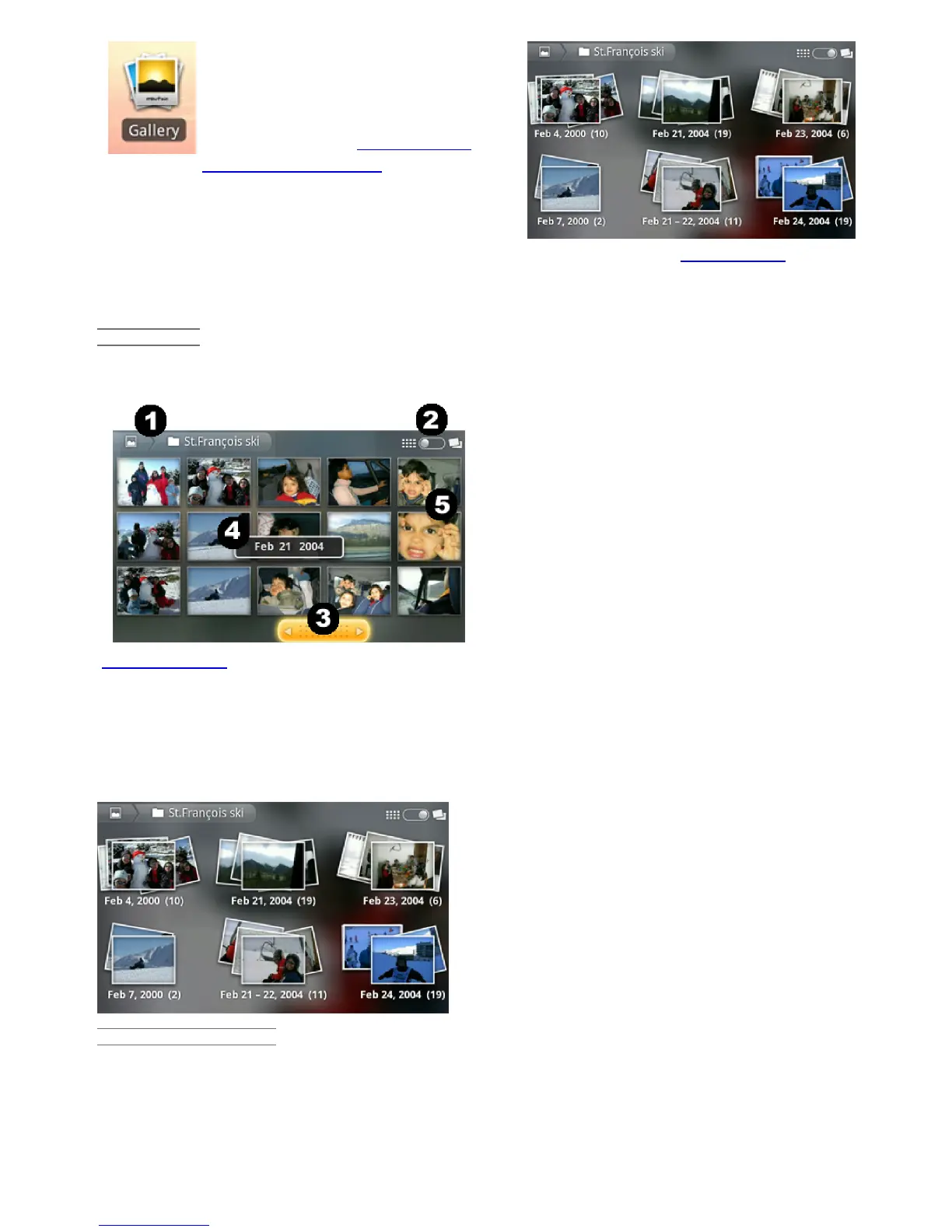
PHOTO WALL
You can flick the photo wall to the right or left to see a thumbnail of all the photos.
1. The name of the folder you are currently looking
at.
2. Tap to view the album as a photo wall (shown)
or as small stacks of photos (below) grouped by
date.
3. Drag the date slider to go through the entire
photo wall by date.
4. The date of the photos is displayed as you drag
the slider.
5. Example of new pictures created with the
cropping feature.
Shown below are photos from the same album viewed as small stacks grouped by date (option on top
right of screen). Tap on one of the stacks to reveal the section of the photo wall shown in the stack.
Tap on a thumbnail to display the photo. Tap on the photo itself to show the available options such
as picture zooming, start slideshow, or sharing.
PLAYING A SLIDESHOW
When a photo is displayed on the screen, tap the screen to reveal the slideshow button. To make a
musical slideshow, go to the music player, start a song, and then go back to the gallery and start the
slideshow. To get more impressive results, connect the ARCHOS to a television with the optional
video cable to show it to many people at once.
12/5/2010 ARCHOS 101 User Guide
archos.com/manuals/A101_EN_v1.1.htm 19/25














 To Next Page