V 11/21 69
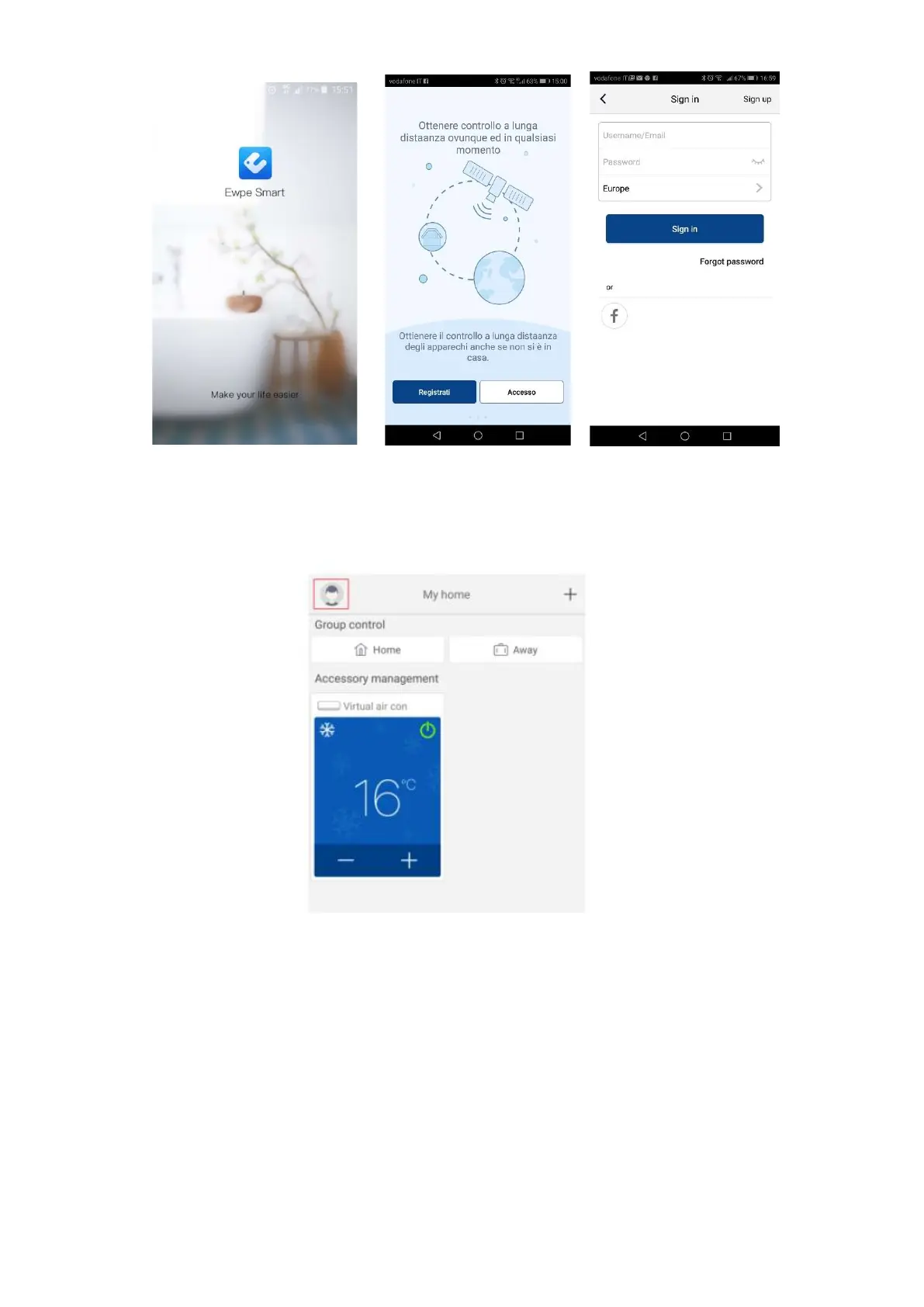
Open the app Make the registration before Access
2. Adding units
Clicking on the icon of the little man opens a menu that includes, among other things, the "Help" function.
Follow the instructions that appear on your device to add the unit. or add a new unit, press + in the upper right
corner of the homepage.
A menu appears with all the categories of devices that can be connected.






 To Next Page