V 11/21 71
WIRE CONTROL OR
PORTABLE AIR
CONDITIONER (CONTROL
PANEL RESET)
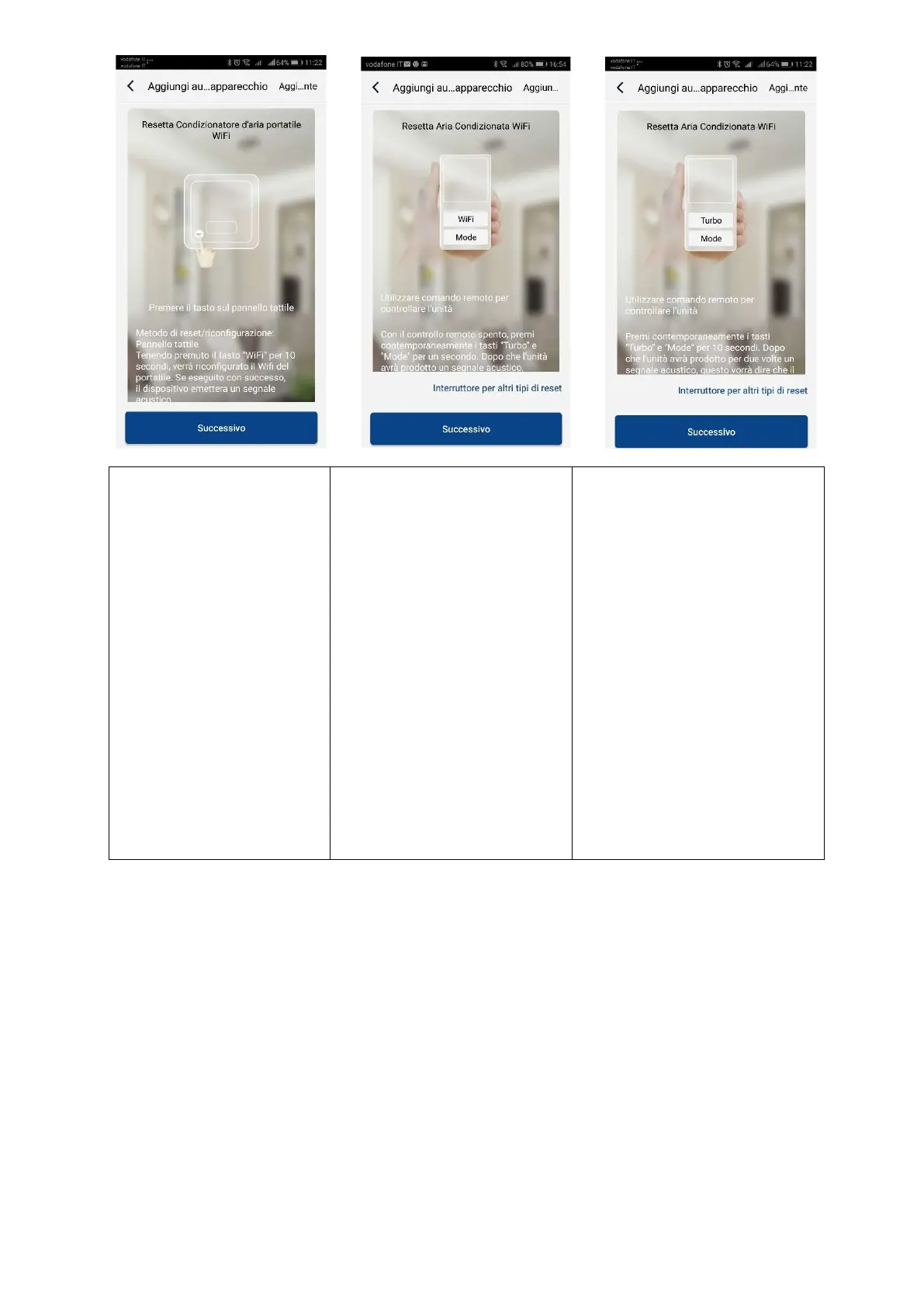
Press the button on the touch
panel.
With the unit off, press and
hold the "Wifi" button for 10
seconds. When the unit
beeps, it means the reset has
been successful.
NB:
The configuration must be
done within 2 minutes. If it
does not happen within 2
minutes, repeat the reset
operation.
REMOTE CONTROL WITH WIFI
BUTTON
Direct the remote control towards
the unit.
With the remote control off, press
the "Mode" + "Wifi" buttons
simultaneously for 1 second.
When the unit beeps, it means
that the reset has been
successful.
NB:
The configuration must be done
within 2 minutes. If it does not
happen within 2 minutes, repeat
the reset operation..
REMOTE CONTROL WITHOUT WIFI
BUTTON (MODE and TURBO)
Direct the remote control towards
the unit.
Press the "Mode" + "Turbo"
buttons simultaneously for 10
seconds. After the unit has twice
produced an acoustic signal, this
will mean that the reset has been
successful.
NB:
The configuration must be done
within 2 minutes. If it does not
happen within 2 minutes, repeat
the reset operation
Alternatively, after setting and resetting the air conditioner, click on Add appliance manually in the upper right corner to
select the Wi-Fi network to associate.





 To Next Page