V 11/21 73
Configuration of the main functions
In the Homepage click on the device you wish to control and access the operating interface of it.
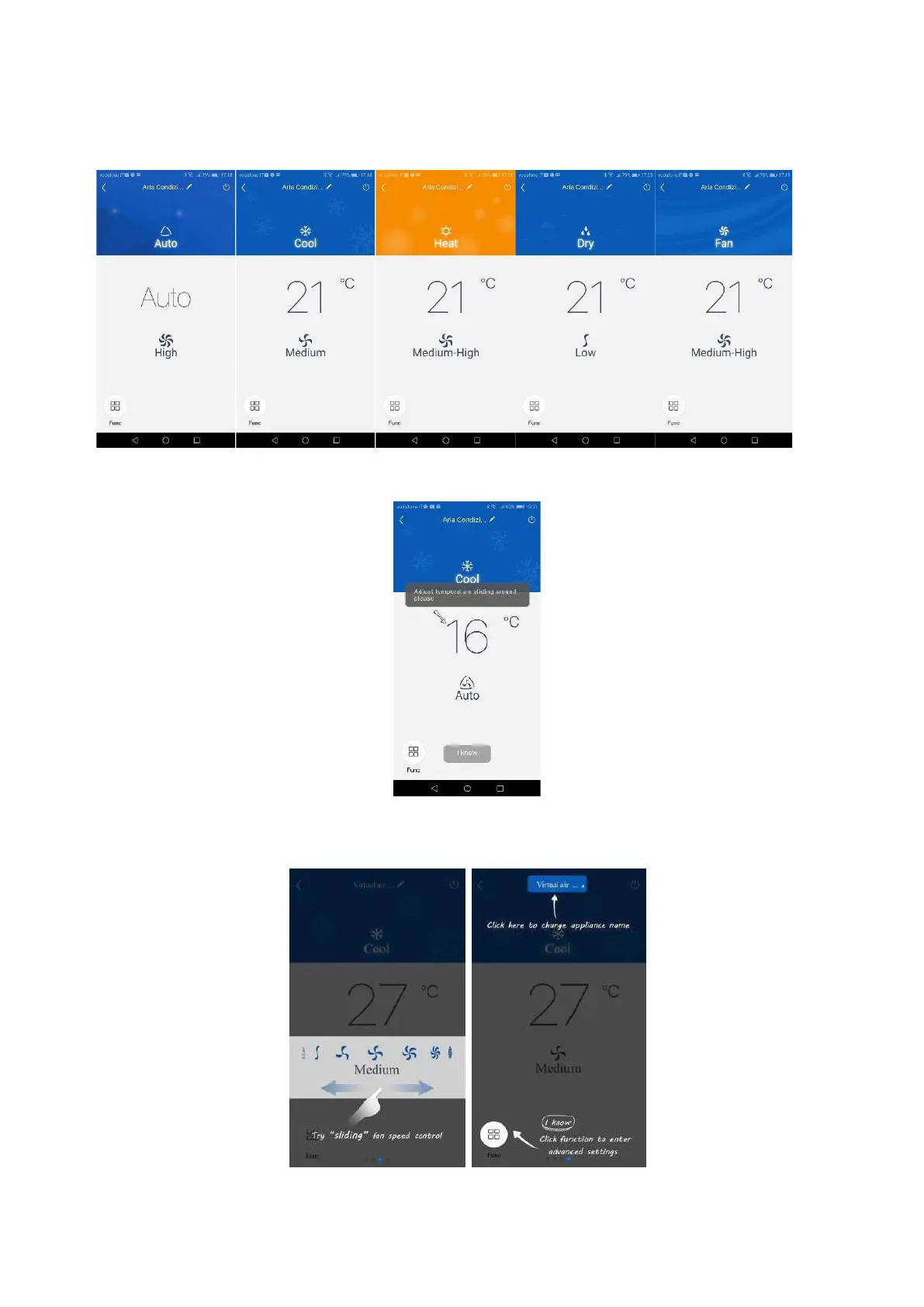
1. Select, operating mode, temperature and fan speed.
- Mode
Temperature for each mode: just slide your finger on the indicated temperature
1. Ventilation speed for each mode: just slide your finger on the fan symbol (the
adjustment possibilities vary depending on the mode)





 To Next Page