REPLACEMENT OF PARTS
14.203.B_A707 en.SM.V4.3X ARGUS Medical AG 28.03.06 / PJ 41 / 48
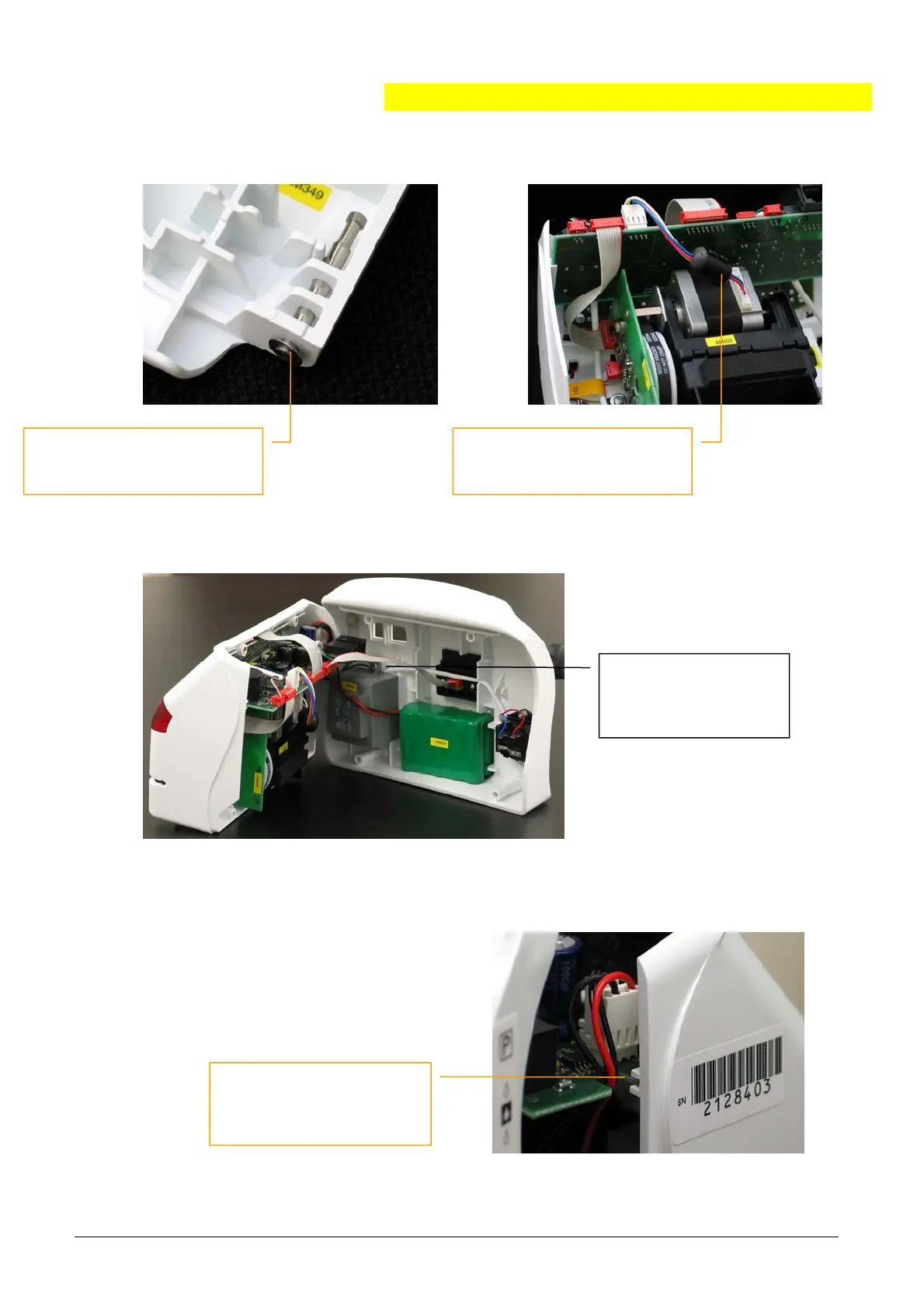
4. Make sure that this part
touches nowhere, otherwise
noises may be generated!
3. Reinstall the door. Make
sure that a washer has
been installed on each side!
5. Reconnect the back
side with the front
side (battery, power
& docking interface)!
6. Make sure that both ca-
bles are correctly placed
in the notch before the
main board is inserted!


 To Next Page