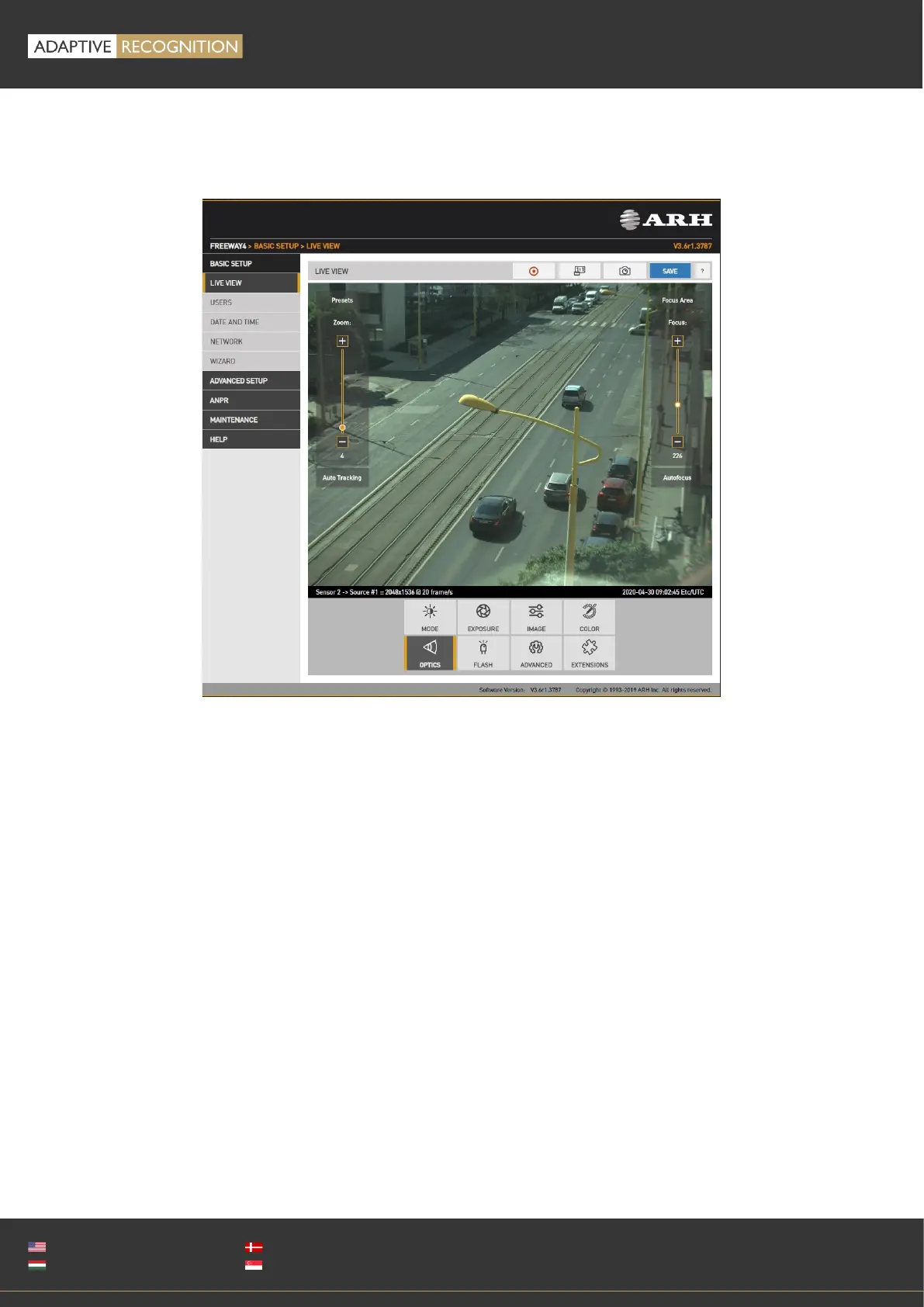
12.3. OPTICS
WEB INTERFACE > BASIC SETUP > LIVE VIEW > OPTICS
Models equipped with motorized lenses will show this menu item. Both lenses can be adjusted
individually by switching between the two sensors in the Live view menu. Use the left slider (Zoom) to
change the field of view from wide angle (0) to telephoto (100). Use the right slider (Focus) to manually
adjust focus from near too far.
Clicking the Autofocus button will execute one time autofocus performance. By clicking the Focus
Area button, moving and resizing the yellow rectangle, the area of interest can be defined, and then
this part of the image will be sharp after autofocusing.
Auto tracking is enabled by clicking the Auto Tracking button. To use auto tracking, an anchor point
must be defined, that is the image that needs to be sharp when enabling this function. It is best to set
this anchor point (enable auto tracking) with the following conditions met:
• Zoom is at telephoto end
• Iris fully open
• Image is sharp
A number of zoom/focus pairs may be set and recalled as presets using the Presets menu.



 To Next Page