These menu entries restart the camera in normal or in recovery mode. If the web interface is not
functional (for example due to a lost IP), Recovery Mode may also be entered applying the magnetic
reset procedure.
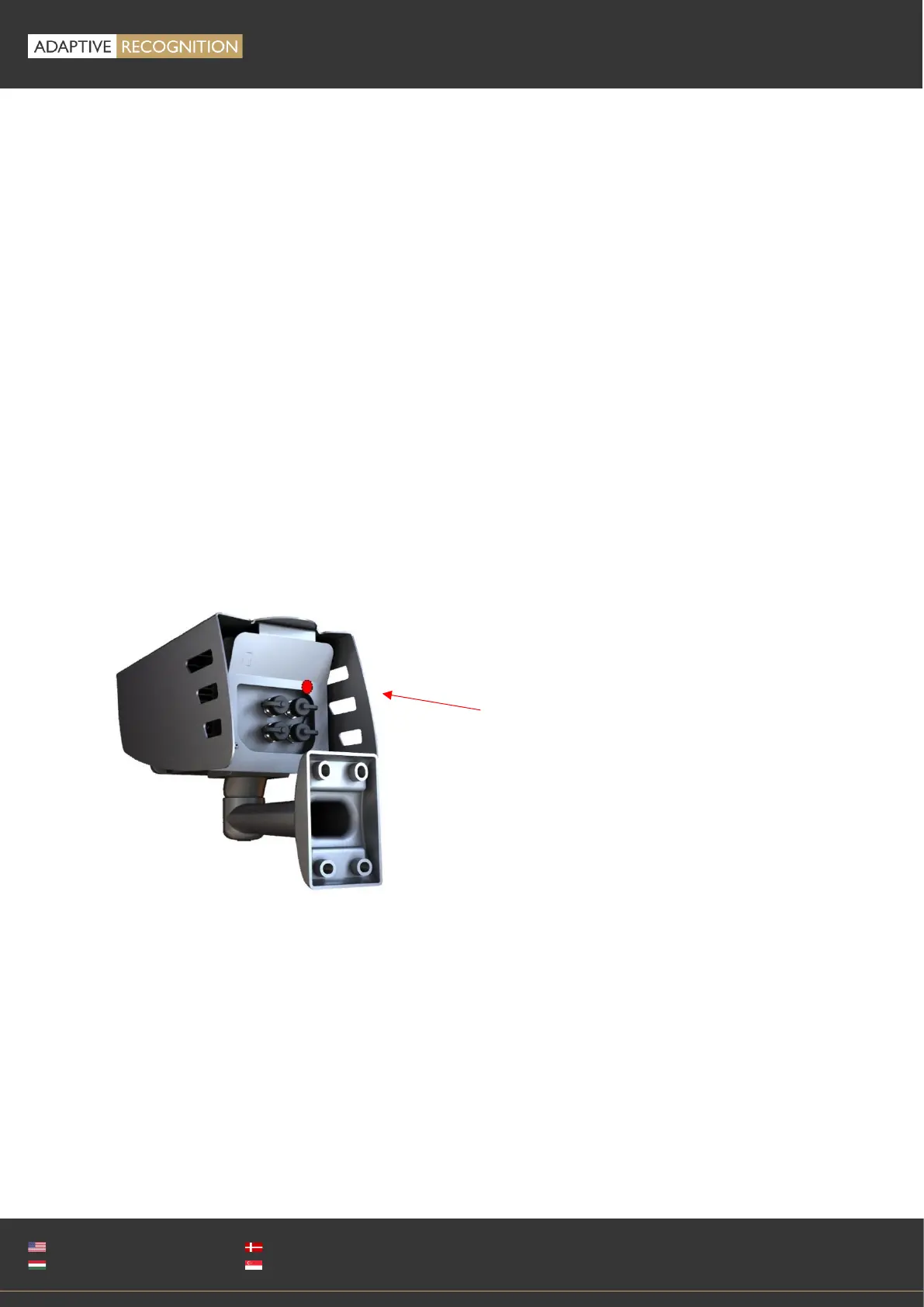
The magnetic reset procedure is as follows:
• Start with a powered off device.
• Place a magnet at the indicated position
• Power on the device (if the magnet is in proper position, the green indicator led on the front of
the camera will start flashing very fast)
• Remove the magnet
• Enter the web interface at the 192.0.2.3 (default) IP
Entering Recovery mode to Freeway camera:
Starting of the Recovery mode can be implemented by magnetization in the following way:
By magnetization:
1. Power off the camera.
2. Touch a magnet (not included) to the back of the camera and hold it in position. See figures below.
3. Power on the camera and wait 5 seconds. If the magnet is in proper position, the green indicator
led on the front of the camera will start flashing very fast.
4. Remove the magnet.
5. Reach the camera via its default (192.0.2.3) IP address.
The recommended strength of the magnet is 1210 mT (millitesla)



 To Next Page