ARIESAUTOMOTIVE.COM • NEED ASSISTANCE? • 800.798.0813 • S224045-INS-RC • PAGE 4
Step 9
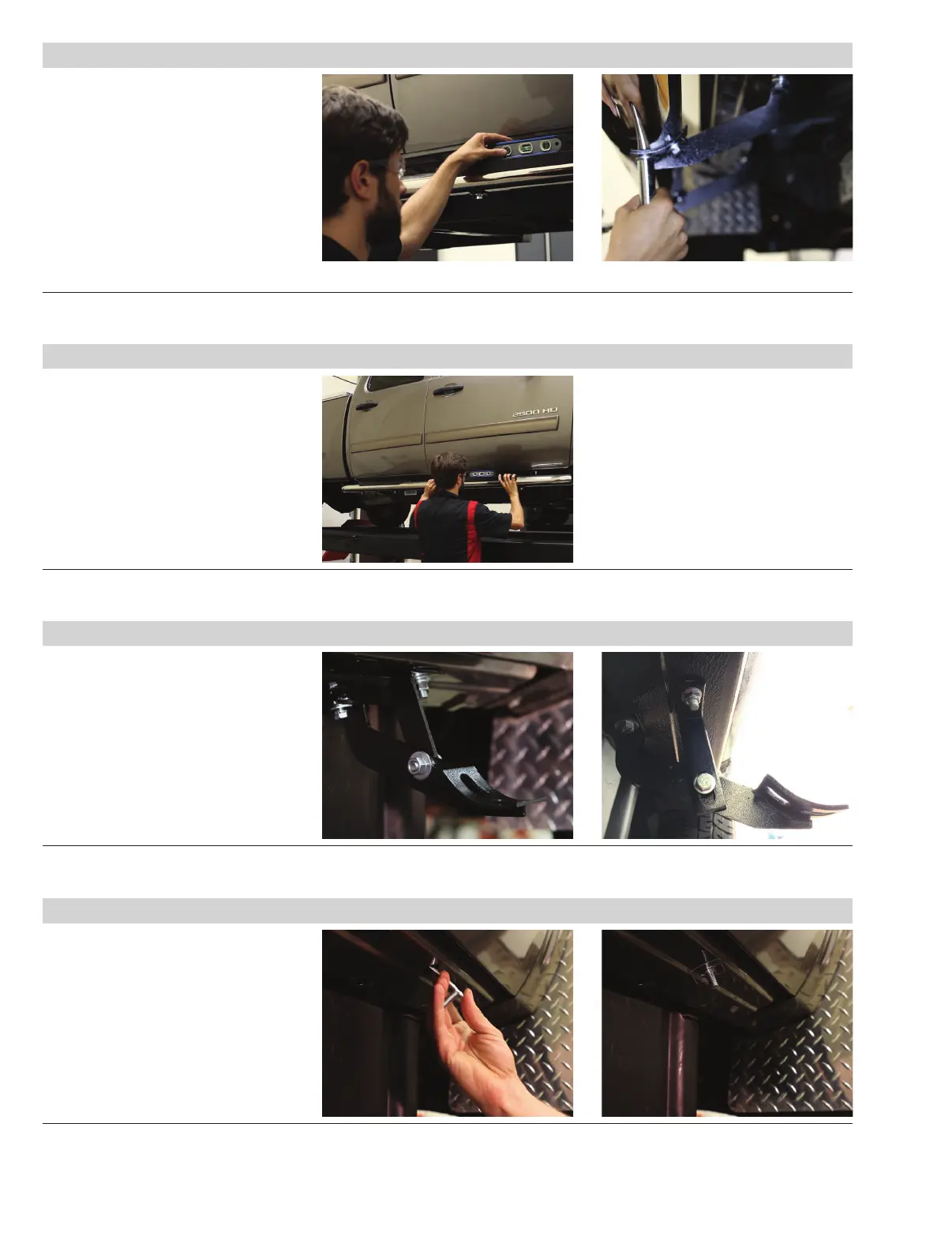
Ensure the vehicle is on level ground.
Use a bubble level ensure the side bar
is level and parallel with the side of the
vehicle. Make adjustments to the bracket
positions and rotate the side bar as
necessary.
With the side bar aligned, tighten all the
hardware on the brackets to the vehicle.
Double check that the side bar is level
and finalize the install by tightening all the
hardware securing it to the brackets.
Step 10
Repeat steps 1 through 9
on the passenger side.
Note: For diesel trucks, the front bracket
on the passenger side will require the
included def-tank brackets. Follow steps
11 through 16 to complete the install.
Step 12
Insert the 10mm bolt plate into
the access hole in the rocker panel.
Push the plastic retainer onto the
threaded end of the bolt plate to
help hold the plate in position.
Step 11 2014 or older 2015 or newer
Locate the def-tank bracket
components for diesel truck models.
Begin the install by locating the round
factory hole in the bottom of the rocker
panel, closest to the front bracket
mounting location. The installation of
the bracket will vary depending on the
vehicle model shown to the right.
Remove the plastic plug to expose
the mounting hole in the rocker panel.


 To Next Page