Quick S ta rt Guide : 7000 S e rie s 1 RU-Ge n 2 Da ta Cente r S witche s 1
Chapter 1
Overview
1.1 Scope
This guide is intended for properly trained service personnel and technicians who need to install the
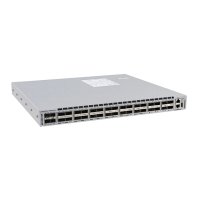
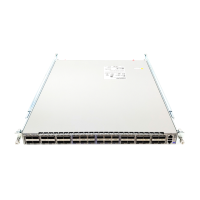
following Aris ta Ne tworks Da ta Ce nte r Switche s :
Impo rt a n t ! Only qualified personnel should install, service, or replace this equipment.
1.2 Receiving and Inspecting the Equipment
Upon re ce iving the s witch, ins pe ct the s hipping boxe s a nd record a ny e xte rna l da ma ge . Reta in pa cking
ma te ria ls if you s us pect tha t pa rt of the shipme nt is da mage d; the ca rrie r ma y ne e d to ins pe ct the m.
If the boxes were not damaged in transit, unpack them carefully. Ensure that you do not discard any
acce s sories tha t may be pa cka ge d in the s ame box as the main unit.
Ins pe ct the pa cking lis t and confirm that you re ceive d all liste d ite ms . Compa re the pa cking lis t with
your purchase order. Appendix B provides a list of components included with the switch.
1.3 Installation Process
The following tas ks a re re quire d to ins ta ll and us e the s witch:
Step 1 Sele ct a nd pre pa re the ins talla tion s ite (S e ction 2.1).
Step 2 As se mble the ins tallation tools lis ted in Se ction 2.2.
Step 3 Attach the mounting brackets and install the switch in an equipment rack (Cha pte r 3).
Step 4 Connect the switch to the power source and network devices (Cha pter 4).
Step 5 Configure the s witch (Cha pte r 5).
DCS -7048T-A DCS -7050T-36 DCS -7150S-24
DCS -7050Q-16 DCS -7050T-52 DCS -7150S-52
DCS -7050QX-32 DCS-7050T-64 DCS-7150S -64
DCS-7050S-52 DCS-7124FX
DCS-7050S-64 DCS-7124SX






 To Next Page