23
Troubleshooting
001.08075.EN rev. 22
PROBLEM VERIFY
When battery is inserted into the
charger, the yellow light does not
ÀDVKRULOOXPLQDWHVROLG
• Check the orientation of the battery. The contact points should
be inside the charger.
• If the yellow charge light will still not illuminate, contact your
local agent.
The light does not illuminate
when there are batteries correctly
installed.
• Make sure that the charger is correctly plugged into the AC
outlet, and that the green light on the clip-on charging station
is on.
• Make sure that there is contact between the contact blades of
the lift and the contact plates of the charging station.
• Check the power of the AC outlet on the wall.
• If the charge station’s green light does not light up, contact your
local Arjo agent.
The battery does not slide into the
lift.
• Check if there is any damage to the battery that would interfere
LQWKHOLIWEDWWHU\¶VVORW,)7+(5(,6'$0$*('212786(
THE BATTERY.
• Try to slide in another battery to see if there is any damage in
the lift battery’s slot. If so, call your Arjo agent. If not, discard the
damaged battery.
Cannot remove battery from the lift.
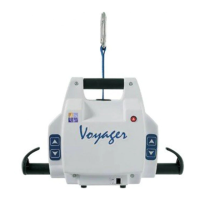
• 6HH ³+RZ WR 8VH WKH Voyager” section under “Charging the
Battery” to know how to correctly remove the battery.
• If the battery will not come out, tilt the lift to the side so that the
battery opening is under the lift. With your hand guarding the
opening for the battery, press the eject button on the front of the
Voyager while gently tapping the lift to help jolt the battery out
of the lift. Once the battery is removed, discard and replace it.
• If you cannot remove the battery after trying the above, contact
your local agent.


 To Next Page