EasyManua.ls Logo

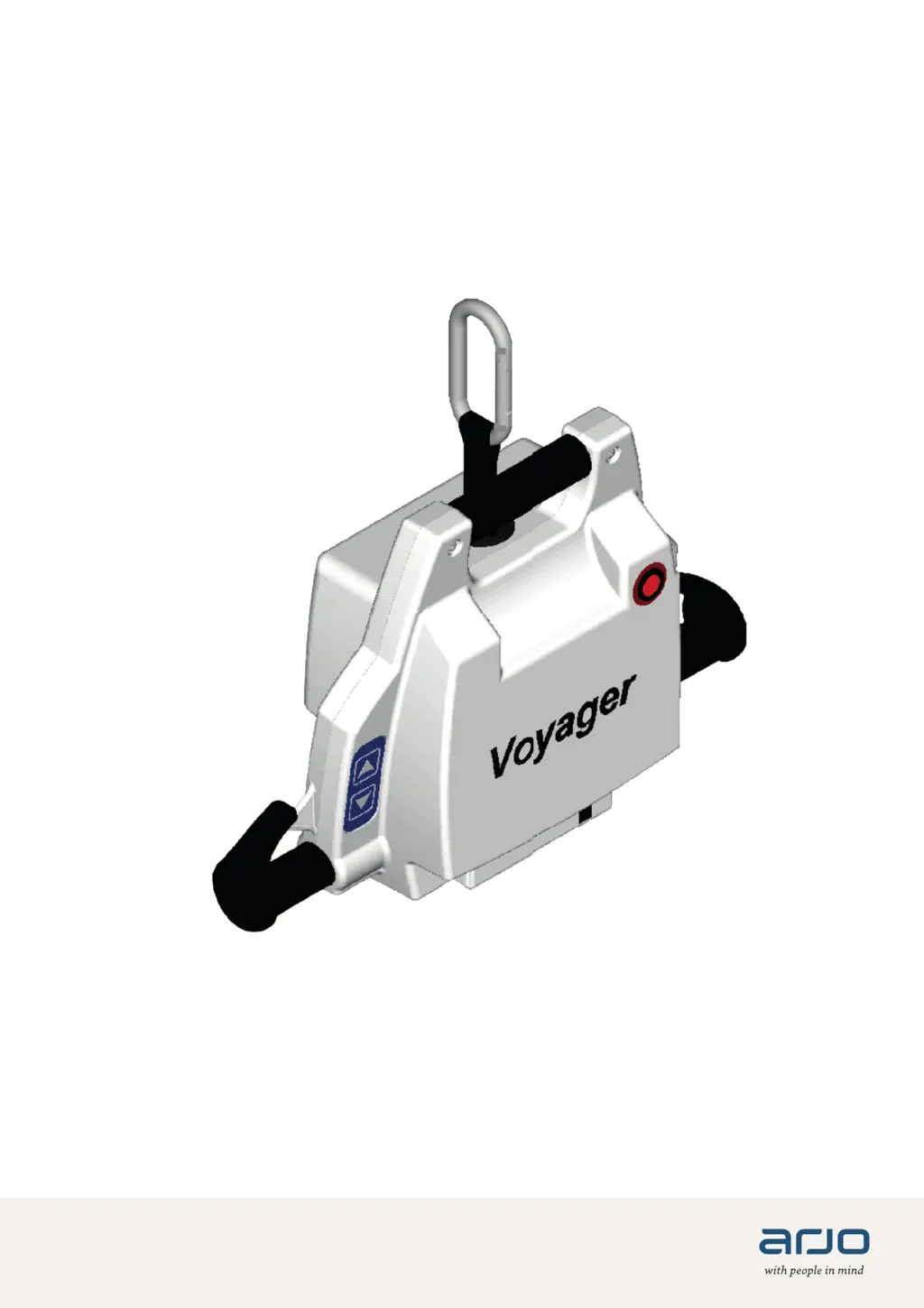
Arjo Voyager - User Manual

Arjo Voyager
32 pages
Print Icon
To Next Page IconTo Next Page
Loading...
001.08075.EN Rev 22 • 11/2020
INSTRUCTIONS FOR USE
V oyager

Questions and Answers

  • W
    williamsjacobAug 14, 2025
    What to do if Arjo Mobility Aid doesn't work when pressing the buttons?
    • S
      Suzanne WarnerAug 14, 2025
      If your Arjo Mobility Aid isn't working when you press the buttons, check the following: * Ensure the battery is charged and correctly installed, with the metal contact points inside the lift. * Place the battery into the charger; if the yellow light flashes, leave it for about two hours. * Make sure the 'quick release' knob is completely to the left (locked). Tighten the strap if needed. * Check for tension on the strap, as the 'anti-crush' feature prevents operation without it. If these steps don't resolve the issue, it may be a motor or electrical problem, and you should contact your Arjo agent.
  • B
    Brianna MitchellAug 17, 2025
    Why does my Arjo Mobility Aid beep during use?
    • B
      Brooke ElliottAug 17, 2025
      If your Arjo Mobility Aid beeps during use and potentially stops lifting, it indicates that the battery is low. You should recharge it as soon as possible.
  • D
    Darlene BlackAug 20, 2025
    How to fix Arjo Voyager Mobility Aid when hand control buttons don't work?
    • W
      williamsmichelleAug 21, 2025
      If the Arjo Mobility Aid doesn't work when you press the buttons on the hand control, try these steps: * Ensure the hand control is correctly plugged into the unit. * Try using the control switches directly on the unit. If the unit works with the control switches, it indicates a problem with the hand control, and you may need to replace it.
  • P
    Patrick MorganAug 25, 2025
    Why does Arjo Voyager Mobility Aid start and stop repeatedly?
    • E
      Elizabeth NelsonAug 25, 2025
      Your Arjo Mobility Aid might start and stop repetitively for a couple of reasons: * If the load exceeds the safe working limit, the overload protection on the motor will prevent operation. * If the lift beeps, the battery is low and needs charging.
  • C
    craig23Aug 27, 2025
    What if the yellow light doesn't illuminate when charging Arjo Mobility Aid?
    • P
      Patrick WrightAug 27, 2025
      If the yellow light doesn't flash or illuminate when you insert the battery into the charger for your Arjo Mobility Aid: * Check the battery's orientation to ensure the contact points face inside the charger. If the yellow light still doesn't illuminate, contact your local Arjo agent.
  • S
    Shane ChapmanAug 31, 2025
    Why isn't the green light on the Arjo Voyager Mobility Aid charger illuminated?
    • C
      carmenjonesAug 31, 2025
      If the green light on your Arjo Mobility Aid charger isn't illuminated: * Ensure the charger is plugged into a working standard outlet; try another outlet to confirm. If the green light still doesn't illuminate, contact your local agent.
  • A
    April JohnsonSep 3, 2025
    Why does Arjo Voyager Mobility Aid battery die quickly?
    • C
      castrovanessaSep 3, 2025
      If the battery of your Arjo Mobility Aid dies after only a few transfers, it likely means the battery's life is nearly over. Replace it with a new one.
  • P
    Philip RussellSep 6, 2025
    Why does Arjo Mobility Aid battery only last for a couple of transfers?
    • B
      Brittany HarrisSep 6, 2025
      If the charger light shows a solid yellow but your Arjo Mobility Aid battery only lasts for one or two transfers, it suggests the battery has been damaged. Replace the battery.
  • M
    Melvin NewtonSep 9, 2025
    What to do if the battery doesn't slide into Arjo Voyager Mobility Aid?
    • P
      parkergrantSep 9, 2025
      If the battery doesn't slide into your Arjo Mobility Aid, check the battery for any damage that might interfere with the slot. Try another battery to see if the slot itself is damaged. If the slot is damaged, contact your Arjo agent; otherwise, discard the damaged battery.

Summary

Design Policy and Copyright

General Information

Foreword, Service, and Manufacturer Information

Covers introductory remarks, support contacts, and manufacturer details.

Definitions, Intended Use, and Operational Life

Explains terms, product purpose, and expected lifespan.

Product Identification, Package Contents, and Manual Guide

Details product ID, package, and how to use the manual.

General Information: Symbols

Understanding Device and Safety Symbols

Explains various symbols used in the manual and on the device.

Safety Instructions

General Instructions, Key Safety Directives, and Rail System Addendum

Outlines operational rules, critical safety, and rail system specific instructions.

Safe Working Load and Specific Hazard Warnings

Details safe load limits and specific warnings for potential hazards.

Specific Safety Precautions

Shock, Fire, Explosion, and Environmental Safety

Details safety measures against electrical shock, fire hazards, and environmental impact.

Battery, Charger, and Homecare Safety Guidelines

Provides safety practices for batteries, chargers, and homecare environments.

Parts Designation

Voyager Lift and Charging Station Components

Identifies the main components of the Voyager lift and its charging station.

Parts Designation: Hand Control

Hand Control Operation and Buttons

Describes the Voyager's hand control unit and its functions.

Accessories

Overview of Available Accessories

Lists and illustrates various optional accessories for the Voyager lift.

Slings

Compatible Sling Types and Selection

Details the various types of slings compatible with the Voyager lift.

How to Use the Voyager: Initial Steps

Sling Attachment, Patient Positioning, and Pre-Transfer Prep

Covers attaching the sling, positioning the patient, and pre-transfer checks.

Sling Usage and Patient Condition Evaluation

Guides on selecting slings and assessing patient readiness for transfer.

How to Use the Voyager: Attachment Methods

Overview of Sling Attachment Configurations

Introduces the three main methods for attaching slings to the spreader bar.

Method 1: Cross-through and Method 2: Hammock

Details specific sling attachment methods for general transfer and amputee patients.

How to Use the Voyager: Transfer Procedures

Method 3: Abduction and Step-by-Step Patient Transfer

Explains the abduction method and the step-by-step process for patient transfer.

How to Use the Voyager: Emergency Features

Emergency Lowering and Brake Operation Procedures

Details procedures for emergency lowering and the function of the emergency brake.

How to Use the Voyager: Battery and Charging

Battery Information, Lifespan, and Charging Instructions

Provides essential battery information, lifespan factors, and charging procedures.

Care and Maintenance: Inspections

Preventive Maintenance Schedule and User Inspections

Outlines the recommended maintenance schedule and user-performed inspections.

Care and Maintenance: Service and Component Checks

Sling;Hardware Checks and Technician Inspections

Covers checks for slings, hardware, and required service technician inspections.

Care and Maintenance: Cleaning Procedures

Lift Cleaning Methods and Key Areas to Address

Details how to clean the lift, including special attention to specific areas.

Care and Maintenance: Component Longevity

Strap, Battery, Sling Maintenance, and Annual Checks

Covers maintenance for straps, battery replacement, sling care, and annual inspections.

Troubleshooting: Operational Issues

Unit Not Responding, Repetitive Stops, and Lifting Problems

Addresses lift control response, intermittent operation, and lifting failures.

Troubleshooting: Battery and Charger Issues

Charger Light Errors and Battery Fit;Removal Problems

Guides on resolving charger indicator errors and issues with battery insertion or removal.

Labels on the Lift

Product Labels and Identification Information

Details the various labels found on the lift for identification and information.

Technical Specifications: General and Conditions

Product, Electrical, Battery, Charger Specs, and Conditions

Lists key product, electrical, battery, charger specs, and operating/storage conditions.

End-of-Life Disposal Guidelines

Provides guidelines for the safe disposal of the product at the end of its life.

Technical Specifications: Dimensions and Materials

Lift Dimensions and Material Composition for Recycling

Provides detailed dimensional data and material specifications for recycling.

Electromagnetic Compatibility: Compliance and Emissions

EMI Compliance Standards and RF Emissions Characteristics

Details the lift's compliance with EMI standards and its RF emission characteristics.

Electromagnetic Compatibility: Immunity

Immunity Test Levels and Environmental Guidance

Specifies the immunity test levels and guidance for electromagnetic environments.

Arjo Voyager Specifications

General IconGeneral
BrandArjo
ModelVoyager
CategoryMobility Aid
LanguageEnglish

Related product manuals