16
Unit Configuration
Start-Up Procedure (Before “Power On”)
1. Examine the electrical compartment for any loose or disconnected component wiring. Check all
high voltage screw terminal connections at contactor, terminal strip, fuse block & power module for
tightness.
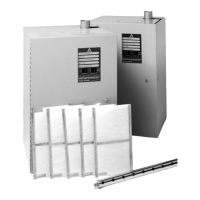
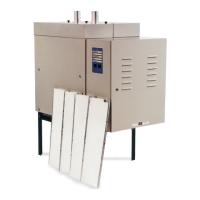
2. Remove Side Panel. Remove tank access panel by unscrewing all wing nuts. Make sure all
ionic beds are fastened securely to mounting pins. Position access panel on tank making sure the
gasket is in place and tighten all wing nuts. Note: Ionic beds not used on DI/RO units.
3. Check and recheck incoming voltage source and control wiring for proper connections and
tightness of connections.
4. Turn on water supply and check for leaks.
5. Make sure access doors and panels are secure.
Enter Password ARMH
Run Mode
Run (Default)
Test
Contactor Count
1
2
3
4
Control Type
PWM (Default)
On/Off
Power Settings
1000 W
3000 W
5000 W
6650 W
8000 W
EOL Reset
Clear Ionic Time
Confirm Cancel
Failure Record Clear
Clear Failure List
Confirm Cancel
User Password Reset
User Password Reset
Confirm Cancel
Temperature Compensation Factory Use Only
Water Compensation
Heater Compensation



 To Next Page