61
Armstrong International
Parc Industriel Des Hants-Sarts, 2ème Avenue No. 4, Haerstal, B-4040, Belgium
armstronginternational.com/brain
Tem⌷ 1%$˚C
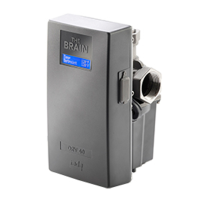
Rogue characters appear on display. Reset DRV80,
if the error persists, replace LCD.
P/N - D45781 LCD
See pages 43-45
Brightness of LCD. Adjust setting on PCB. (See
Common Faults - Cannot read the LCD display
on page 69.
No power to DRV80. Check circuit breaker and
electrical supply. Check wiring connections at power
supply terminal block on PCB (see page 47). Check
power supply fuse on PCB (see page 47). If problem
persists, replace PCB and / or LCD.
P/N - D45781 LCD, or
P/N - D57396 PCB
See pages 43-46


 To Next Page