- 34 -
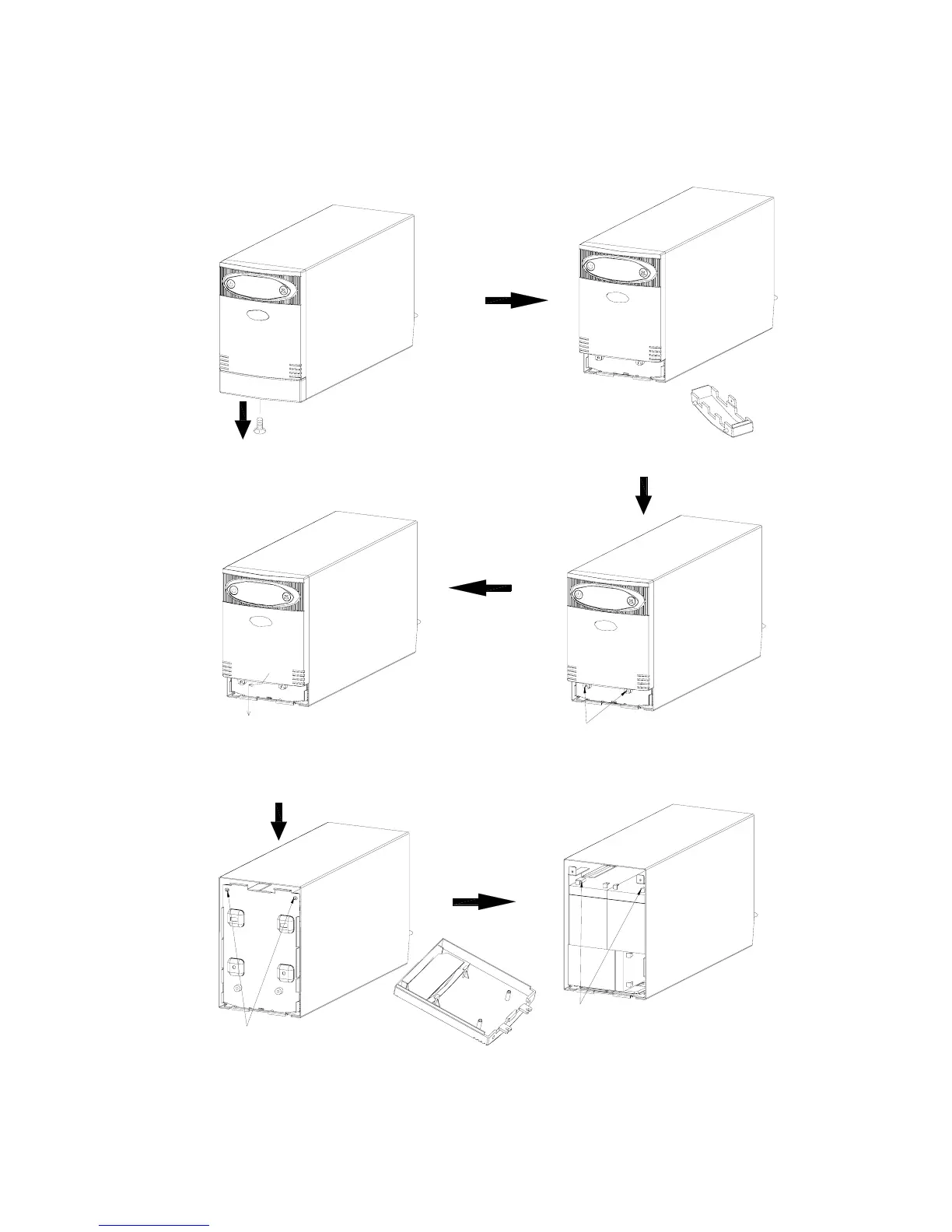
Model: Syncro 2000
1) Remove the screw fixing the little panel at
the bottom of unit
2) Pull down to the limits, then pull forward
3) Disassemble the little panel
4) Remove the screw 5) First rotate to small angle,then pull down.
You can disassemble the panel
6) Remove screw and remove the battery
cover
7) Remove the wire, then you can replace
the batteries



 To Next Page