Menu overview 25
7.1 Motor screen
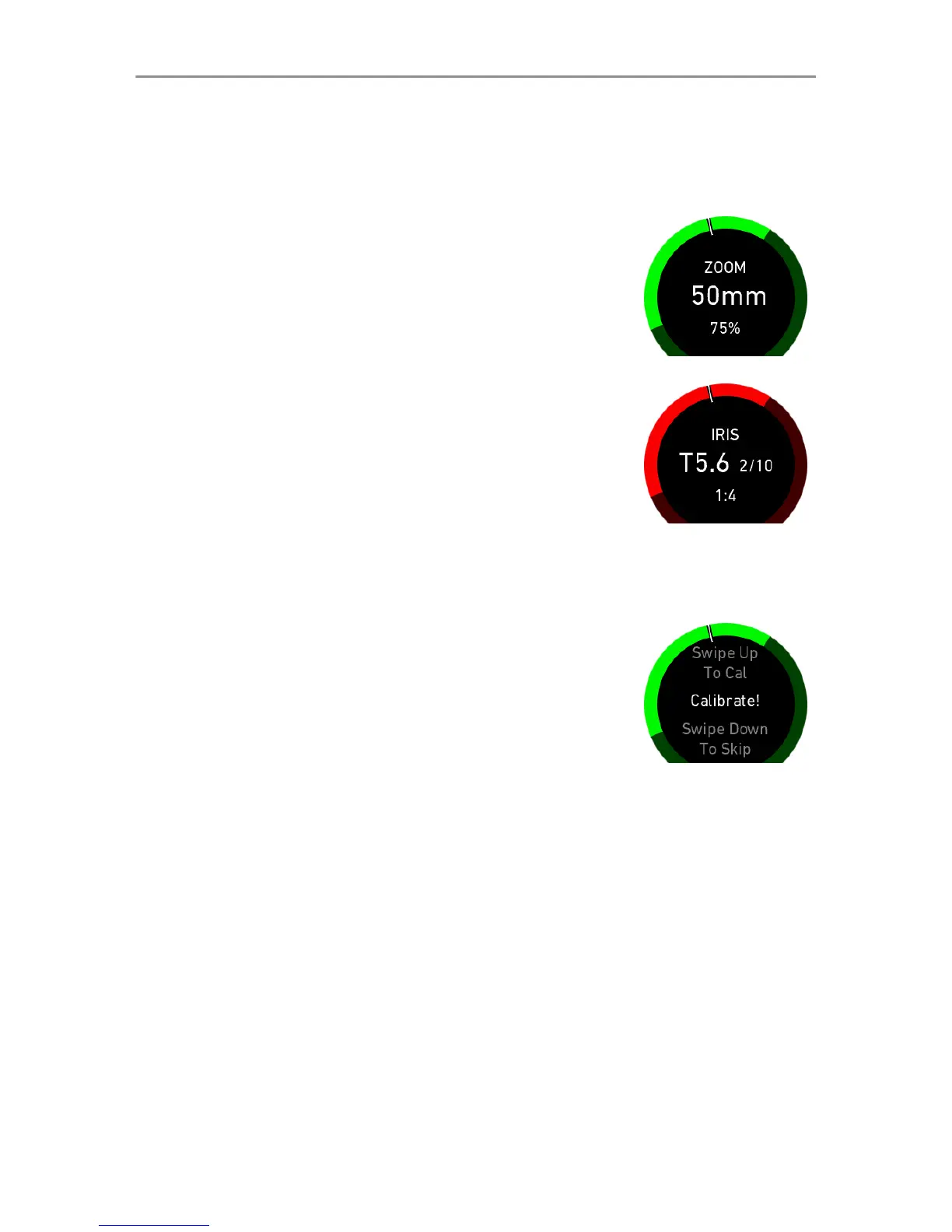
The motor screen is the default start-up screen.
Example 1:
Master Grip Rocker is assigned to zoom
axis, speed set to 75%. Motor limits are
set.
Camera is in standby mode.
Example 2:
Master Grip Wheel is assigned to iris axis,
ratio is set 1:4. Motor limits are set. Cam-
era is recoding.
Calibration
If a new motor is connected or the motor
axis has been changed, a motor calibration
is necessary. The Master Grip will display
a calibration request on the motor screen.
Swipe up to calibrate the motor. If the cali-
bration request is skippable, swipe down to
skip.
7.1.1 Speed
Set the motor speed from minimum to maximum. If the Master
Grip has a control wheel, the speed is set as the ratio between
lens range and wheel range (1:4, 1:2, 1:1, 2:1, 4:1), if it has
a control rocker, then the speed is indicated in percentage
(1-100%).
7.1.2 Direction
This option sets the operation direction of the input device (control
rocker/control wheel).



 To Next Page