26 Menu overview
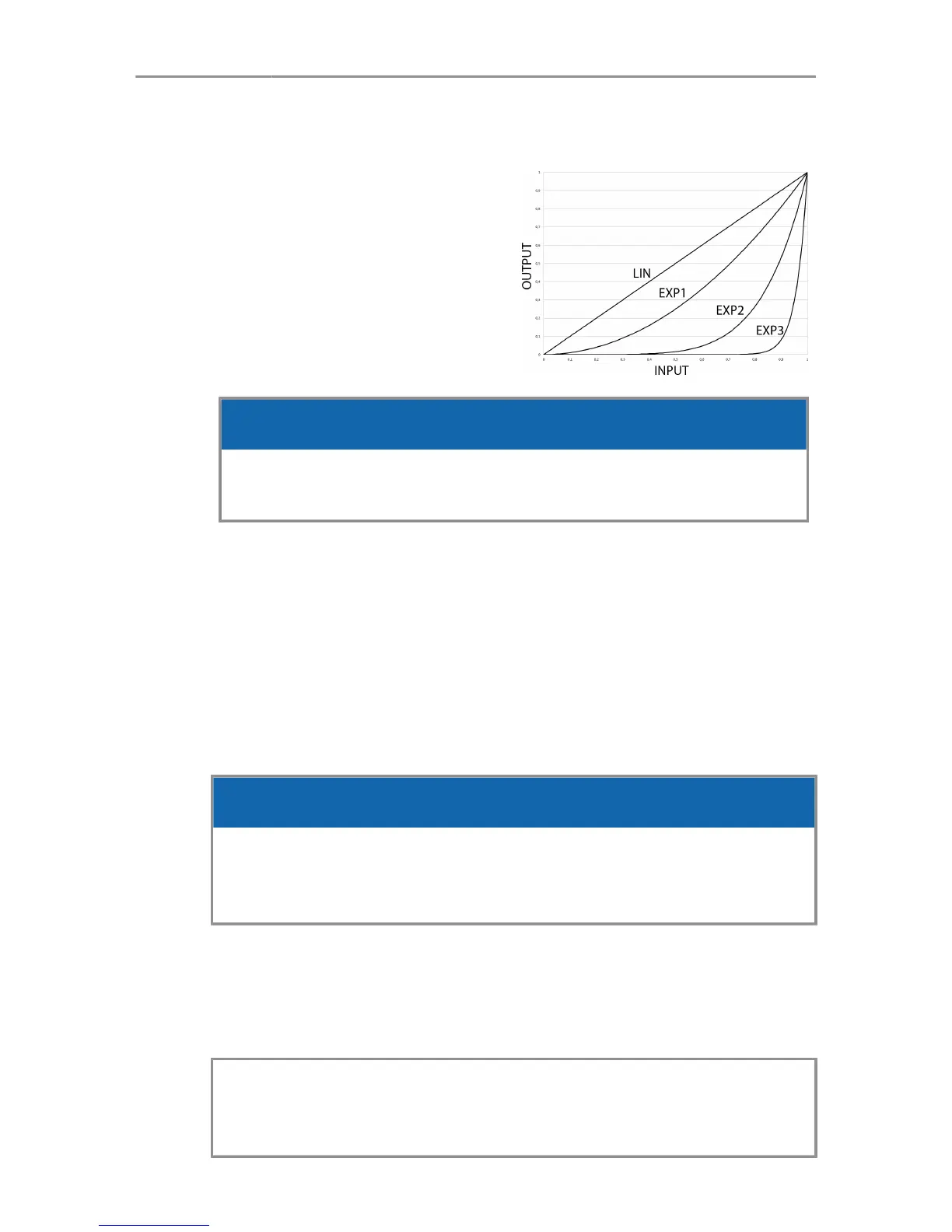
7.1.3 Curve
The acceleration behavior
of the control rocker and
wheel can be set to following
curves:
LIN, EXP1, EXP2, EXP3
NOTICE
When using the wheel, the curve only affects the accelera-
tion behavior and responsiveness of the wheel movement.
7.1.4 Motor side
The motor side is referring to mounting the motor to rods below
the lens. If you mount the rods above the lens, select the opposite
side in the setup menu.
7.1.5 Motor Torque
Set the motor torque level from 1 (lowest) to 4 (highest).
NOTICE
Ensure that the motor torque level matches the lens to avoid
lens damage. Stiff, hard-to-move lenses require a higher
torque level.
7.1.6 Axis
Allows you to select the main axis which is controlled by the
Master Grip: focus, iris or zoom.
Note: The focus/iris toggle function (See "Joystick screen",
page 27 or "Button screen", page 28) requires at least
one of both axes set as main axis.



 To Next Page