22 Menu overview
7 Menu overview
Top-level menus
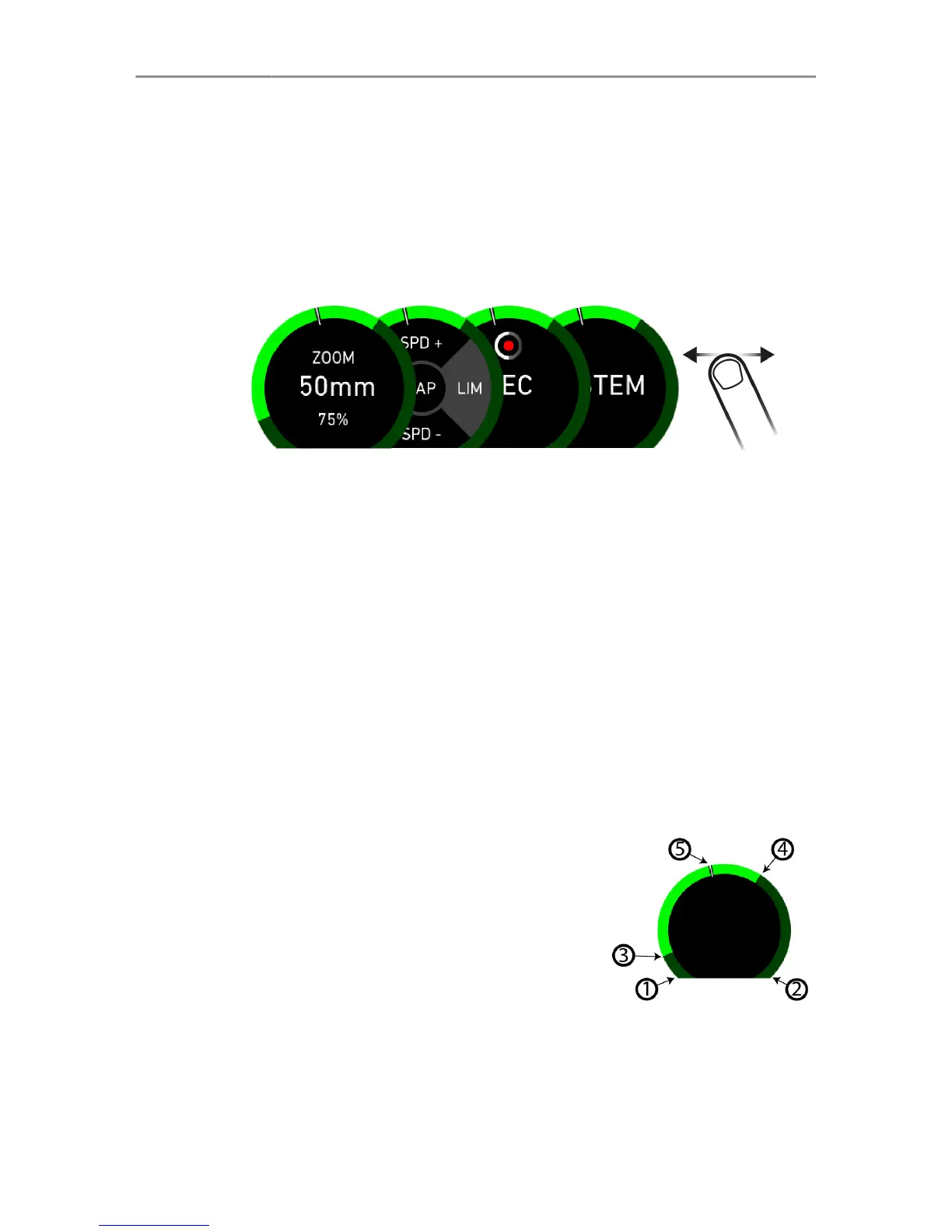
The Master Grip has 4 different top-level screens. To navigate
between them, swipe left/right.
•
"Motor screen", page 25
•
"Joystick screen", page 27
•
"Button screen", page 28
•
"System screen", page 29
Indicator Gauge
The indicator gauge is displayed on all top-level screens. It
indicates the motor position, the motor limits set by the user and
the camera status. For setting user defined limits, assign the
LIM function to one of the joystick directions or the button (See
"Joystick screen", page 27 or "Button screen", page 28).
Gauge limits:
1 Lower motor calibration limit
2 Upper motor calibration limit
3 Lower limit
4 Upper limit
5 Current motor position



 To Next Page