About this Manual
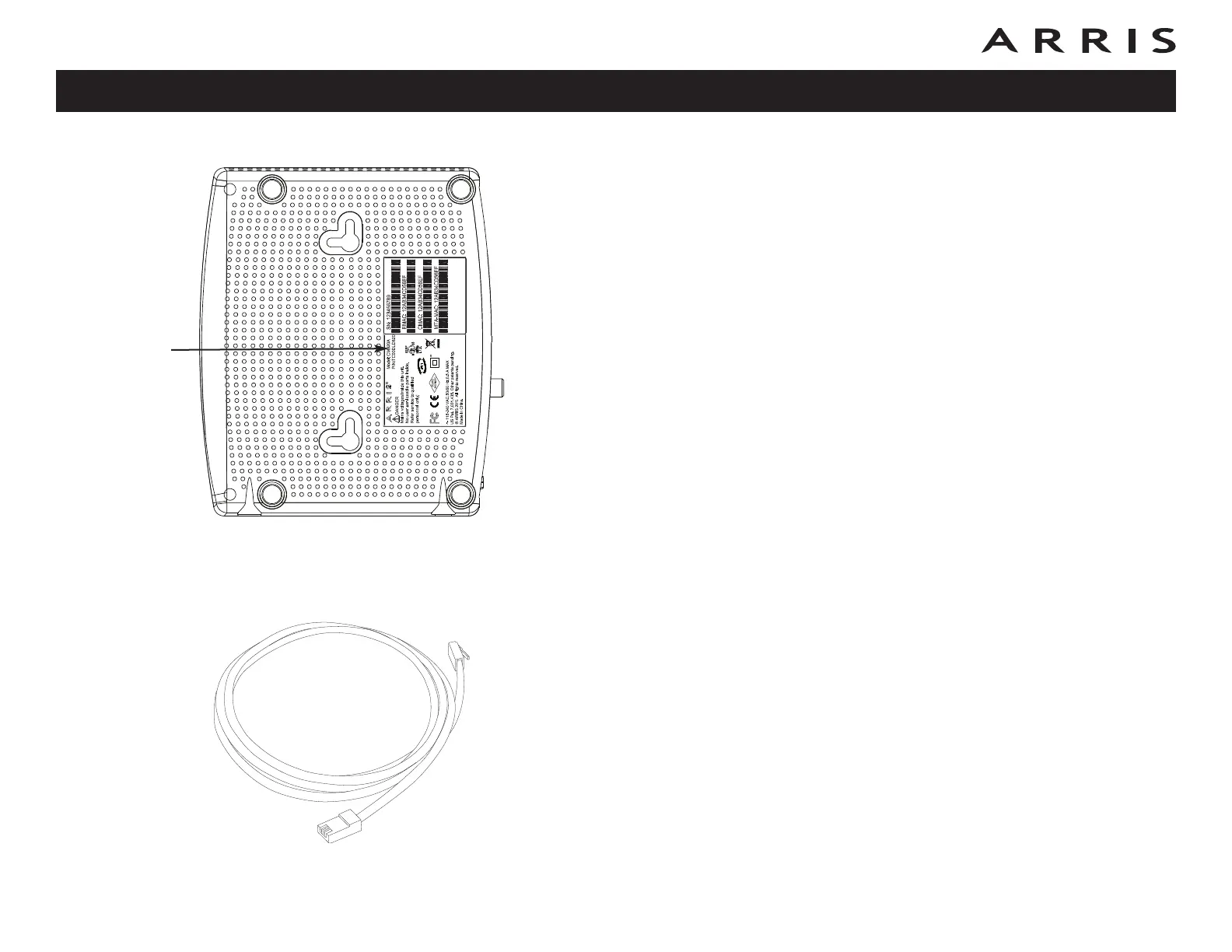
This manual covers all of the different CM820 models. Your model may not have all
of the capabilities outlined in this manual. To determine which model you have pur-
chased, refer to the image at the left. The model number is on the label affixed to
the Cable Modem.
Ethernet Connection
Ethernet is a standard method of connecting two or more devices into a Local Area
Network (LAN).
Note: To connect two or more computers to the Ethernet port, you will need a
hub or broadband router (available at computer retailers).
The Cable Modem package comes with a 6-foot (1.9m) Ethernet cable (the con-
nectors look like wide telephone connectors); you can purchase more cables if nec-
essary at a computer retailer. If you are connecting the Cable Modem directly to a
computer, or to an Ethernet hub or broadband router with a cross-over switch, ask
for Category 5e (CAT5e) straight-through cable. CAT5e cable is required for giga-
bit Ethernet (Gig-E), not regular CAT5 cable.
Touchstone CM820 Cable Modem User’s Guide
Safety
Getting
Started Installation
Ethernet
Configuration Usage Troubleshooting Glossary
12
Ethernet Cable
Model
Number














 To Next Page