Release 8 STANDARD 1.1 August 2016 Touchstone TM804G Telephony Modem User Guide
© 2011-2016 ARRIS Enterprises LLC. All Rights Reserved. 33
Chapter 7
Using the Telephony Modem
This chapter describes the controls and features available on the Telephony Modem, and
covers basic troubleshooting procedures.
Setting up Your Computer to Use the Telephony Modem (page 33)
Indicator Lights for the TM804G (page 33)
Using the Reset Button (page 36)
Booting from Battery (page 36)
Setting up Your Computer to Use the Telephony
Modem
Follow the instructions in the information packet supplied by your service provider. Contact
your service provider if you need help setting up your computer.
Indicator Lights for the TM804G
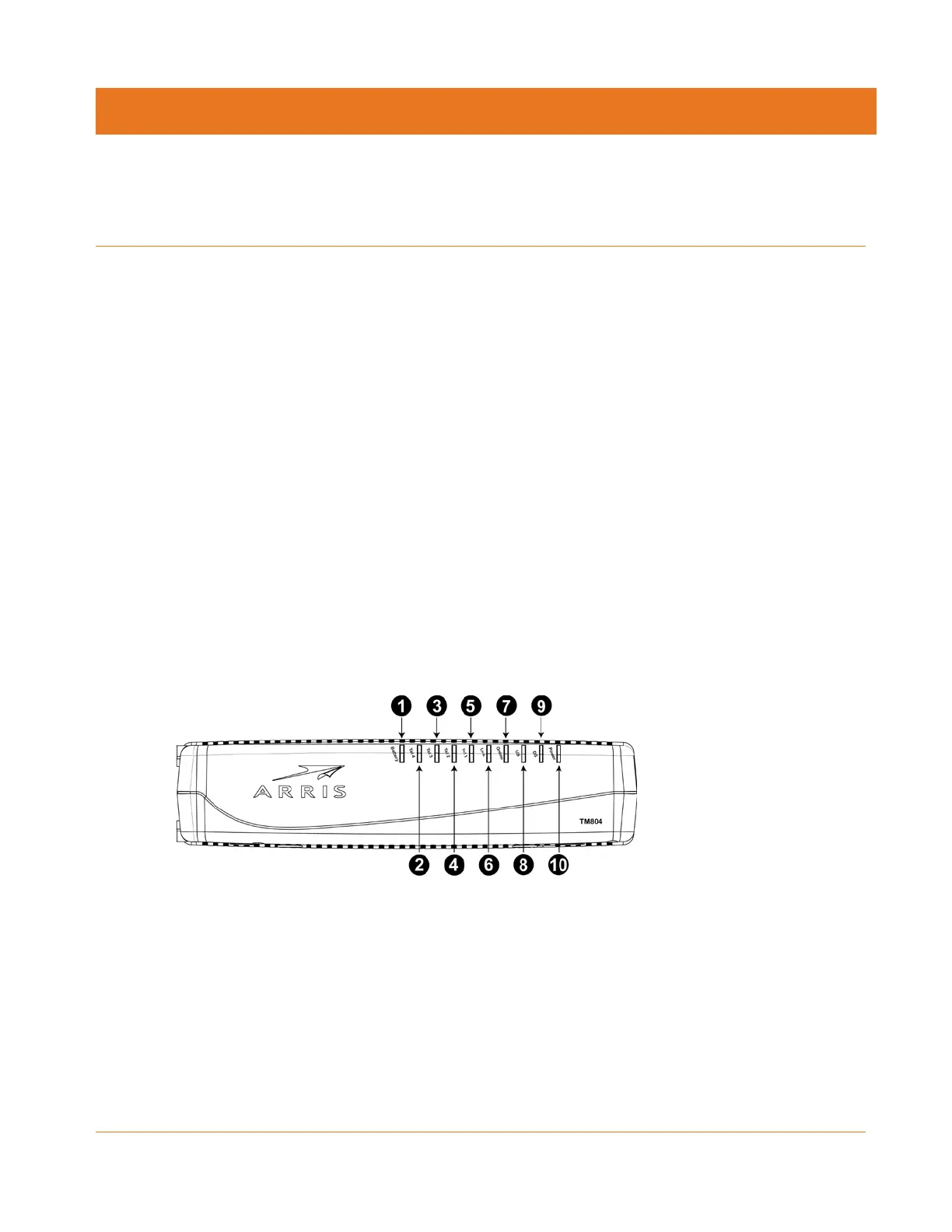
The Telephony Modem has LED indicator lights to assist in troubleshooting.
1. Battery
2. Tel 4
3. Tel 3
4. Tel 2
5. Tel 1
6. Link
7. Online
8. US
9. DS
10. Power















 To Next Page