Y1-03-0273 Rev. D A3-06-2825 Handheld Test Set Operations Manual
Company Confidential Page 7
2. Hardware Operation
Prior to use, install battery pack into test set. To close, place the battery pack with the
top end in first. Now push down on the bottom end of the battery pack ensuring that it
is firmly in place. Now push the clip firmly towards the bottom of the test set until it
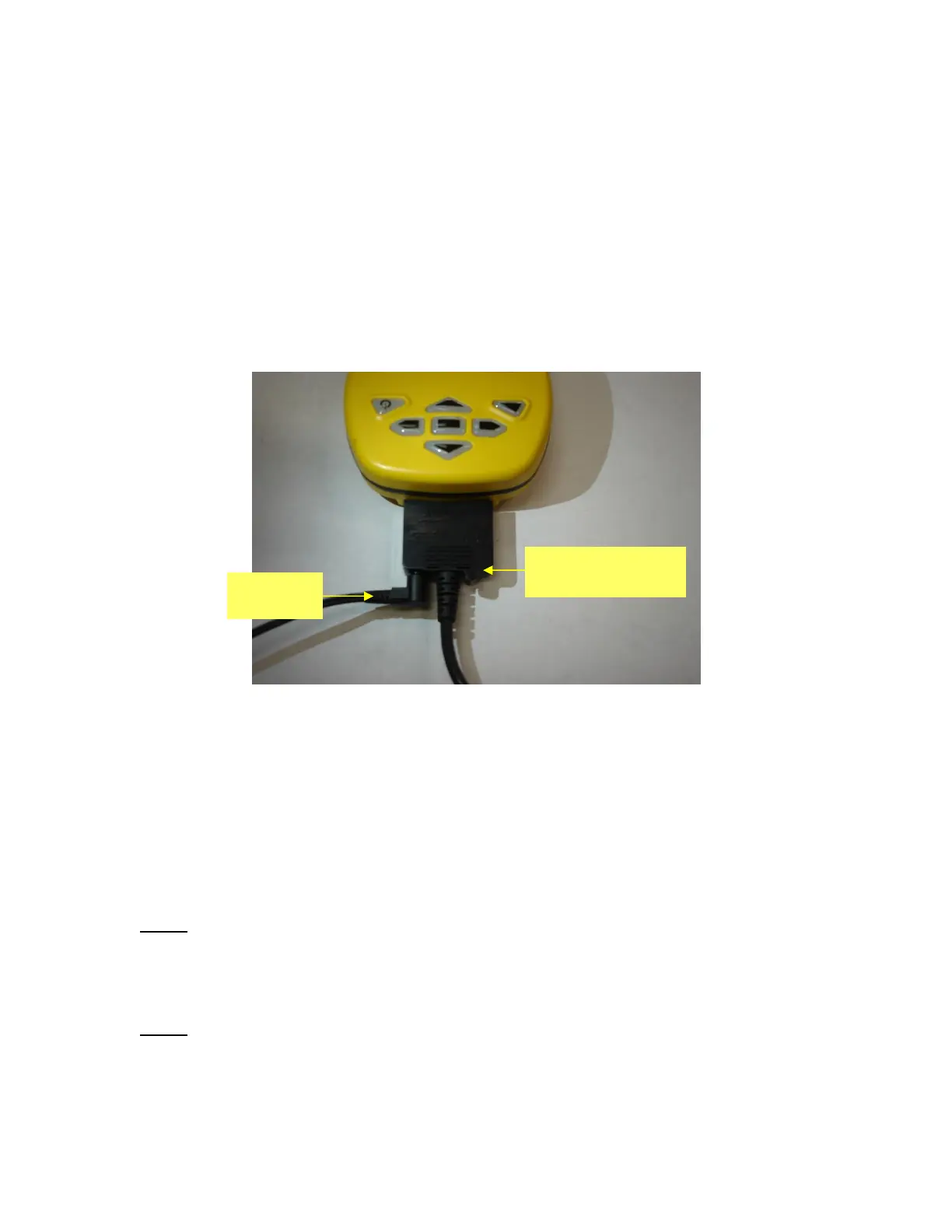
clicks into place. Charge the ETS battery using the supplied USB cable connection and
wall charger; connect as shown below (Figure 2). Charge for 2 to 3 hours. Upon power-
up, follow on screen directions for initialization and setting the time. The initialization
routine is very important to ensure proper function of the stylus on the test set screen.
Figure 2: Charging Connection
3. Meazura Operation
The heart of the ETS is the Meazura MEZ1500 manufactured by Aceeca Ltd of
Christchurch, New Zealand. The Meazura unit uses the Palm OS™ operation system.
Artex has customized the operation of the Meazura by utilizing the MZIO™ interface
inside of the Meazura unit.
NOTE: As delivered by Artex, the MZIO™ interface is not accessible by the user without
voiding the Artex warranty on the ETS. The combination of the “off the shelf” Meazura
MEZ1500 with a custom module that contains the Artex programming hardware
interface results in the Artex ETS.
NOTE: Aceeca also refers to the MEZ1500 as an “RDA” for “Rugged Digital Assistant”’
this terminology is encountered on the Aceeca web site and in their literature.


 To Next Page