Y1-03-0273 Rev. D A3-06-2825 Handheld Test Set Operations Manual
Company Confidential Page 8
3.1 Controls
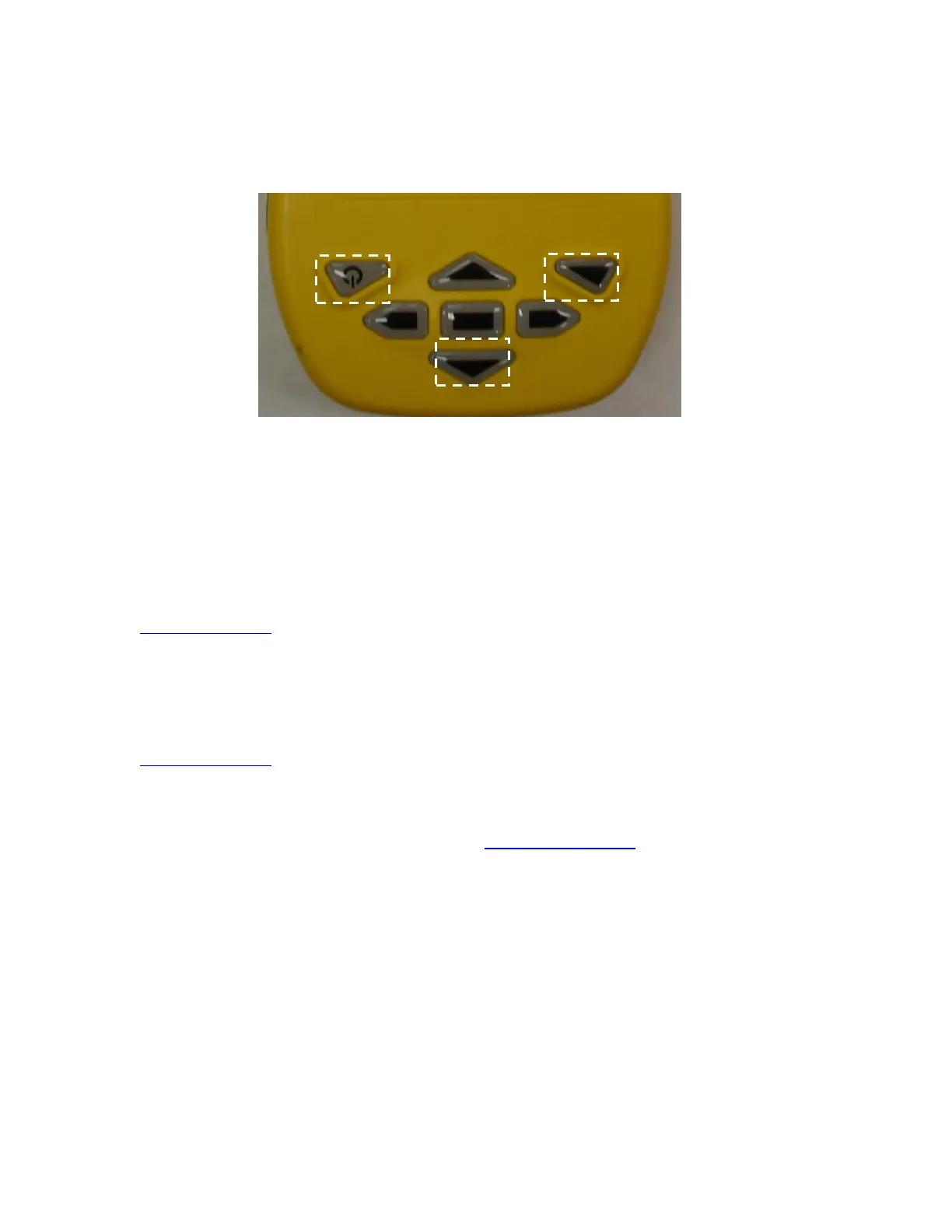
The Meazura is controlled with the buttons shown below (Figure 3):
Figure 3: Controls
The power button is used to turn the unit off and on and when used with the backlight
button is used for reset functions described later in this manual.
Operation of the Palm OS™ functions of the Meazura unit are described in great detail in
the Aceeca “Meazura MEZ1500 User Guide” available free for download at
www.aceeca.com.
3.2 Palm™ Desktop Software
Prior to use, the Palm™ Desktop Software as supplied via download from Aceeca at
www.aceeca.com which must be installed on your Windows XP SP3 or later, Windows 7
PC that will be used to interface with the ETS. Follow the on-screen instructions for
installation.
1. Open desktop browser and go to www.aceeca.com
2. Select options in the following order:
• Support
• Downloads
• Desktop Software
• Palm/Garnet Desktop for Windows PC
• Download Now
3. Unzip File Folder SFW_WINX32_PALM-
DESKTOP_V4.1_20110322.ZIP.
4. Open file folder Palm Desktop Installation.


 To Next Page