Y1-03-0273 Rev. D A3-06-2825 Handheld Test Set Operations Manual
Company Confidential Page 17
NOTE: A displayed message will remain on-screen until the “Clear” button is selected.
Select “Done” to save message and proceed. A new message will not over-write the old
message.
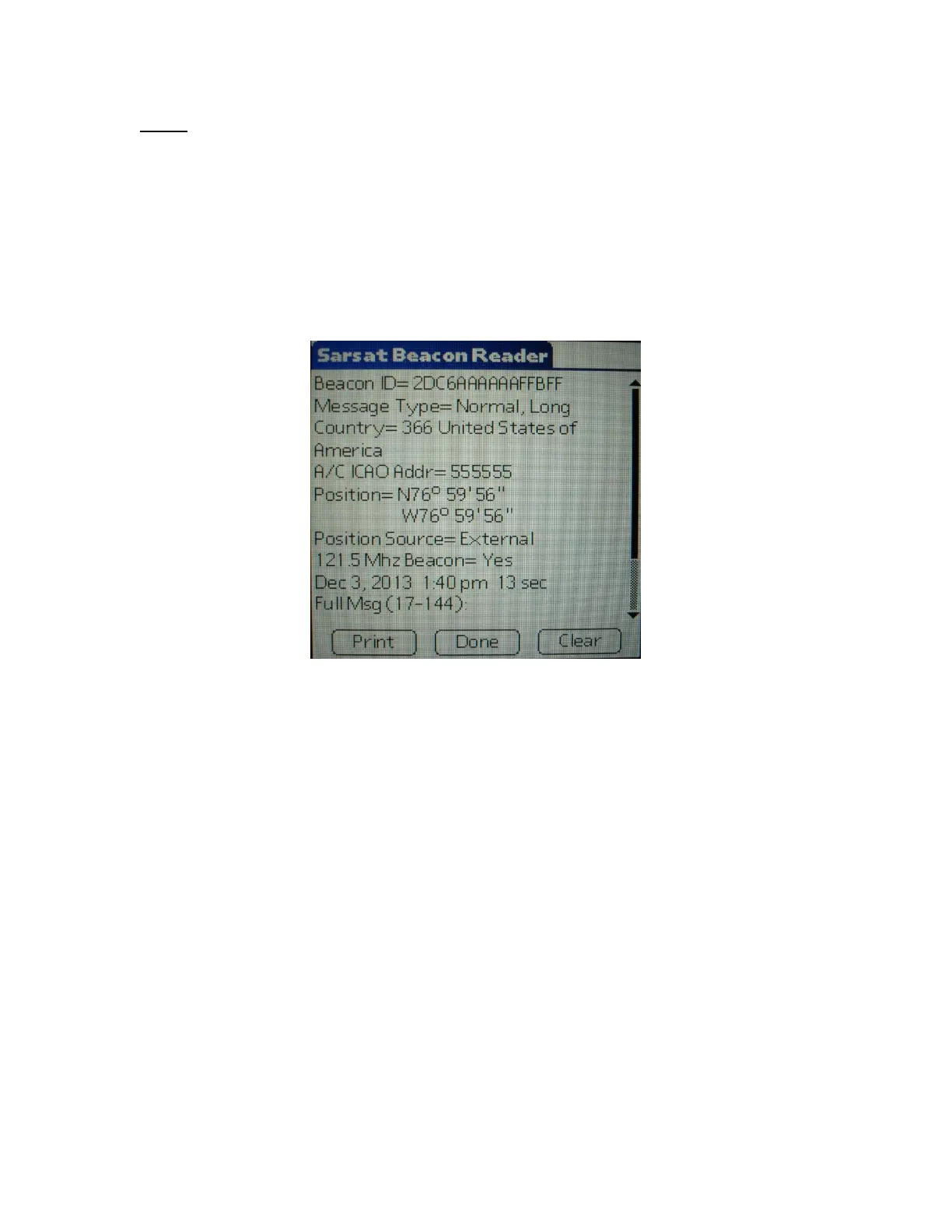
If the ELT is encoded with the 24 bit International Civil Aviation Organization (ICAO)
address and country of registry is USA, then the ICAO address will also be decoded to
an 'N' number registration as shown below.
The message will be automatically saved to a database for later review. Press “clear” or
right arrow key to clear screen for next message.
Figure 9: Example of 24-Bit Address Data View
5.1 Reader Database
All recorded messages are automatically saved to a database (up to 1000 records).
Select “Review” from the initial Sarcalc screen. The latest message will be displayed
with the date and time the message was recorded. Navigate between older and newer
saved messages by selecting “Prev” or “Next”. Any displayed message can also be
printed (if optional printer software is installed).
The number of records kept can be changed by selecting “Prefs” from the initial Sarcalc
screen (see “Preferences”). The database can be erased by deleting the database
“SarcalcDB” from the main Meazura screen as shown in Figure 10. Tap the upper left-
hand corner of the main screen to show the “App” pull-down screen, select “Delete” and
then select “SarcalcDB” to delete. Individual records cannot be erased.


 To Next Page