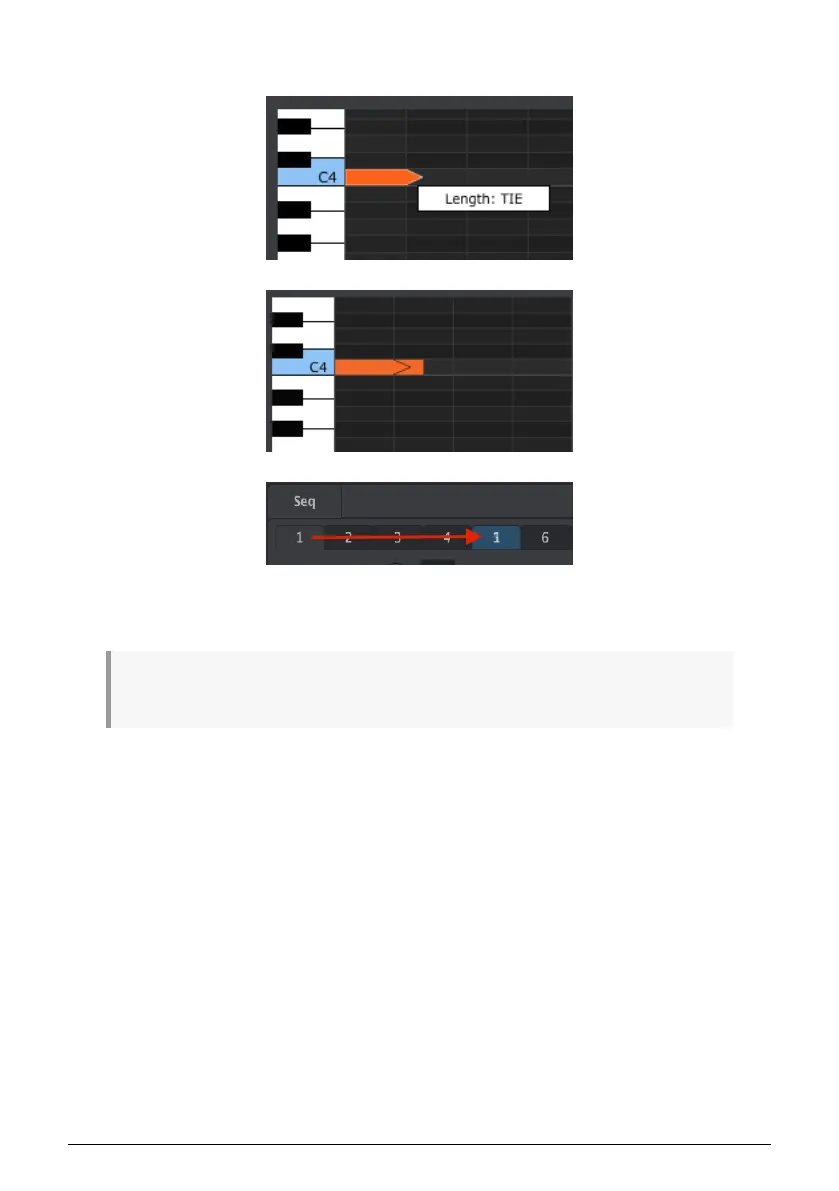
If you double-click in the next step a new note will appear. The overlapped arrow shows that
the two notes are tied:
You can click on the second note and drag the cursor to the right again until the second
note's length value also becomes TIE, and so on.
When the lengths of multiple notes are edited at the same time they will all change to the same
value. A value of Tie does different things for the CV/Gate output and over MIDI:
•
CV/Gate output:
the note that follows a TIE will change the control voltage but
will not send a new gate signal to the attached device.
•
MIDI output:
the Note Off command for the first note happens after the Note On
command for the second note. This allows for 'legato'? playing on a monophonic
synthesizer.
97 Arturia - User Manual KeyStep 37 - The MIDI Control Center













 To Next Page