9.5. Store To/Recall From
9.5.1. The 'Store To' button
The upper left-hand section of the MIDI Control Center has a button called 'Store To'?. It is
used to transmit a Template from the Project Browser window to the KeyStep 37.
The following process will overwrite the internal memory of the KeyStep 37. If you are not sure
those sequences have been backed up, be sure to archive them to your computer using the Recall From
button.
If there is a particular Template you would like to transmit to your KeyStep 37, select it in the
Project Browser window.
If KeyStep 37 and the MCC have been synced, all eight sequences from the Template will be
transmitted to your KeyStep 37 as soon as you select the Template.
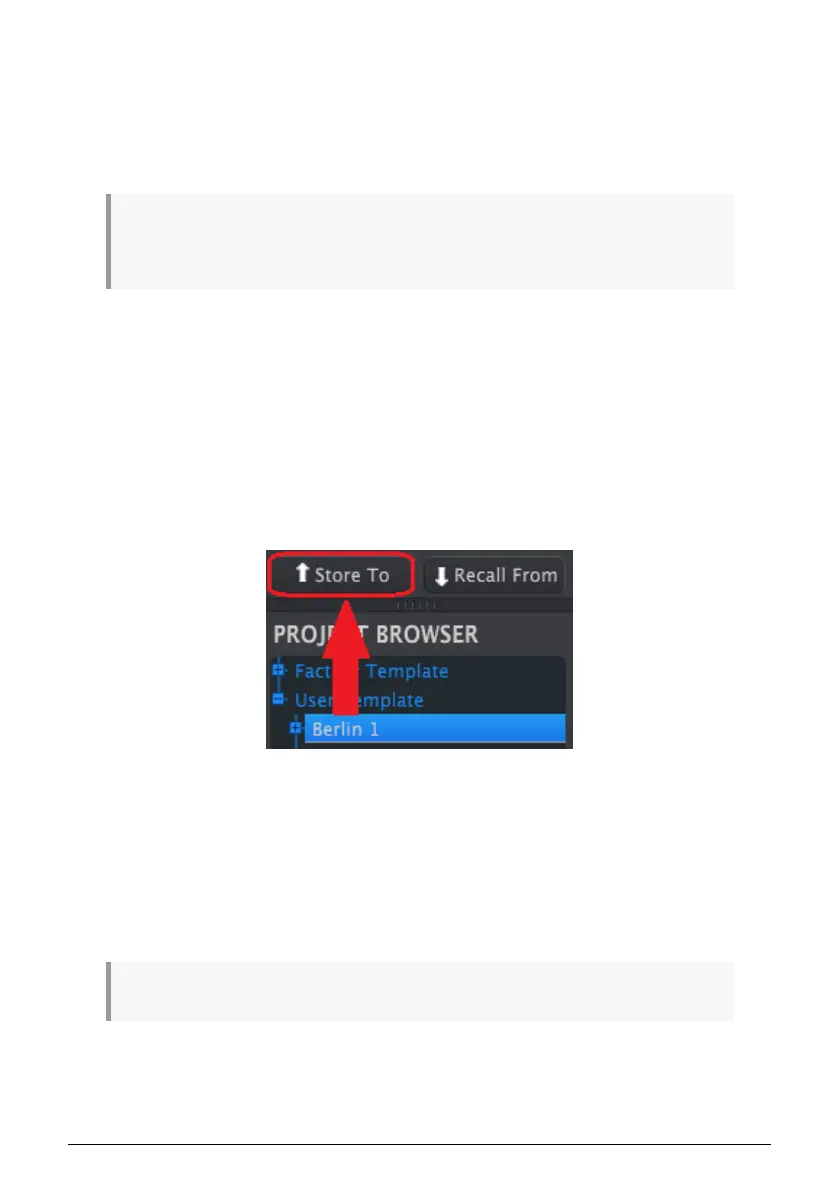
But if KeyStep 37 and the MCC have not been synced, you will need to use the Store To
button to transmit the Template.
The process is similar to the one described previously:
• Select the desired Template as shown below
• Click the Store To button at the bottom of the window.
This process will store all eight sequences from the selected Template into the KeyStep 37.
9.5.2. Recall edited sequences from KeyStep 37
If you changed any sequences inside the KeyStep 37 you need to pull those sequences into
the MIDI Control Center to back them up. To do that, click the Recall From button. A new file
containing all eight sequences will appear in the Project Browser with the current time/date
stamp for a name. You can rename it if you like.
The Recall From button does not save the internal Chord memory of the KeyStep 37.
Arturia - User Manual KeyStep 37 - The MIDI Control Center 86













 To Next Page