9.9.2. Drag/drop onto a tab
It's possible to build a '˜Greatest Hits' group of sequences inside your KeyStep 37 using
sequences from different Templates.
If the MCC and KeyStep 37 have been synced this process will overwrite the target sequences in the
KeyStep 37 internal memory.
Here's how to do this:
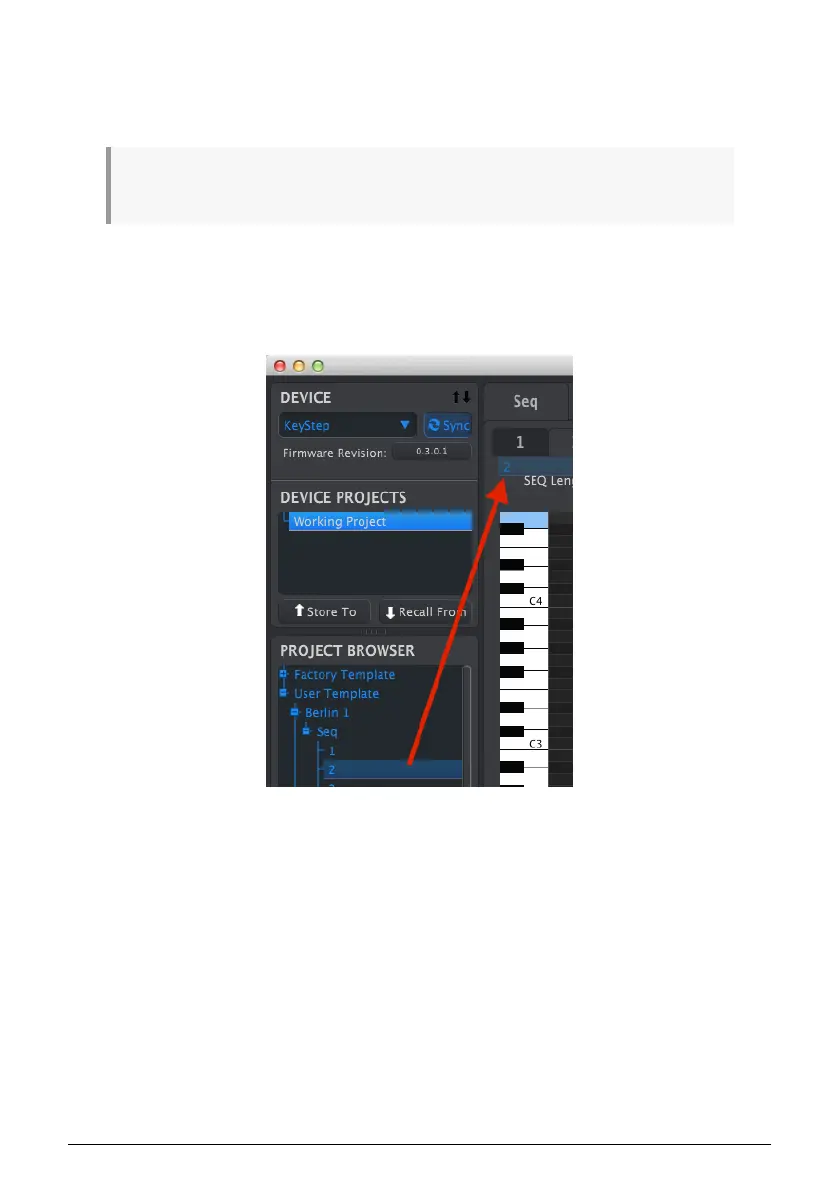
• Select a sequence by opening its Template in the Project Browser
• Click and drag it onto the desired Seq tab
• Repeat the process with the next seven sequences.
Click/drag an archived Seq to a tab in the Seq Editor window.
After you've gathered your eight favorite sequences onto the tabs be sure to use the Save
As..... button to store them as a new Template in the Project Browser.
99 Arturia - User Manual KeyStep 37 - The MIDI Control Center













 To Next Page