2.3. Using the arpeggiator
An arpeggio is a chord of which you repeatedly play the individual notes. It's what you hear
when you hold a chord on a guitar and pluck the strings from top to bottom or the other
way around. A major part of learning to play the guitar is figuring out how to play different
fingerpicking/arpeggio styles. The arpeggiator on the KeyStep 37 does all these things for
you.
The arpeggiator will not run if the sync selection switches are set to something other than internal
and no external clock is present.
2.3.1. Seq / Arp toggle switch
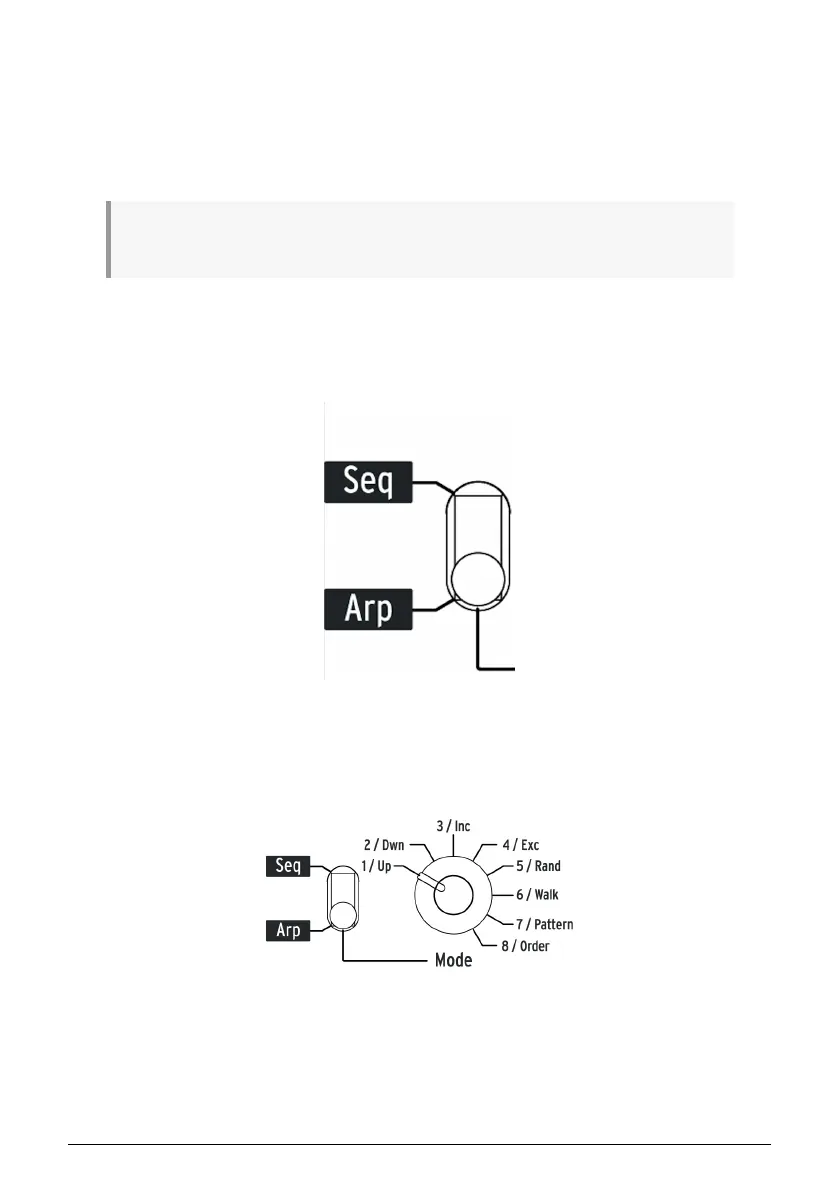
To use the arpeggiator you must first set the Seq/Arp toggle switch to Arp. The Seq position
selects the sequencer, which is covered in section 2.2 [p.20].
2.3.2. Seq / Arp Mode encoder
Use the Seq/Arp Mode encoder to select one of the eight arpeggiator Modes: Up, Down,
Inclusive, Exclusive, Random, Walk, Pattern, Order.
The Modes are described in more detail in Chapter 5 [p.52]
Arturia - User Manual KeyStep 37 - Basic Operations 22













 To Next Page