9.1.4. Back up your sequences
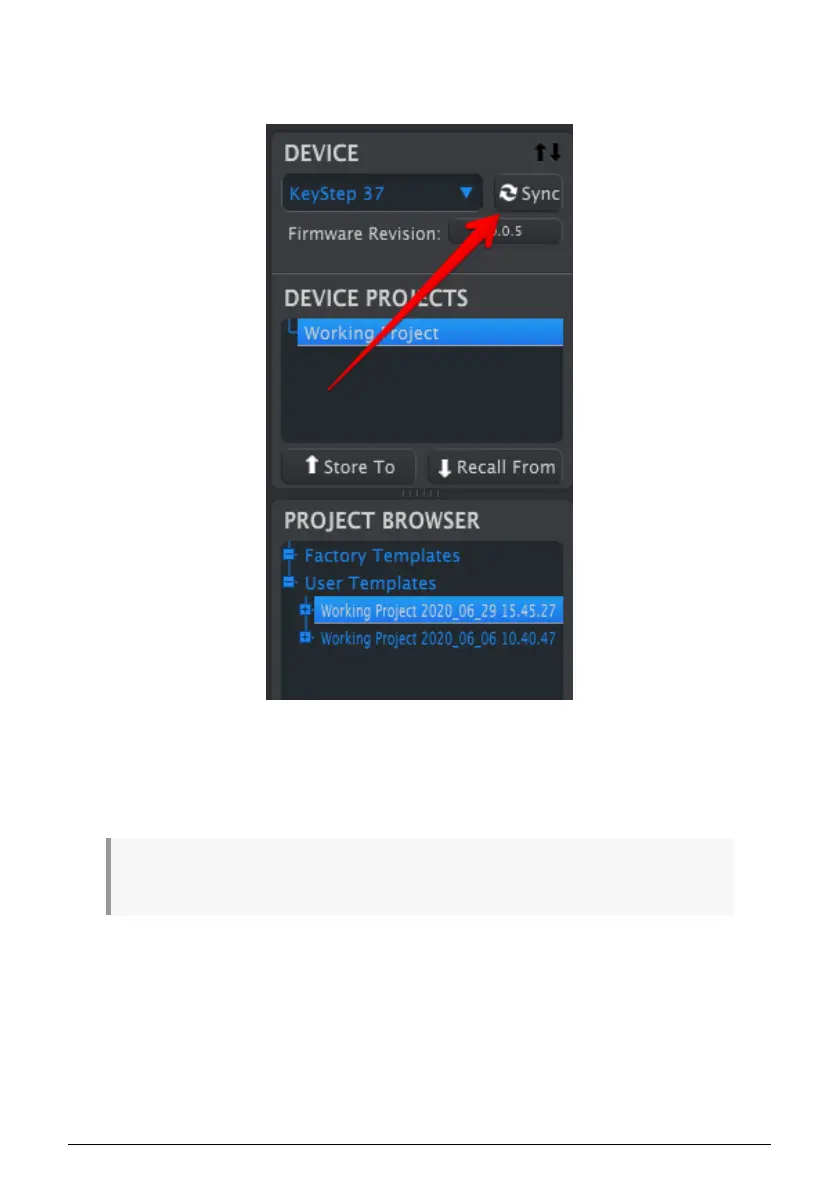
If you want to make a quick backup of your KeyStep 37 sequences, click the Sync button:
This will grab whatever is in the sequence memory and pull it into your computer. MIDI
Control Center will give this file the current date/time stamp for a name, but you can name
it something else if you like.
After this, every change made in the software will also be made inside KeyStep 37.
It's possible to use most functions of the MIDI Control Center even when it has not been synced to
the KeyStep 37. There may be times you prefer not to sync the two.
We'll go through these concepts in greater detail in Chapter 9.
Arturia - User Manual KeyStep 37 - The MIDI Control Center 76













 To Next Page