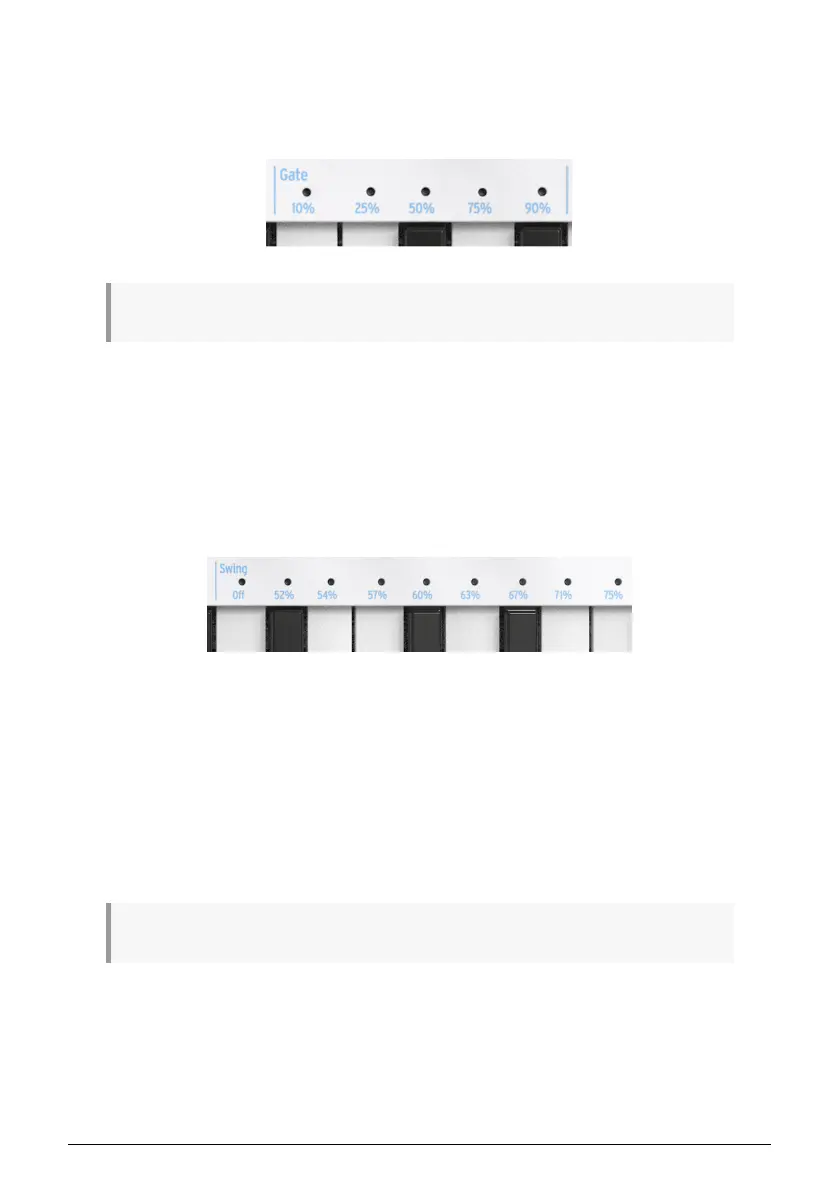
3.6.2. Gate
The Gate time of a Seq/Arp note is the percentage of time it stays 'on'? before the next note
happens, with 10% being the shortest time and 90% being the longest. Hold Shift and press
the appropriate key to make a selection.
Each sequence can have its own Gate setting. Arp mode has an independent Gate setting also.
When creating a sequence it is also possible to enter a value of 'Tie', which holds a note into
the following step. See section 4.2.1.2 [p.44] for information.
3.6.3. Swing
Swing introduces a 'shuffle' feel to the active sequence or arpeggio. 9 different settings are
available, ranging from Off (no swing, or 50%) through varying degrees of swing amount
(52-75%). To make a selection, Hold Shift and press the appropriate key. The in-between
steps are: Off, 52, 54, 57, 60, 63, 67, 71, 75.
What the Swing setting does is shift the timing of the notes in a sequence, making the first
note of a pair longer and the second note shorter. Assuming the time division is set to 1/8,
here's what will happen:
• With Swing set to Off (50%) each note gets equal time, resulting in a straight 1/
8th note feel.
• As the Swing value exceeds 50% the first 1/8th note is held longer and the second
is played later and shorter. You'll notice the sequence starts to 'shuffle' a bit and
perhaps sounds less mechanical to your ear.
• The maximum Swing setting is 75%, at which point the 1/8th notes sound more
like a 1/16th note figure than 'shuffled' 1/8th notes.
Each sequence can have its own Swing setting. Arp mode has an independent Swing setting also.
Arturia - User Manual KeyStep 37 - Shift Functions 34













 To Next Page