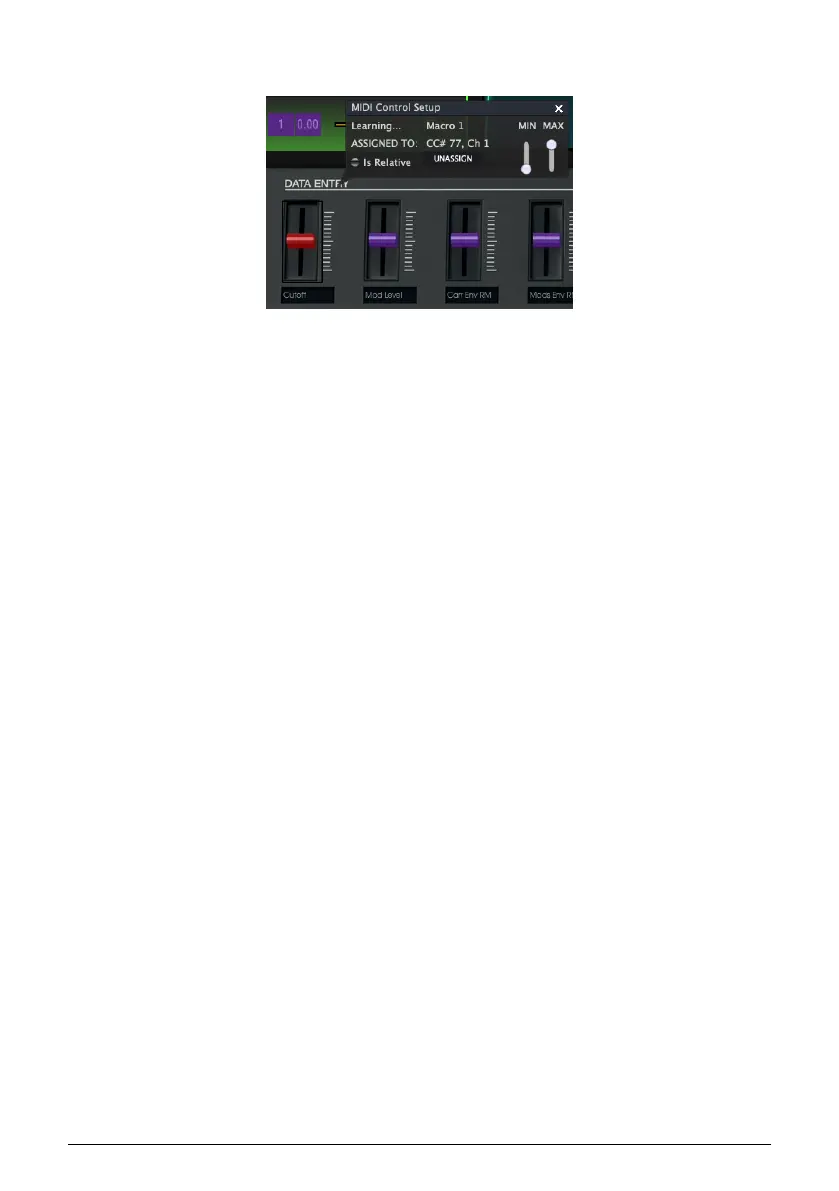
• Click on the knob/function you want to control (the knob/function will turn red)
and an assign window will pop-up
• wiggle knob 4 on the KeyStep 37 and watch how the slider you selected on the
DX7 V is now assigned to CC# number 77.
Knob 4 is now automagically linked to the Cutoff slider on the DX7 V
All software synths of Arturia's V collection have a MIDI learn option.
To summarise: to create a data stream between the KeyStep 37 and a hardware synth,
change the CC# number of the knob on the KeyStep 37. To create a data stream between
the KeyStep 37 and a software synth, it's easier to use the MIDI learn feature of the software
synth.
71 Arturia - User Manual KeyStep 37 - Controlling external synths













 To Next Page